


Applicable Instructions
This guide applies to: Gate App
Preparation: Gate App has been downloaded and installed
Estimated time required: 5 minutes
Objective
This article will walk you through how to create a Web3 wallet on the Gate App, back up your wallet, and complete basic deposit and transfer transactions.
Steps
Step 1: Create or Import a Gate Web3 Wallet
- Open the Gate App and go to the Web3 section.
- Choose the action that fits your situation:
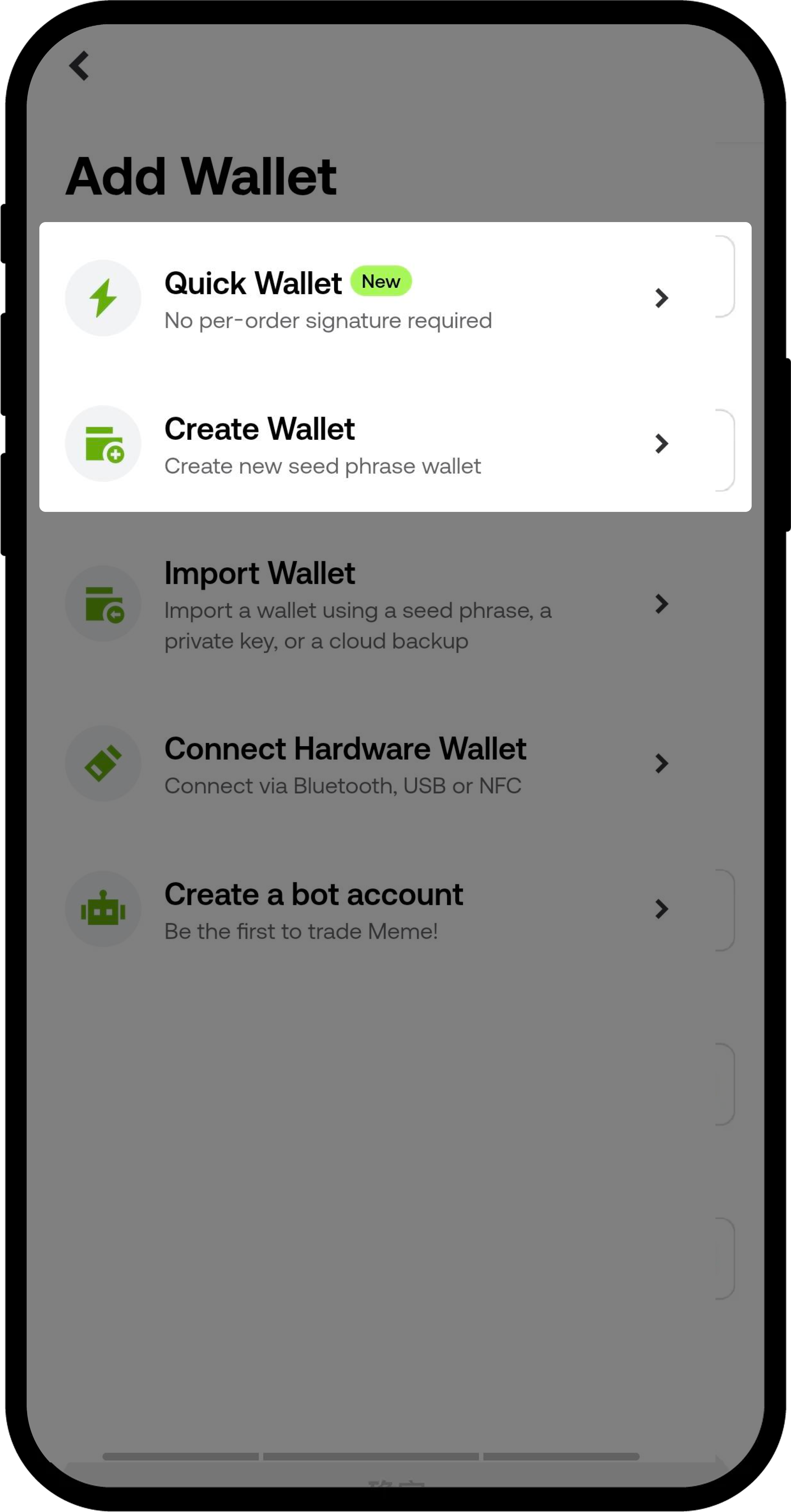
- Create a New Wallet: Tap Create Wallet, set and enter your password, and complete the creation process.
- Import an Existing Wallet: Tap Import Wallet, enter your mnemonic phrase or private key, and finish the import.
- Restore from Cloud Backup: If you've previously backed up your wallet to the cloud via the Gate App, tap Import Wallet -- Restore from Cloud Backup, enter your password, and restore your wallet.
Step 2: Back Up Your Wallet
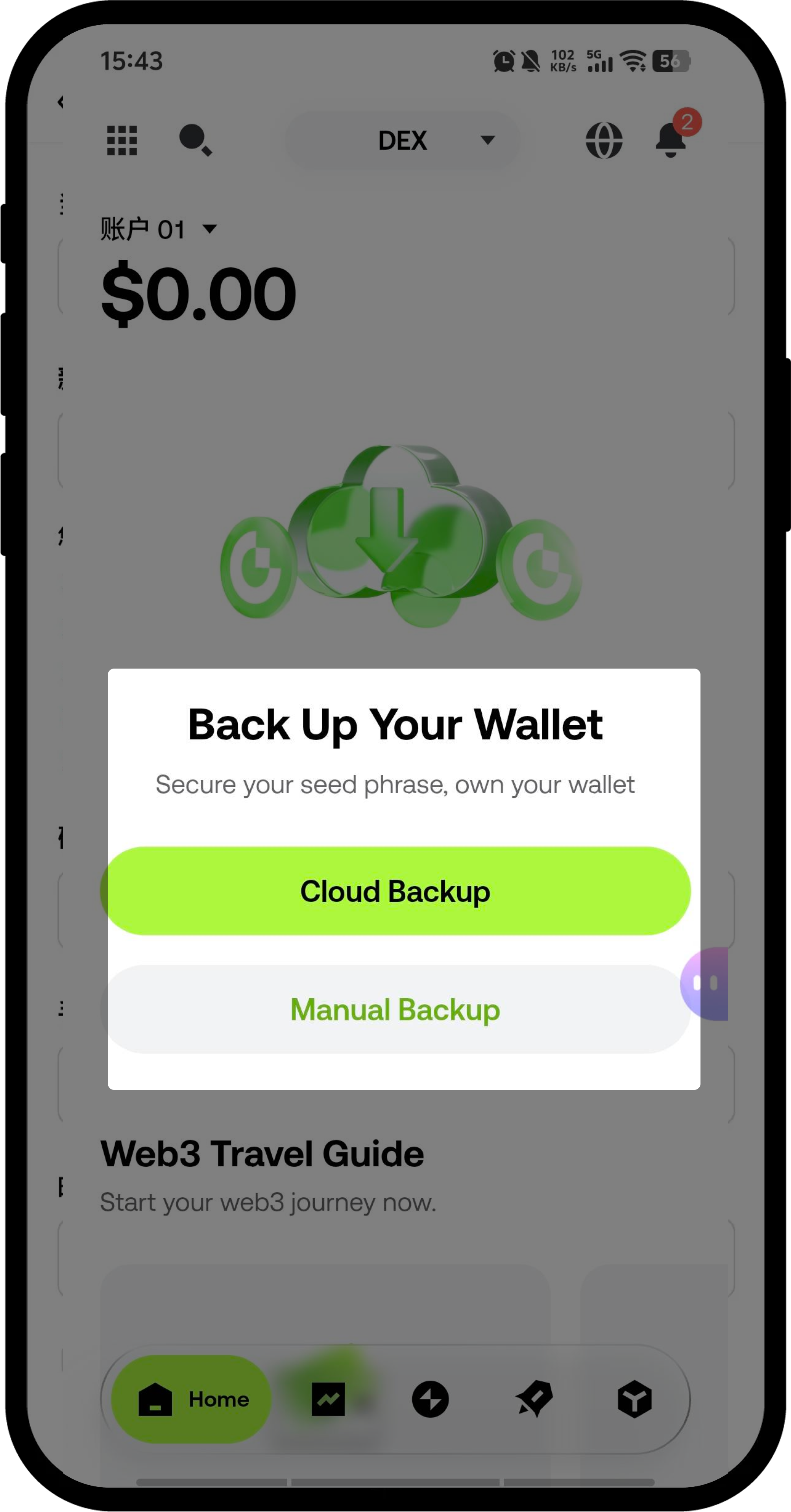
- After creating your wallet, tap the Settings icon in the upper right corner of the Web3 home page.
- Select the Cloud Backup option.
- Follow the prompts to complete the cloud backup setup.
Step 3: Deposit Tokens into Your Web3 Wallet
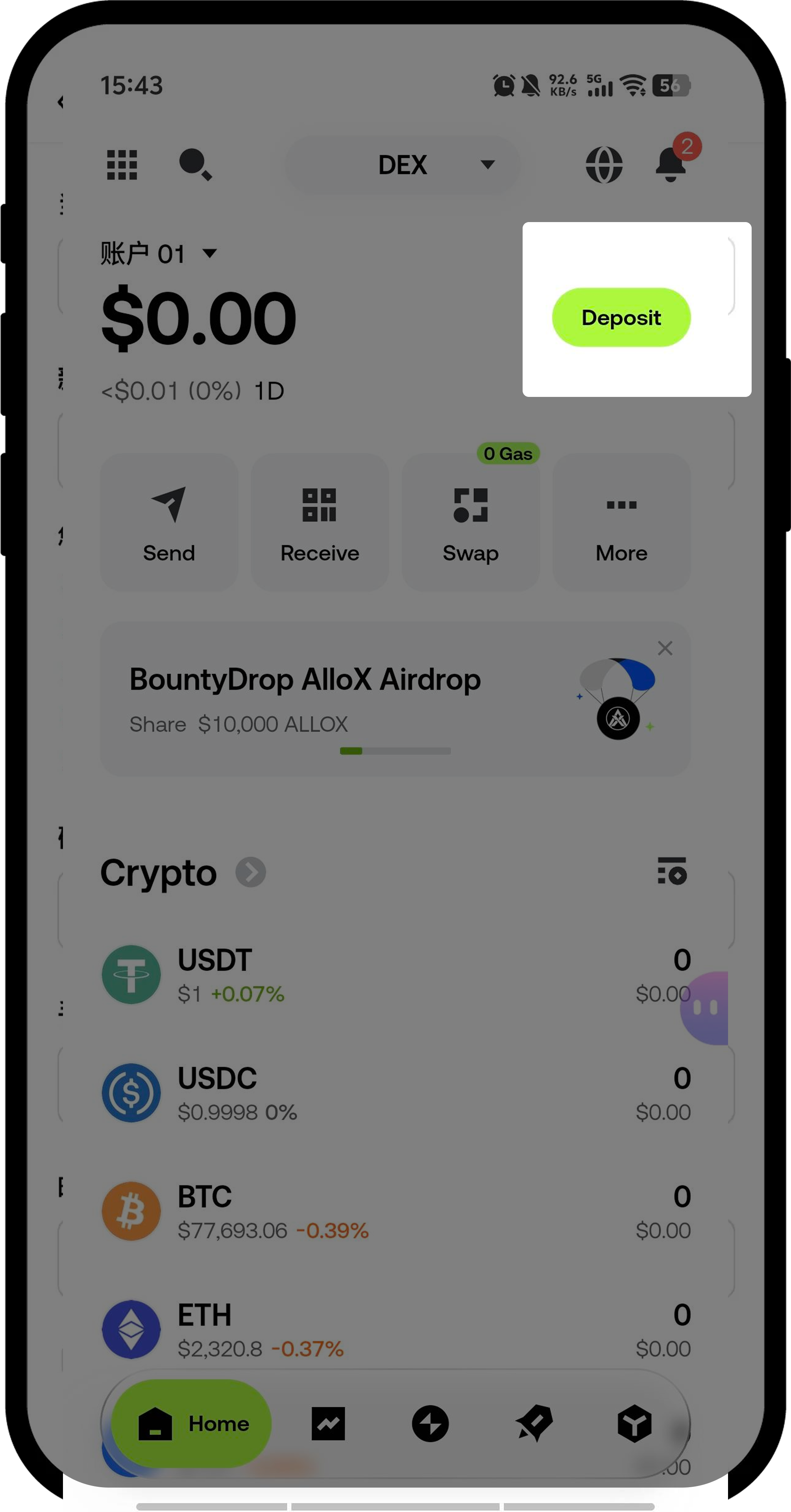
- In the Web3 section, tap Receive.
- Select the token you want to deposit and its corresponding network.
- Copy the displayed receiving address.
- Paste this address into the withdrawal platform you’re using and complete the transfer.
Step 4: Transfer from Your Web3 Wallet
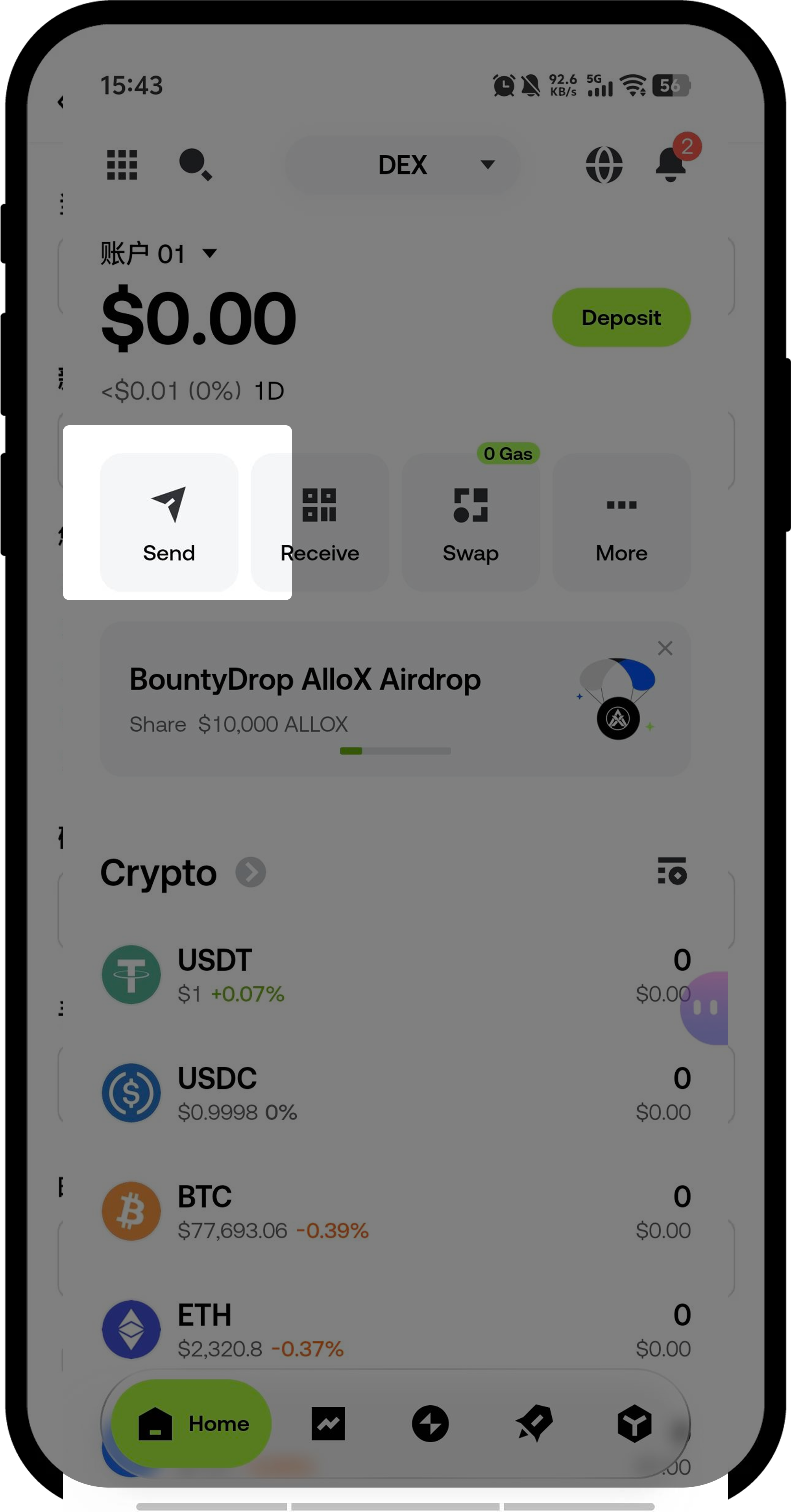
- In the Web3 section, tap Send.
- Select the token you want to transfer and its network.
- Enter the following in order:
- The recipient’s wallet address
- The amount to transfer
- After confirming all information is correct, tap Confirm.
Important Notes
- Mnemonic Phrase and Password Security: Gate does not store your password or mnemonic phrase. Please keep them safe. If lost, your assets cannot be recovered.
- Importance of Cloud Backup: We strongly recommend completing a cloud backup to prevent asset loss when changing devices.
- Gas Fee Preparation: Before transferring, make sure your wallet has enough native network tokens (such as ETH, BNB, etc.) to cover gas fees.
- Address and Network Verification: Double-check the recipient address and network type before transferring. Transactions sent to the wrong address or network cannot be reversed.
Frequently Asked Questions
Q1: What features does the Gate Web3 Wallet support?
A: Gate Web3 Wallet supports cross-chain token swaps, perpetual contracts, Earn products, inscription markets, DApps, Startup airdrops, Web3 Task Square, NFTs, and more. For details, visit: https://www.gate.com/help/web3
Q2: How can I use the Gate Web3 Wallet on the web or as a browser extension?
A: You can find detailed instructions at the following links:
- Gate Web3 Web Version: https://www.gate.com/web3
- Gate Web3 Wallet Extension: https://chrome.google.com/webstore/detail/gate-wallet/cpmkedoipcpimgecpmgpldfpohjplkpp
- For deposit/transfer instructions on the web or extension, please refer to related articles in the Help Center.
Q3: What should I do if I forget my password or lose my mnemonic phrase?
A: If you’ve completed a cloud backup, you can restore your wallet using the Restore from Cloud Backup feature. If you haven’t backed up and have lost both your mnemonic phrase and password, your assets cannot be recovered.
Disclaimer
The content of this article is for reference and educational purposes only. It does not constitute financial, investment, trading, or legal advice, nor is it an offer or solicitation to purchase or sell any digital assets. Gate makes no express or implied guarantees regarding the accuracy, completeness, or timeliness of the information provided. Product features, interfaces, rules, and fees may be updated or adjusted at any time. Please refer to the latest announcements and actual pages on the Gate platform for the most current information.
Investing in digital assets involves high risk. Prices may fluctuate significantly, and you could lose all your invested funds. Please make decisions cautiously based on your understanding of the relevant risks and your own financial situation and risk tolerance. If needed, consult an independent professional financial or legal advisor.
For more risk information, please refer to Gate’s “Risk Warning” and “User Agreement.”
Disclaimer
The content provided herein is for reference and educational purposes only and does not constitute any financial, investment, trading, or legal advice, nor does it constitute an offer or solicitation to buy or sell any digital assets. Gate makes no express or implied representations or warranties regarding the accuracy, completeness, or timeliness of the information contained herein. Product features, interfaces, rules, and fee structures may be updated or adjusted at any time. Please refer to the latest announcements and the actual information displayed on the Gate platform for the most accurate details.
Digital asset investments involve significant risk, and prices may fluctuate substantially. You may lose the entire amount of your investment. Please make decisions cautiously based on your own financial situation and risk tolerance after fully understanding the associated risks. If necessary, you are advised to consult an independent professional financial or legal advisor.
For more information about potential risks, please refer to Gate's Risk Disclosure and User Agreement.
