


Langkah 1: Buka Aplikasi Gate, ketuk [Setoran] di beranda, dan pilih [Beli Cepat] atau perdagangan [P2P]. Atau Anda juga dapat mengetuk avatar di pojok kanan atas dan pilih [P2P] untuk masuk ke halaman perdagangan fiat.
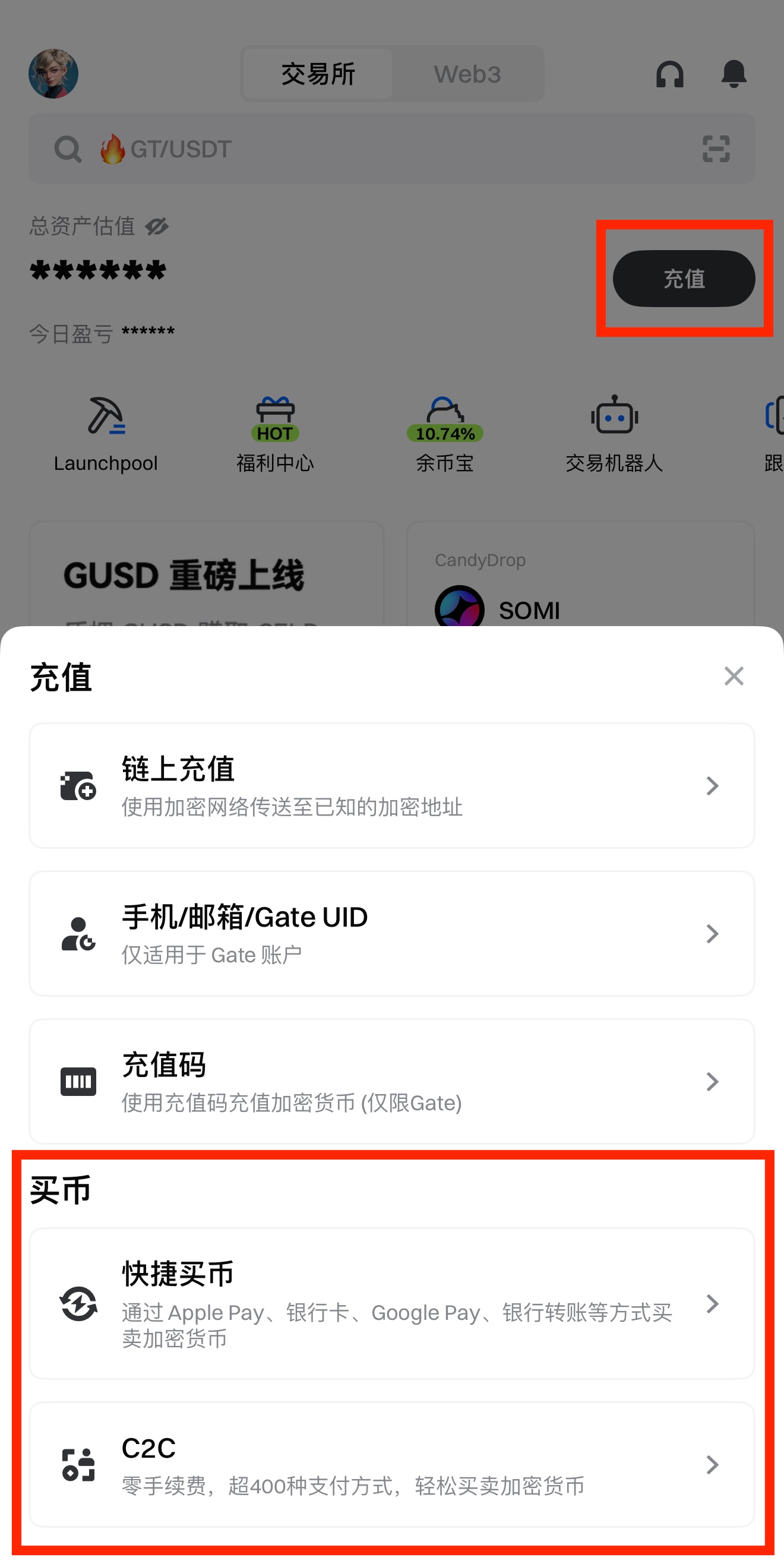
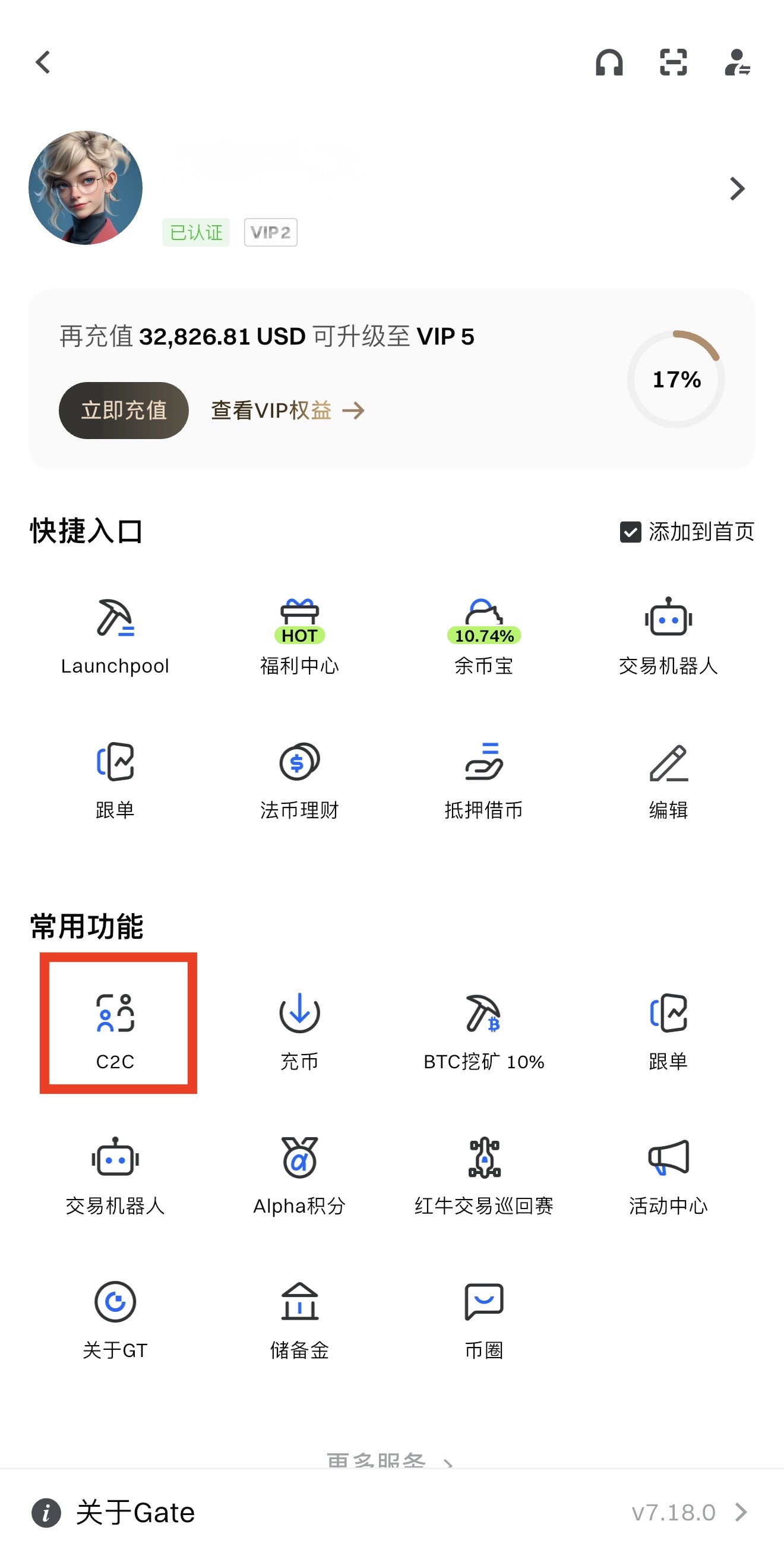
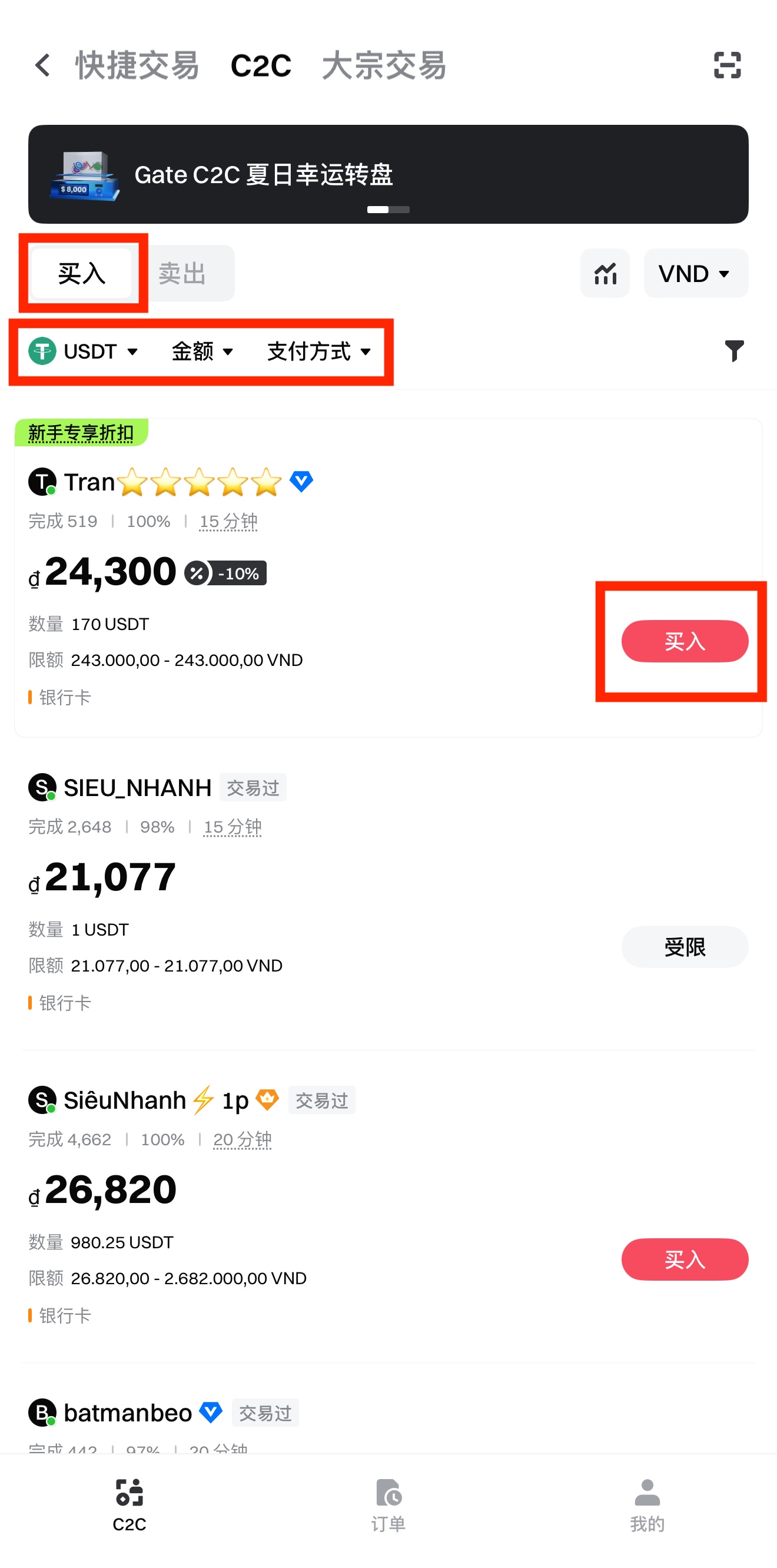
Langkah 2: Pada halaman perdagangan P2P, pilih merchant dan ketuk [Beli] di sebelah kanan.
Contoh – Membeli Kripto:
- Pilih token yang ingin Anda perdagangkan (USDT/BTC/ETH/DOGE).
- Ketuk [Jumlah] untuk memasukkan jumlah kripto yang ingin Anda beli.
- Ketuk [Metode Pembayaran] untuk memilih opsi pembayaran yang Anda inginkan.
Dari daftar merchant, pilih merchant yang ingin Anda ajak bertransaksi lalu ketuk [Beli].
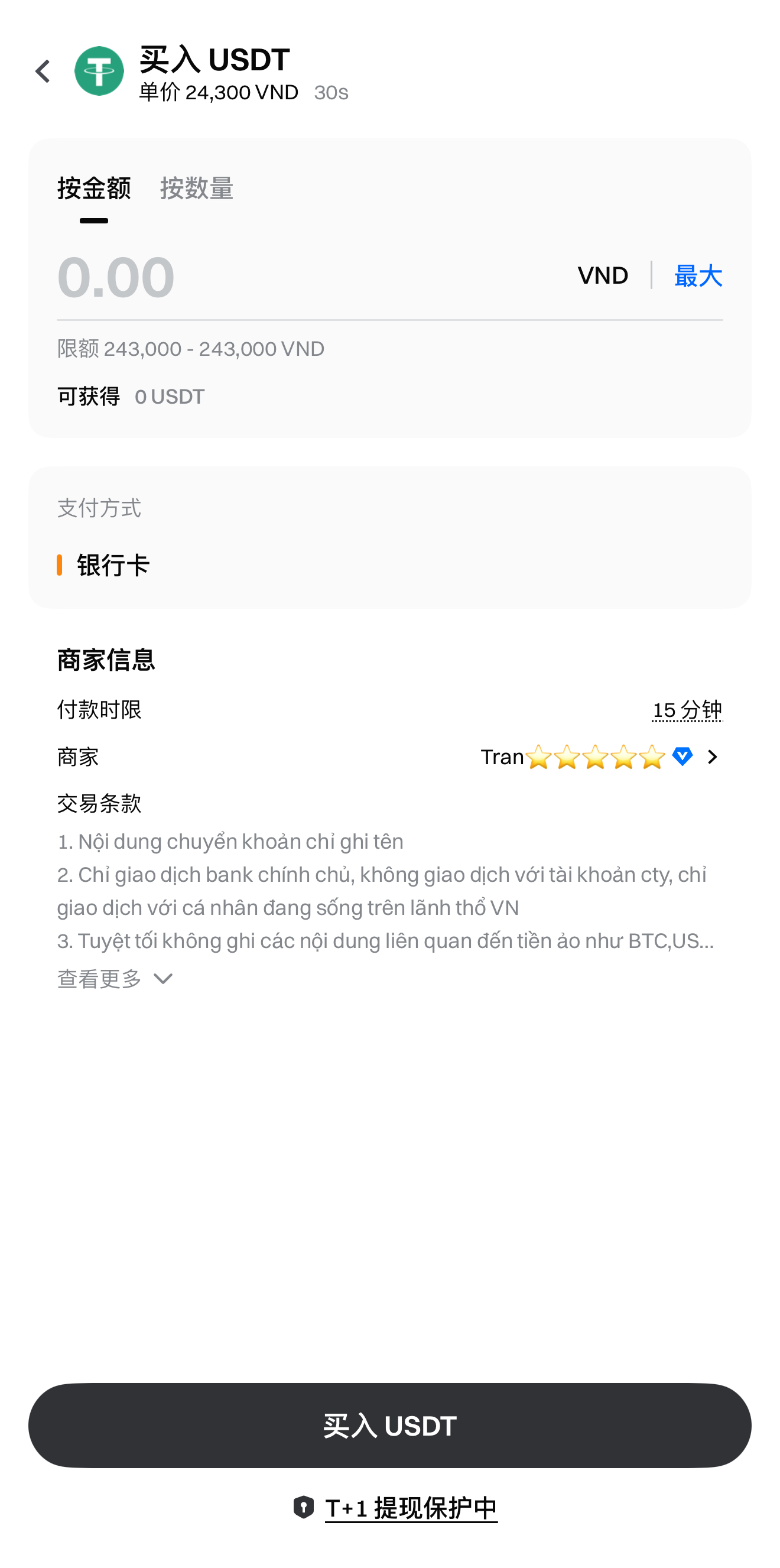
Langkah 3: Setelah memilih merchant, masukkan jumlah kripto atau jumlah fiat, lalu klik [Beli] di bagian bawah. Jendela konfirmasi akan muncul, periksa detail pembelian dan ketuk [Beli] untuk mengonfirmasi.
Langkah 4: Setelah konfirmasi order, status [Pembayaran Tertunda] akan ditampilkan di sisi kanan halaman. Anda juga dapat pergi ke [Order] untuk melihat dan menyelesaikan pembayaran.
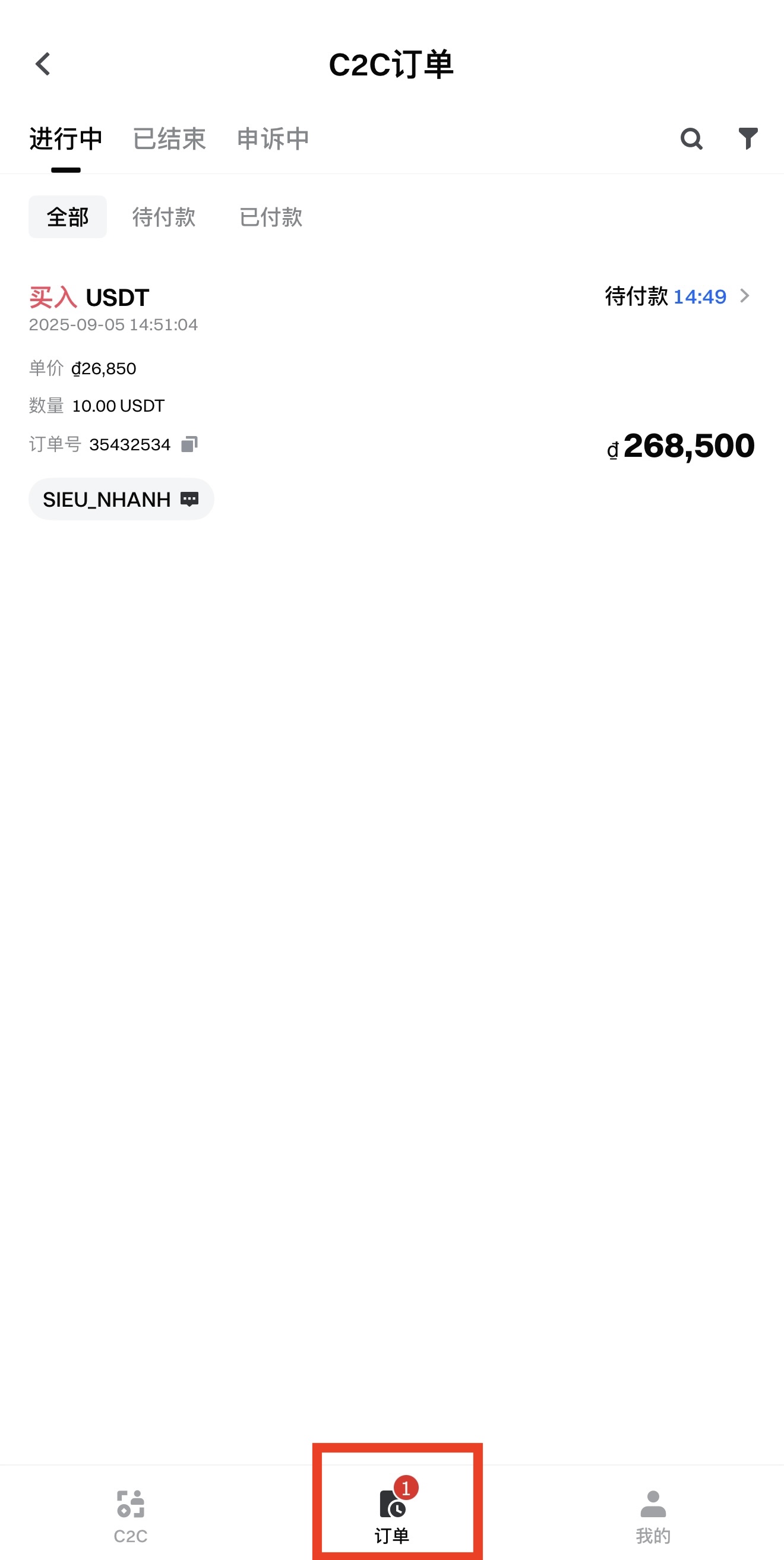
Langkah 5: Ketuk [Lihat Detail Pembayaran] untuk melihat informasi pembayaran penjual. Selesaikan pembayaran dalam waktu 15 menit, lalu ketuk [Saya telah Membayar].
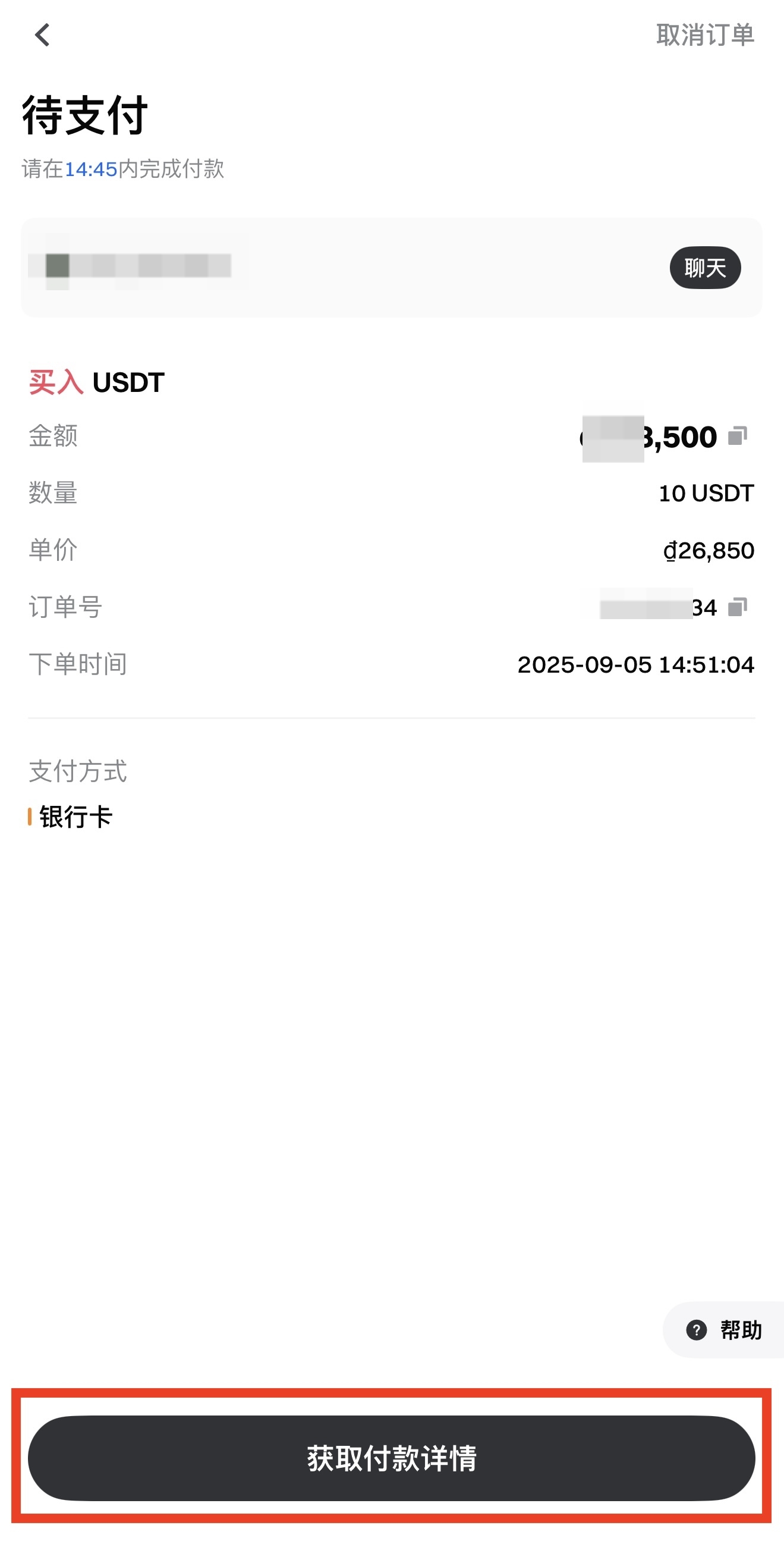
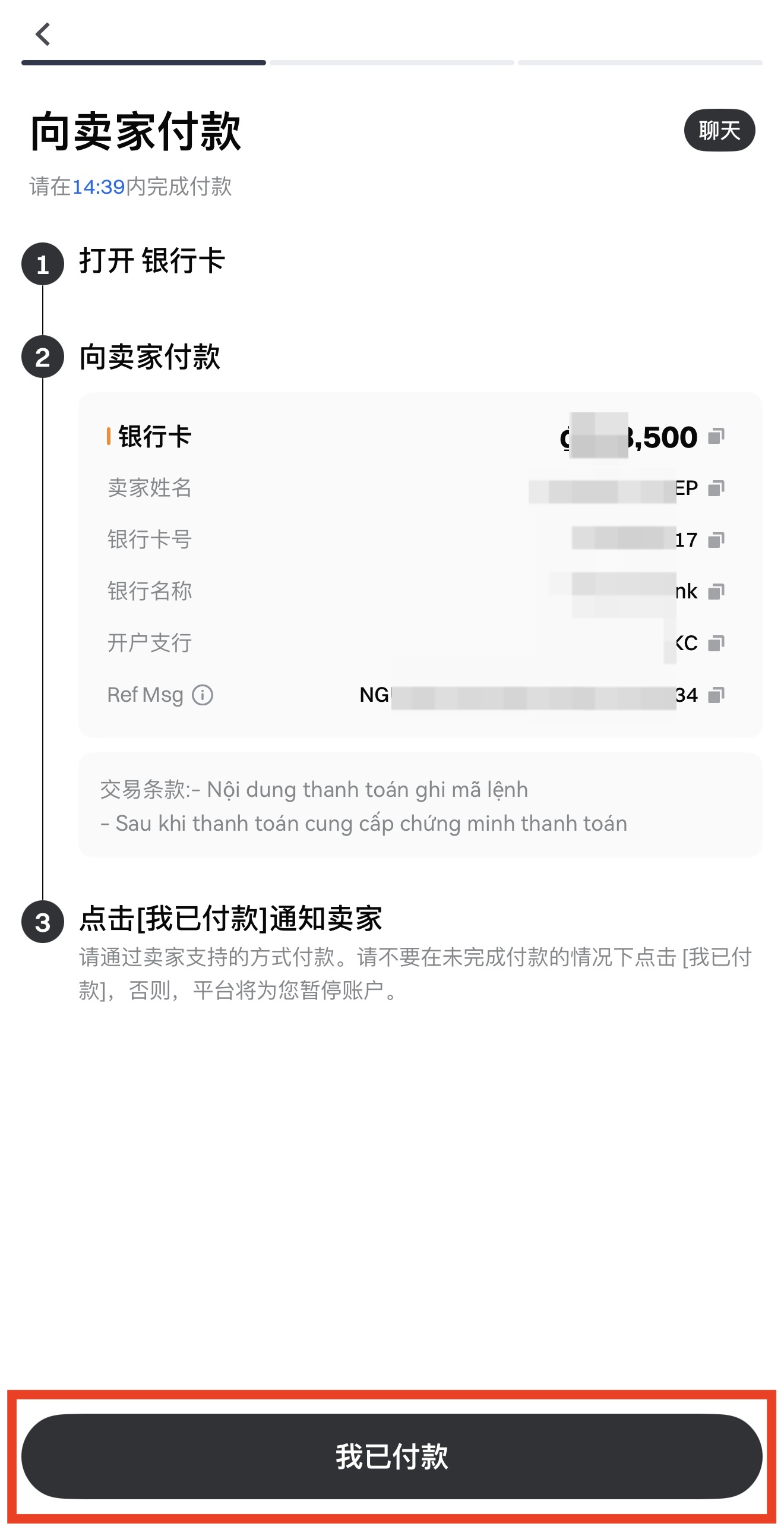
Catatan: Pembeli harus menyelesaikan pembayaran secara manual dalam waktu 15 menit (platform tidak memotong dana secara otomatis) dan ketuk [Saya telah Membayar]. Jika tidak, order akan dibatalkan secara otomatis setelah 15 menit, dan kripto akan dikembalikan ke akun penjual. Kegagalan dalam mengikuti instruksi dapat menyebabkan hilangnya dana dan aset kripto Anda!
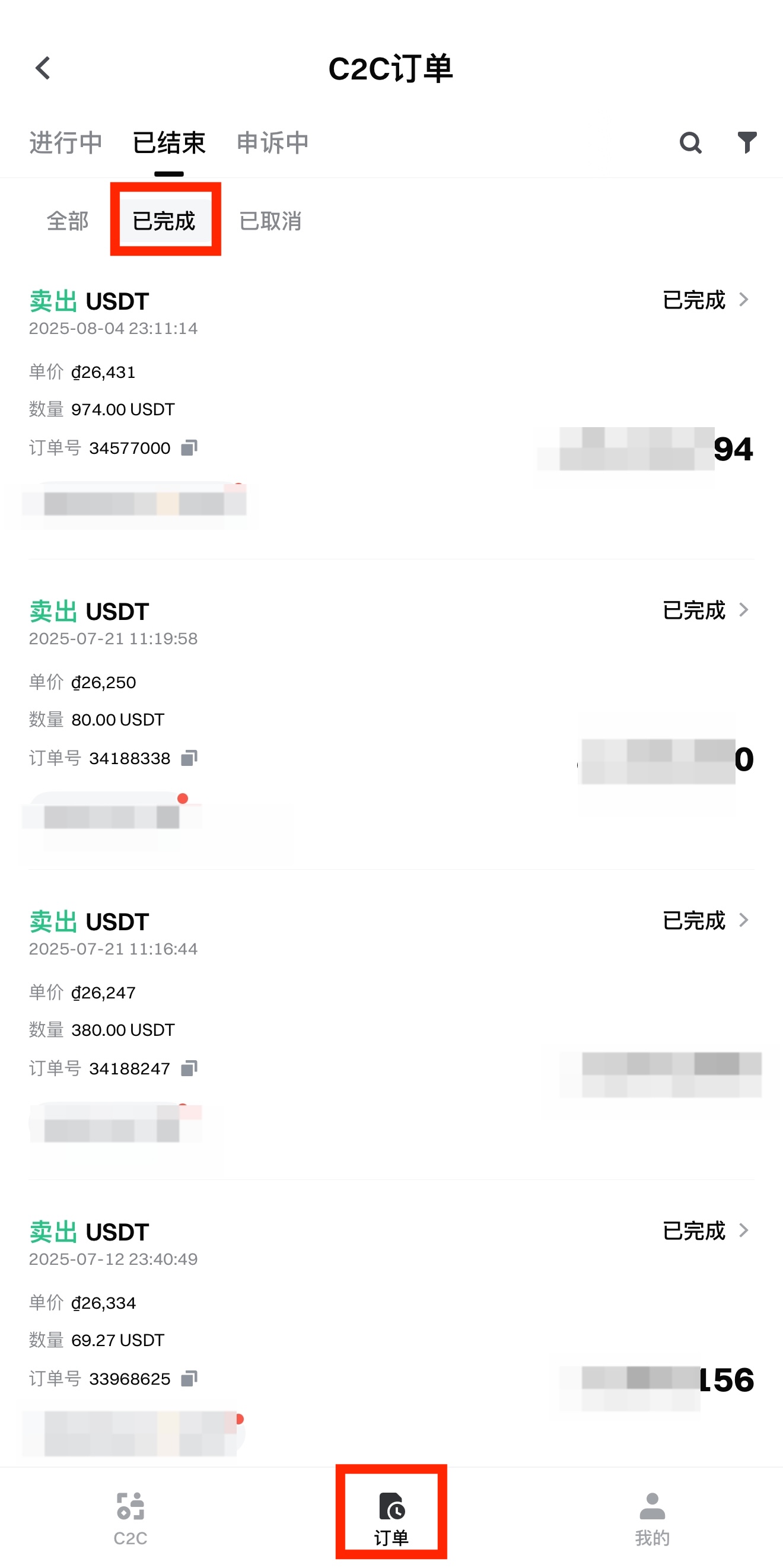
Langkah 6: Setelah order selesai, Anda dapat melihat detail order di [Order] – [Selesai].
Konten yang disediakan di sini hanya untuk tujuan referensi dan edukasi, dan tidak dimaksudkan sebagai saran keuangan, investasi, perdagangan, atau hukum, maupun sebagai penawaran atau ajakan untuk membeli atau menjual aset digital apa pun. Gate tidak memberikan jaminan atau pernyataan, baik secara tersurat maupun tersirat, mengenai keakuratan, kelengkapan, atau ketepatan waktu informasi yang terkandung di sini. Fitur produk, antarmuka, aturan, dan struktur biaya dapat diperbarui atau disesuaikan kapan saja. Silakan merujuk pada pengumuman terbaru dan informasi aktual yang ditampilkan di platform Gate untuk detail yang paling akurat.
Investasi aset digital melibatkan risiko yang signifikan, dan harga dapat berfluktuasi secara substansial. Anda dapat kehilangan seluruh jumlah investasi Anda. Harap mengambil keputusan dengan hati-hati berdasarkan situasi keuangan dan toleransi risiko Anda sendiri setelah sepenuhnya memahami risiko yang terkait. Jika diperlukan, disarankan untuk berkonsultasi dengan penasihat keuangan atau hukum independen.
Untuk informasi lebih lanjut tentang risiko potensial, silakan merujuk pada Pengungkapan Risiko dan Perjanjian Pengguna Gate.
