


Step 1: Accessing the Merchant Dashboard
1.Login to Gate:
Start by logging into your Gate account. If you don’t have an account, you can start creating one here : https://www.gate.com/signup
2.Navigate to the P2P Merchant Center:
-Hover over the "Buy Crypto" menu on the top navigation bar.
-Select "P2P Trading" from the dropdown.
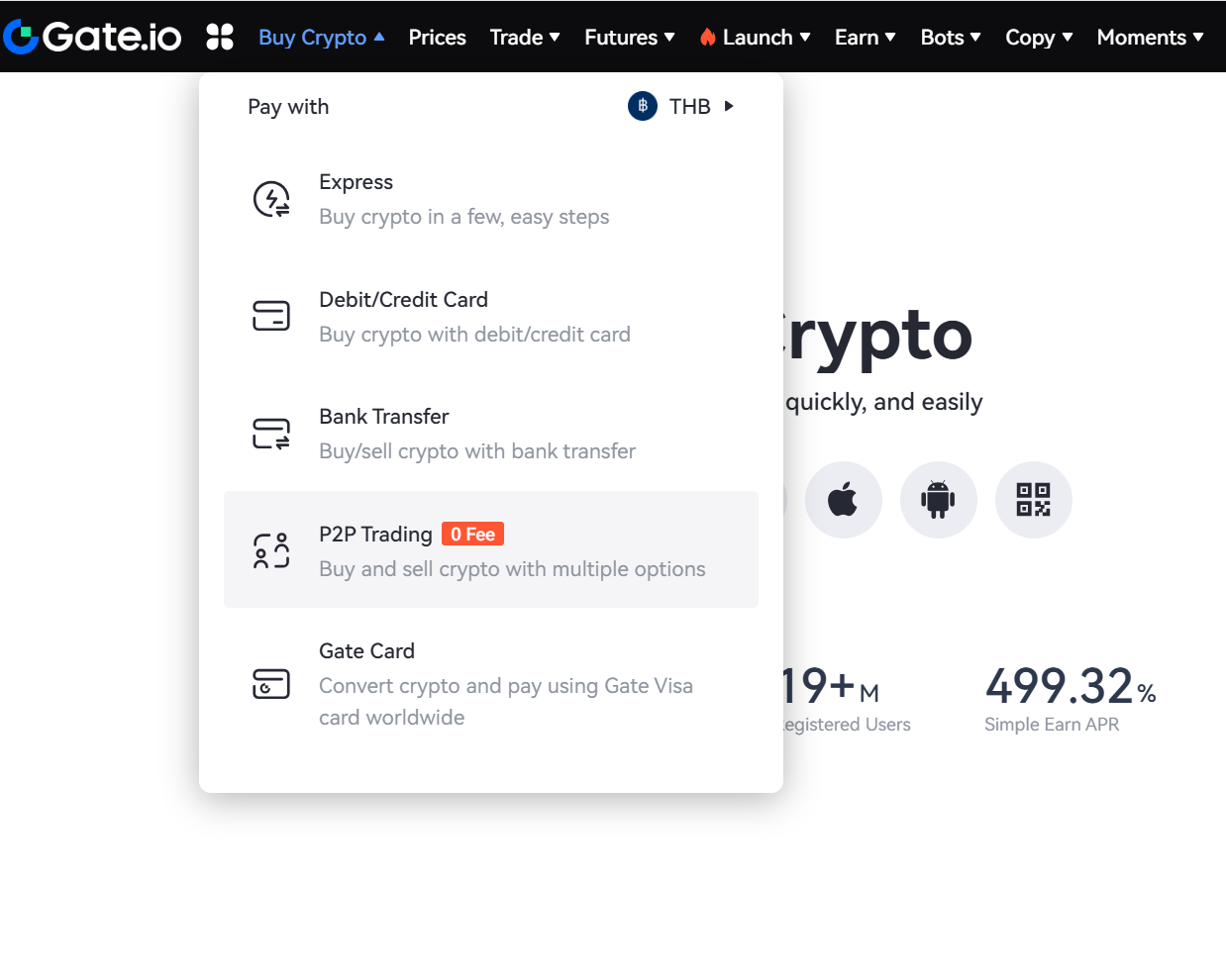 -Alternatively, you can directly access the Merchant Dashboard by clicking [this link]
3.Switch to Merchant Dashboard:
If you are not yet a merchant Join Here!
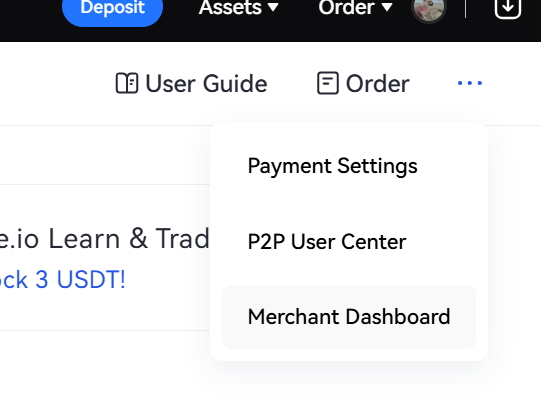
On the P2P Trading page, locate and click the "Merchant Dashboard" tab or button to enter the dashboard by clicking on the elypses and hover down to "merchant dashboard".
Step 2: Understanding the Merchant Dashboard
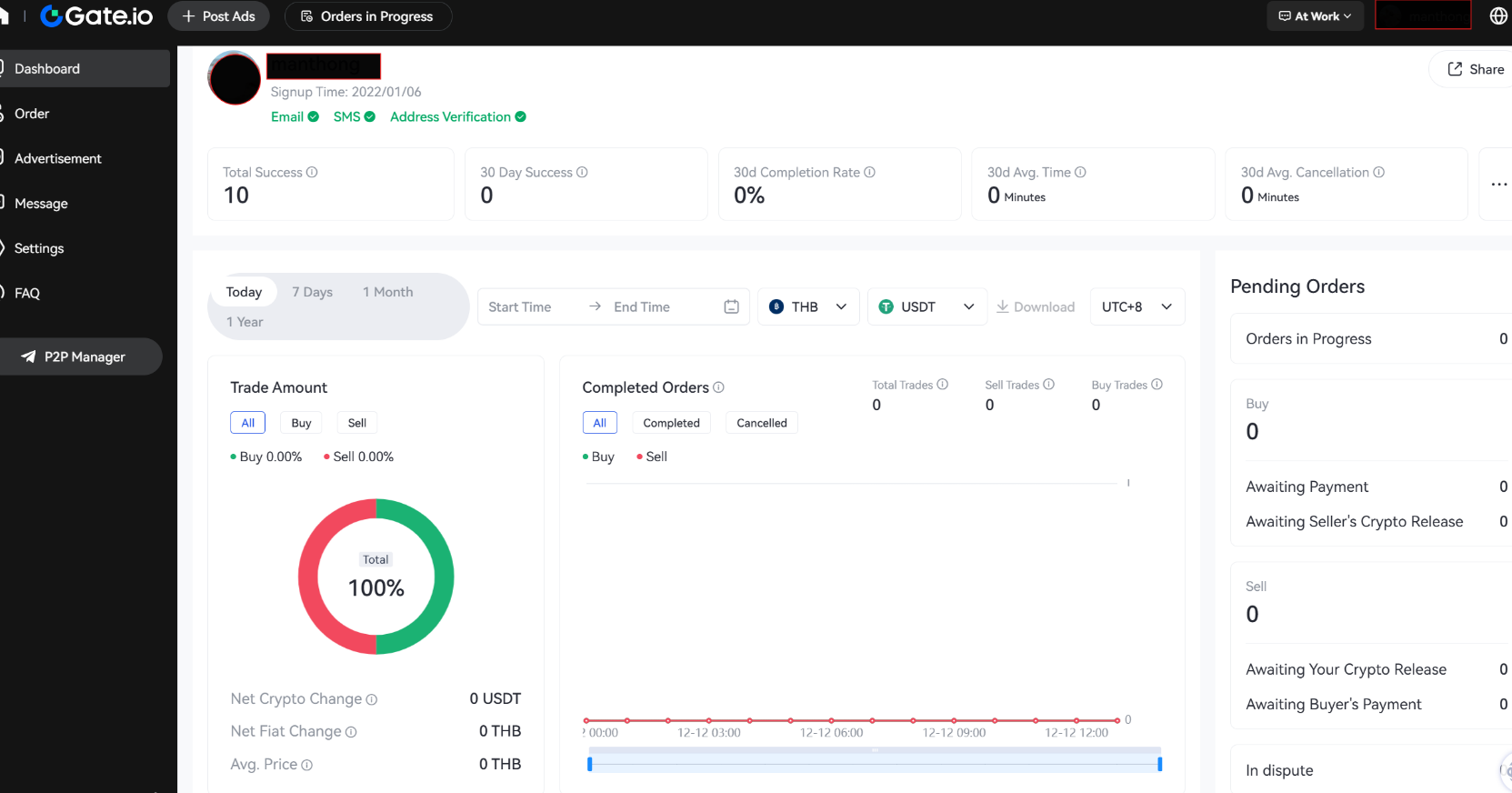
1.Overview Tab
This tab provides a summary of your merchant account, including:
-Total trades and Transaction Volume.
-Status of ongoing offers/ads along with any orders that are in dispute.
2.Order Management Tab
Here, you can:
-View and manage all active, completed, and canceled orders.
-Filter orders by date, currency, and trading pairs.
-Access detailed order history.

3. Advertisement Tab
This section allows you to:
-You can click on "Post Ads" to create new buy or sell ads for your chosen cryptocurrencies.
-Edit or deactivate existing ads.
-Monitor ad performance, including views and responses.

4.Message Tab
The Messages section helps you:
-Communicate with buyers and sellers for ongoing or completed orders.
-Resolve disputes and provide clarifications for any trade-related issues.
-Access order notifications and updates for smoother communication.

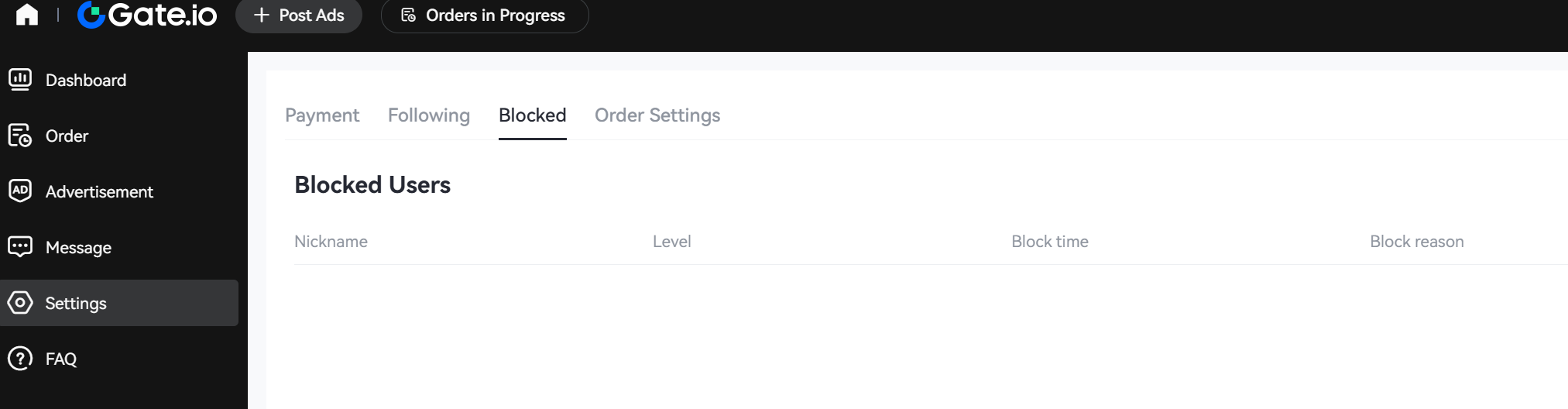
5.Settings Tab
The Settings tab allows you to:
-Manage your payment methods.
-Manage blocked users by reviewing or unblocking them as needed.
-View and manage your "Following" list.
-Adjust "Order Settings" for trade preferences and configurations.
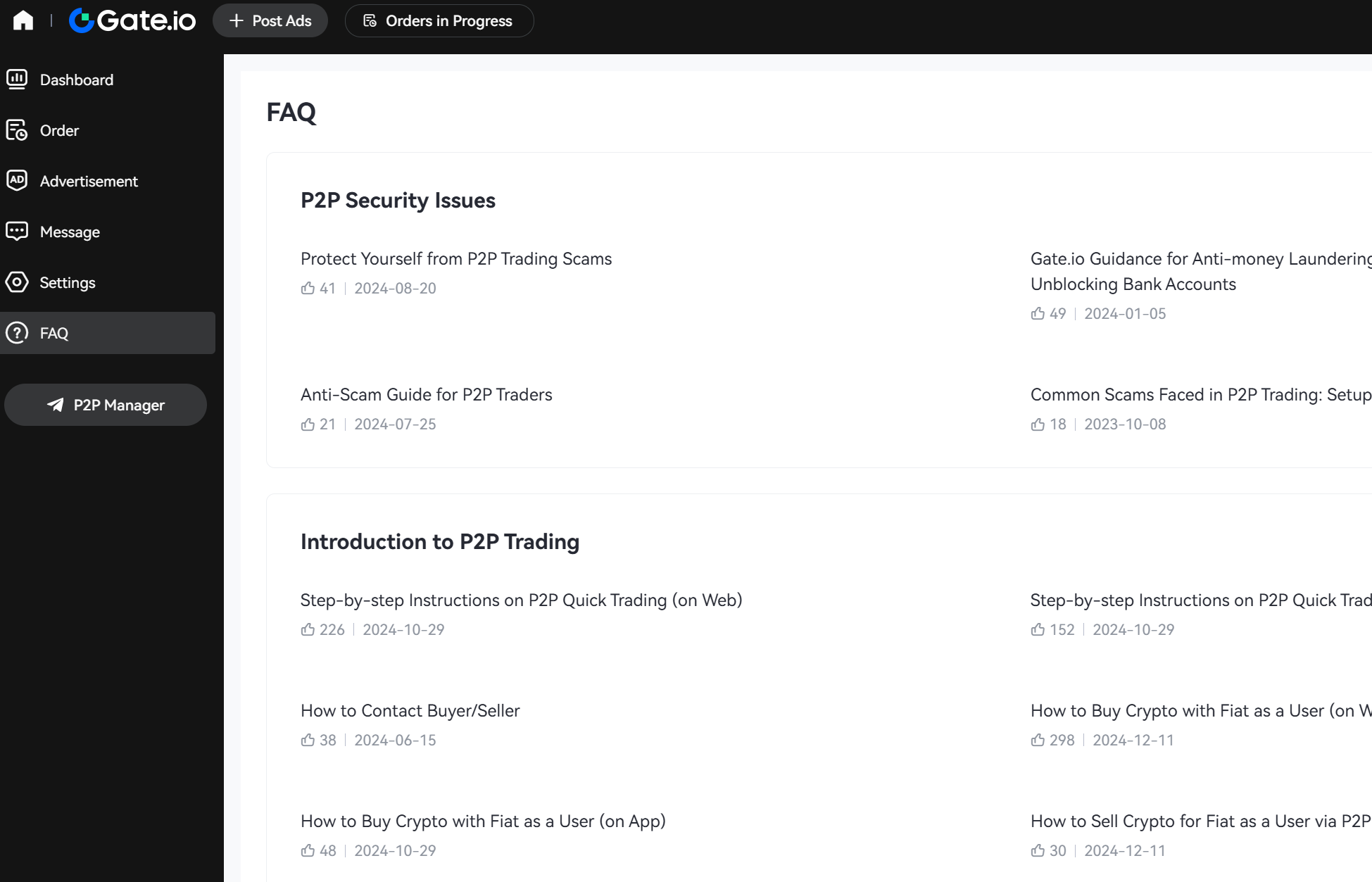
6.FAQ Tab
Access resources and support, including:
-FAQs and troubleshooting tips.
Additional Tips for Merchants
-Set Competitive Prices: Regularly check market trends to adjust your ads.
-Stay Responsive: Quick responses can lead to better customer satisfaction and more trades.
Disclaimer
The content provided herein is for reference and educational purposes only and does not constitute any financial, investment, trading, or legal advice, nor does it constitute an offer or solicitation to buy or sell any digital assets. Gate makes no express or implied representations or warranties regarding the accuracy, completeness, or timeliness of the information contained herein. Product features, interfaces, rules, and fee structures may be updated or adjusted at any time. Please refer to the latest announcements and the actual information displayed on the Gate platform for the most accurate details.
Digital asset investments involve significant risk, and prices may fluctuate substantially. You may lose the entire amount of your investment. Please make decisions cautiously based on your own financial situation and risk tolerance after fully understanding the associated risks. If necessary, you are advised to consult an independent professional financial or legal advisor.
For more information about potential risks, please refer to Gate's Risk Disclosure and User Agreement.
