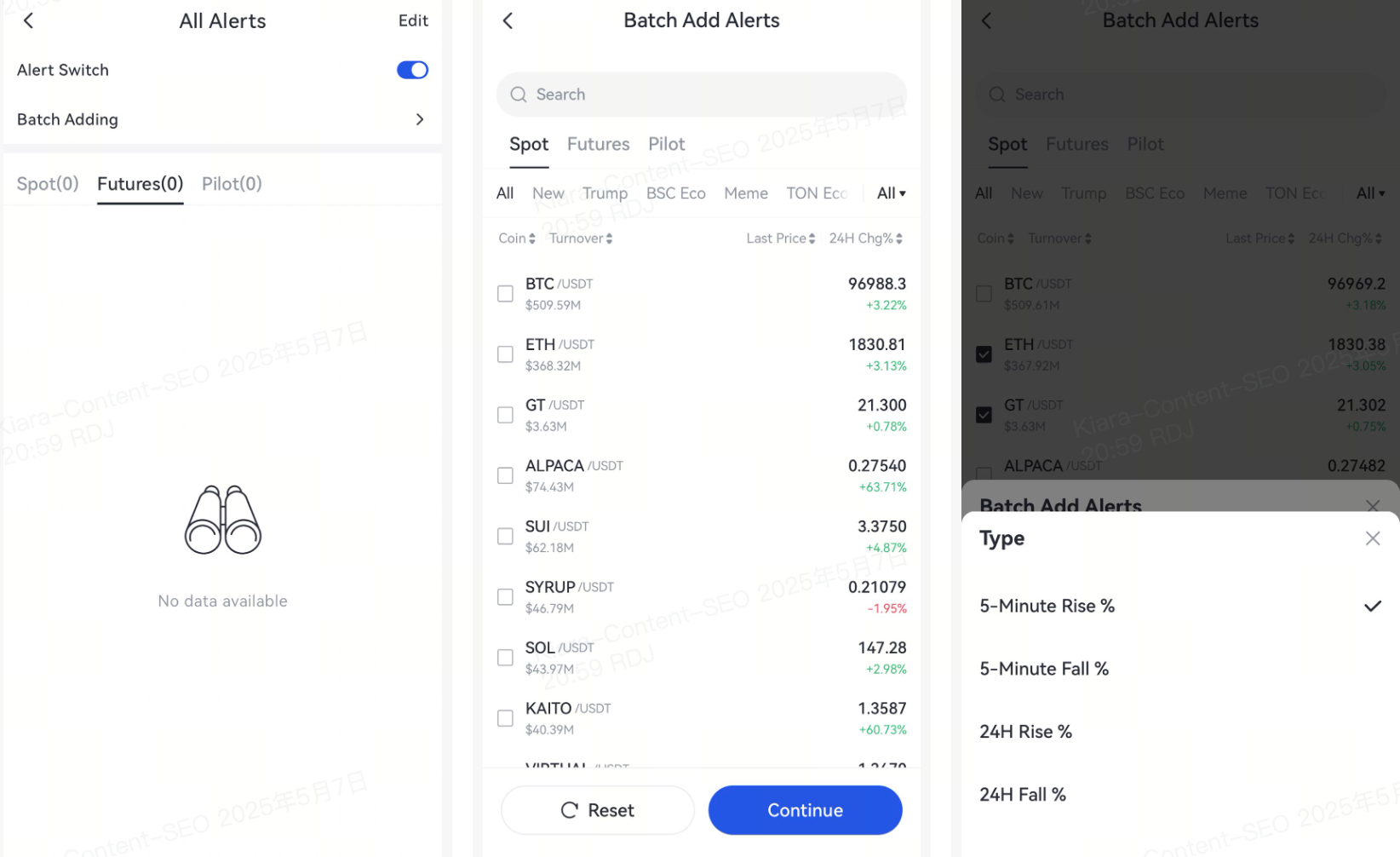
Fiyat uyarıları nedir?
Fiyat uyarıları, belirli bir fiyat veya koşulun ulaşıldığında size bildirim gönderir, böylece her zaman piyasanın önünde kalabilirsiniz. Ayrıca fiyat değişikliği uyarılarını da ayarlayabilirsiniz. Sonra, size Gate Uygulaması'nda fiyat uyarılarını nasıl ayarlayacağınızı göstereceğim.
Gate Uygulamasında fiyat uyarıları nasıl ayarlanır?
-
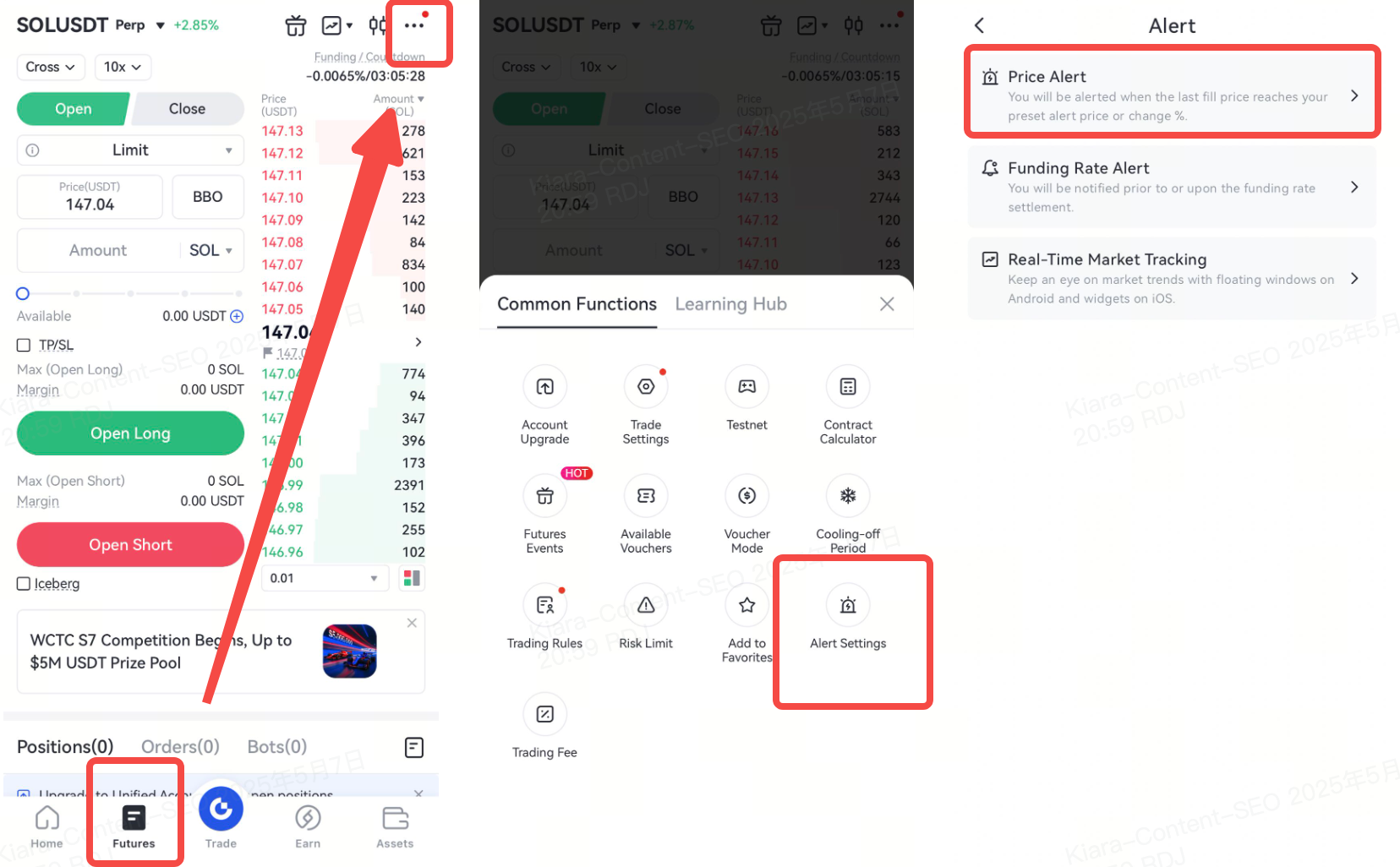
Gate Uygulamasını açın ve aşağıdaki [Sözleşmeler] öğesine tıklayın.
-
Arama çubuğunda istenen işlem çiftini arayın. Bu örnekte BTC/USDT kullanacağız.
-
Sayfaın sağ üst köşesindeki […] simgesine tıklayın ve [Uyarı Ayarları]nı seçin
-
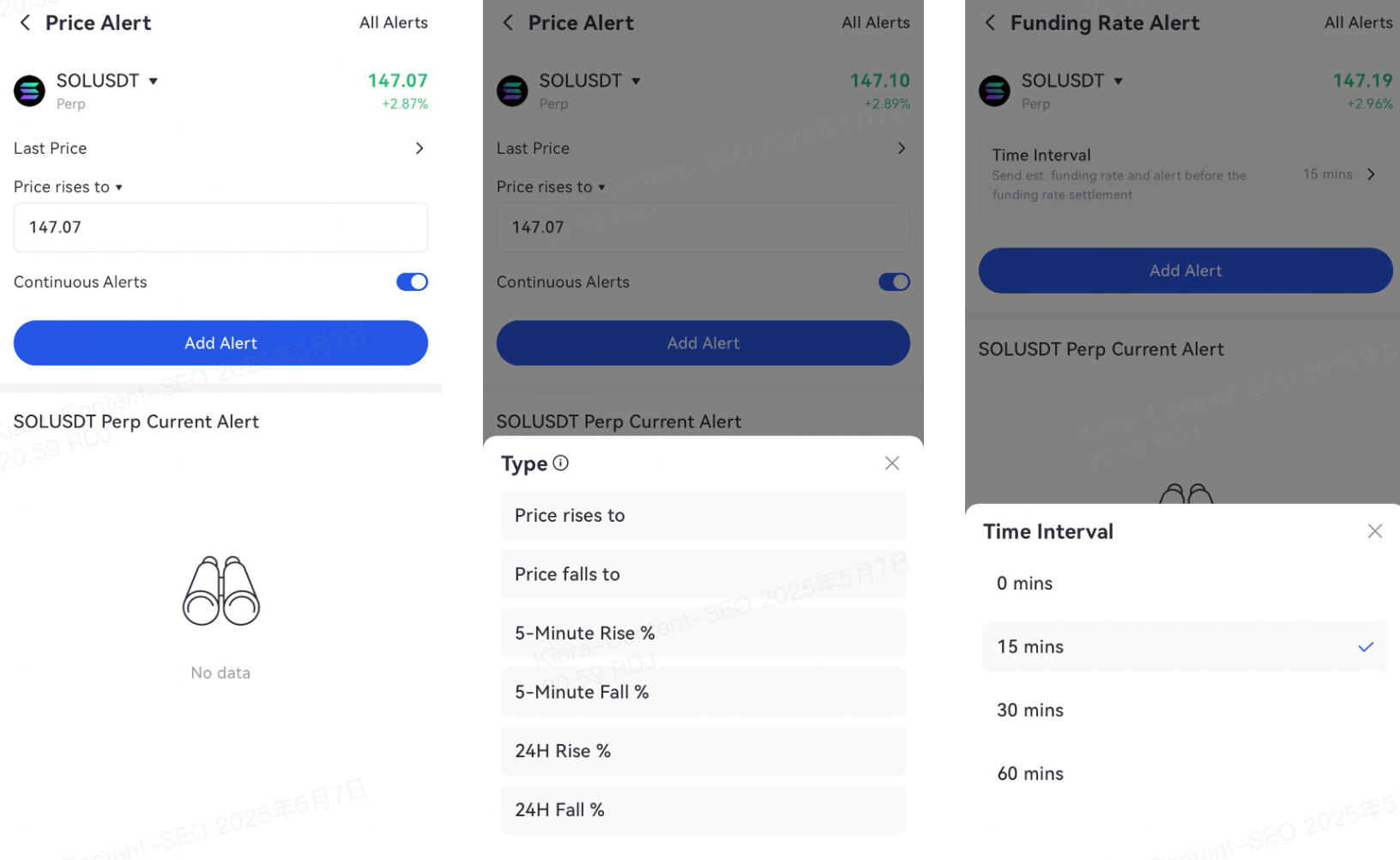
Uyarı almak istediğiniz fiyatı girin ve uyarıların sıklığını seçin
-
Koşullar karşılandığında, kullanıcı bir hatırlatma alacak. Daha fazla hatırlatıcı eklemek için [Hatırlatıcı Ekle] düğmesine tıklayın.
Not: Lütfen telefon ayarlarınızda Gate Uygulaması için bildirimleri etkinleştirdiğinizden emin olun -
Toplu uyarılar eklemeyi destekler