


1. What is ATR?
The ATR (Average True Range) trading strategy is a method based on technical analysis that uses the ATR indicator to help traders identify market volatility and make trading decisions based on it. It measures the average price range of an asset over a certain time period.
The basic principle of the ATR trading strategy is that the higher the volatility of an asset, the greater the magnitude of its price changes, so the potential for profit (or loss) is also greater. Traders can adjust their trading strategy based on the size of the ATR value, such as setting stop loss levels and calculating entry and exit points.
Here are some trading strategies using the ATR indicator:
-
Stop Loss Setting: ATR can help traders set a reasonable stop loss level relative to market volatility. For example, if a trader does not want to be stopped out in small fluctuations, they can set the stop loss point outside one or more ATR values from the current price.
-
Position Size: ATR can also be used to help determine the size of trading positions. If the market volatility is high, traders may choose to reduce the position size to drop the risk. Conversely, if the volatility is low, traders may increase the position size.
-
Trend Tracking: Some traders use ATR to identify signals of potential trend start or end. For example, when the ATR value suddenly increases, it may indicate the formation of a new trend; while a decrease in the ATR value may indicate a weakening trend.
-
Profit Target: ATR can also help set profit targets. Traders may use the ATR value to determine a reasonable expected profit target, which should be achievable under current market conditions.
It is important to note that ATR itself does not provide directional indications for price, it is simply a tool to measure price fluctuations. Therefore, traders typically combine ATR with other technical analysis tools and indicators to form a more comprehensive trading strategy.
Due to the higher volatility of the cryptocurrency market compared to traditional financial markets, the ATR indicator is particularly favored by traders as it can help them better manage risks and seize trading opportunities. However, no trading strategy can guarantee profitability, so traders should always pay attention to risk management and remain vigilant in the market when using ATR or other trading strategies.
2. ATR Strategy Description
Combining ATR and moving average prices, shorting when breaking through the upper band, and going long when breaking through the lower band.
Upper limit = moving average + deviation x ATR period
Lower limit = moving average - deviation x ATR period
Opening conditions:
When the mark price is above the upper bound, go short; When the mark price is below the lower bound, go long.
3. ATR Configuration Parameter Explanation
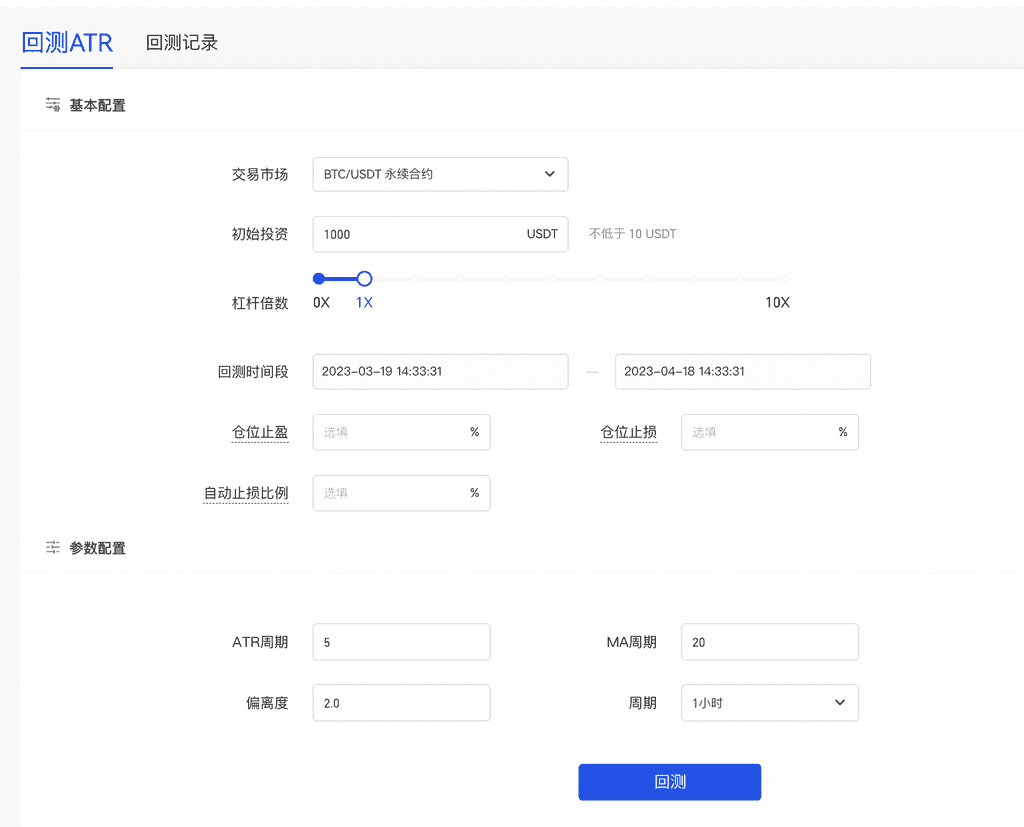
Leverage The leverage multiple used by users for investment, mainly used to calculate the order quantity.
Total Investment Amount: The total investment amount is used as the user's margin.
Automatic stop loss ratio: When the user's total investment loss reaches this ratio, the strategy will execute a close position exit.
ATR period: Required, integer, input range [2,600], default 5
MA Period Required. Integer. Input range [2,600]. Default is 20.
Deviation: Required, limited to 1 decimal place, input range [1.0,10.0], default 2.0
Cycle: Standard MA parameters. Required, optional 1 minute, 5 minutes, 15 minutes, 30 minutes, 1 hour, 4 hours, 8 hours, 1 day, default 1 hour
Order Size: Order quantity executed by the strategy after the signal is triggered. Optional, default is empty.
Default Contract Fee: 0.00075
Inverse Contract:
s = (Margin ✖️ Latest Price) / (2 ✖️ 0.00075 + (1/Leverage)) size = s / Contract Size Per Lot
Inverse Contract:
s = (Margin) / (2 ✖️ 0.00075 + (1/Leverage)) ✖️ Latest Price size = s / Contract Size per Lot
The actual number of orders placed by the user will be the minimum value between the default calculated value and the user-set value.
4. How to create ATR strategy
WEB side:
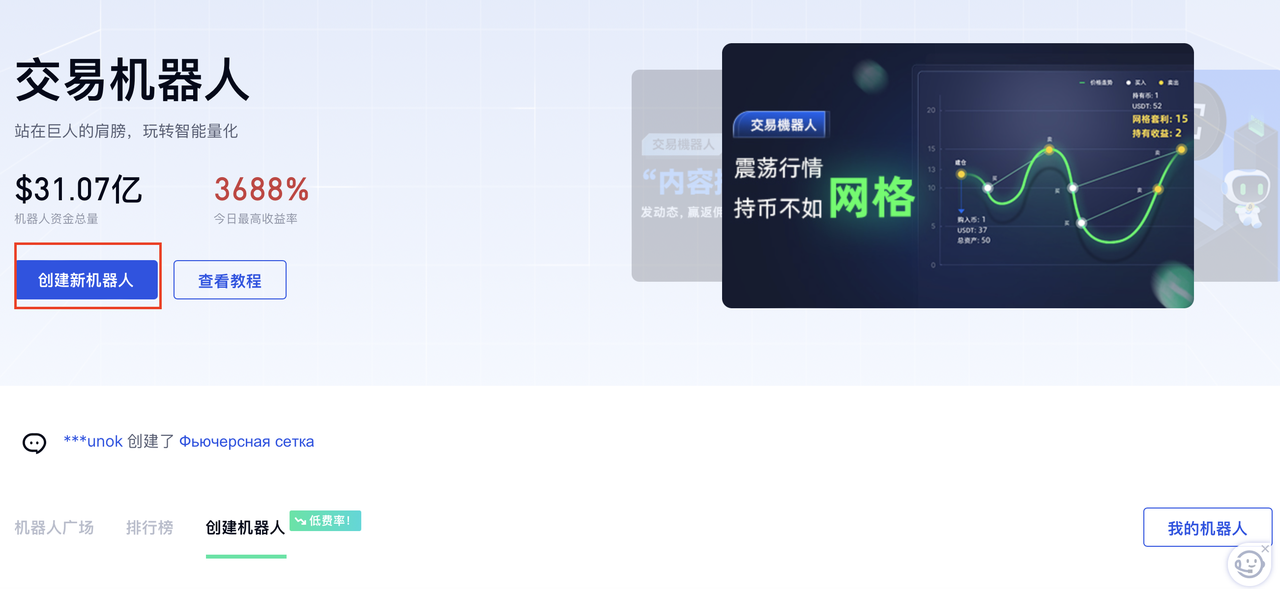
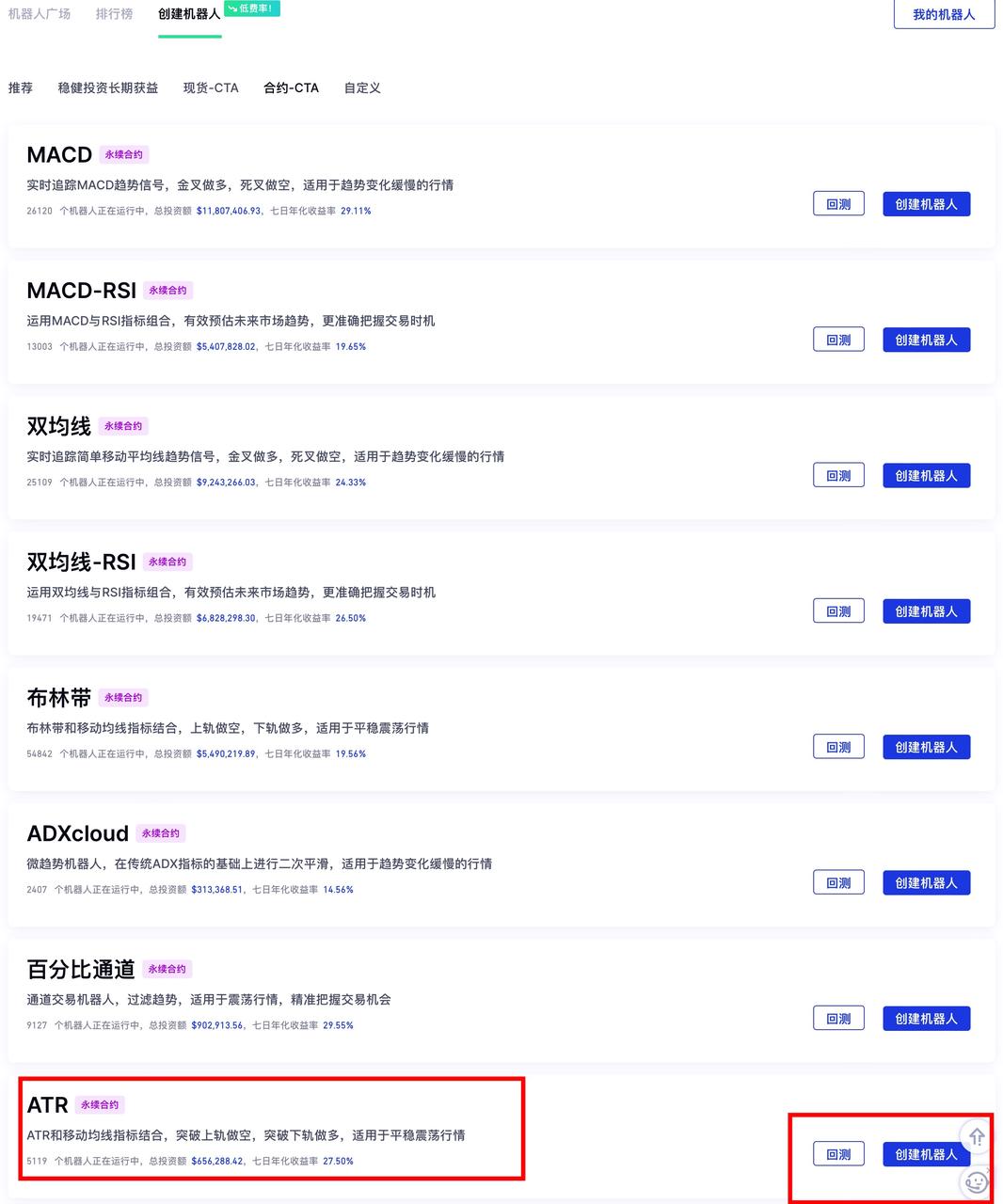
Trading Robot - Create New Robot - Contract-CTA - ATR - Backtest - Set Parameters - Create
Backtest Process: Click the 'Backtest' button, enter the expected parameters, click 'Backtest', the system will automatically trace the data (default within one month) and generate a referenceable backtest data in the 'Backtest Records'.
APP end:
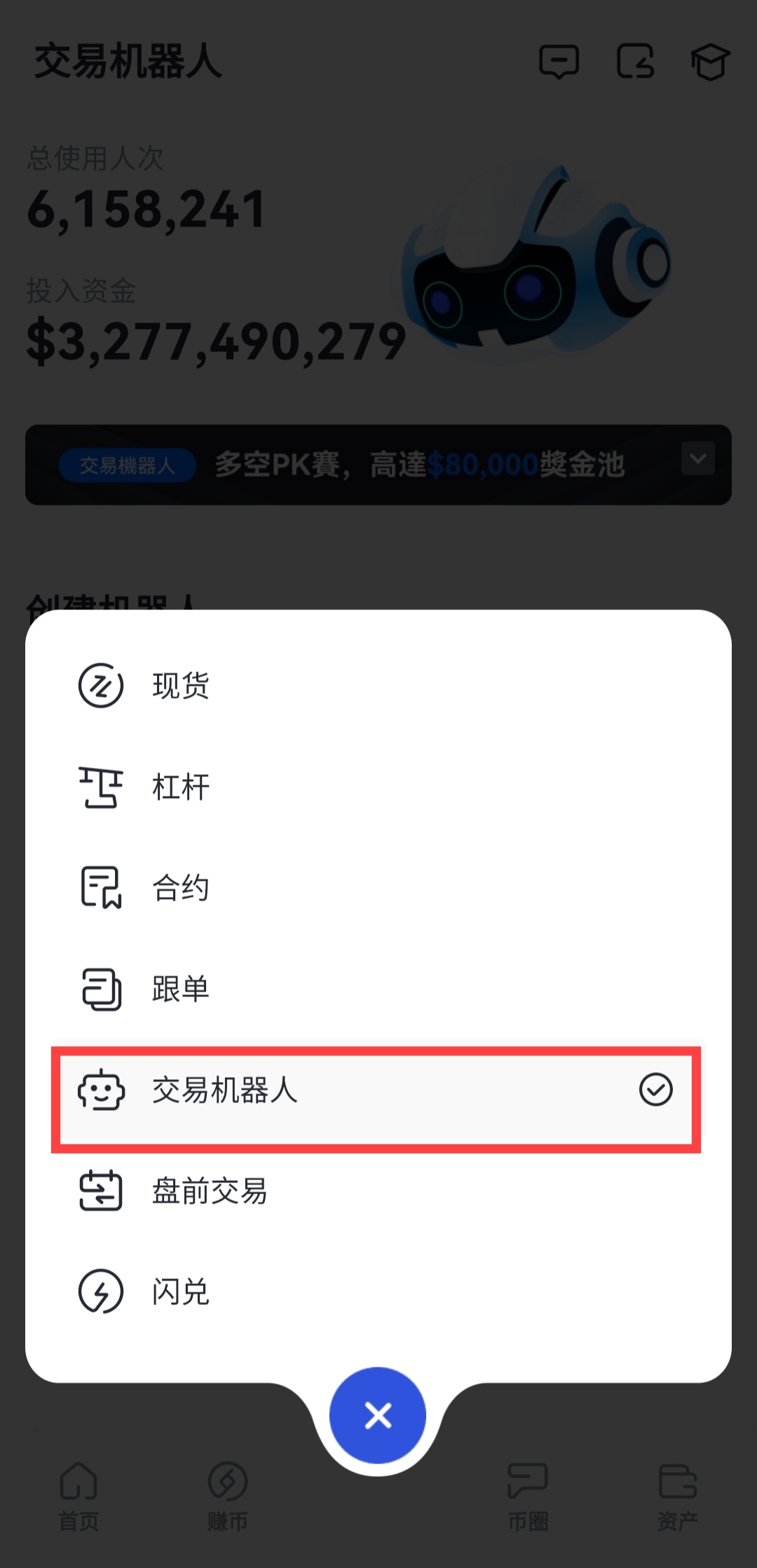
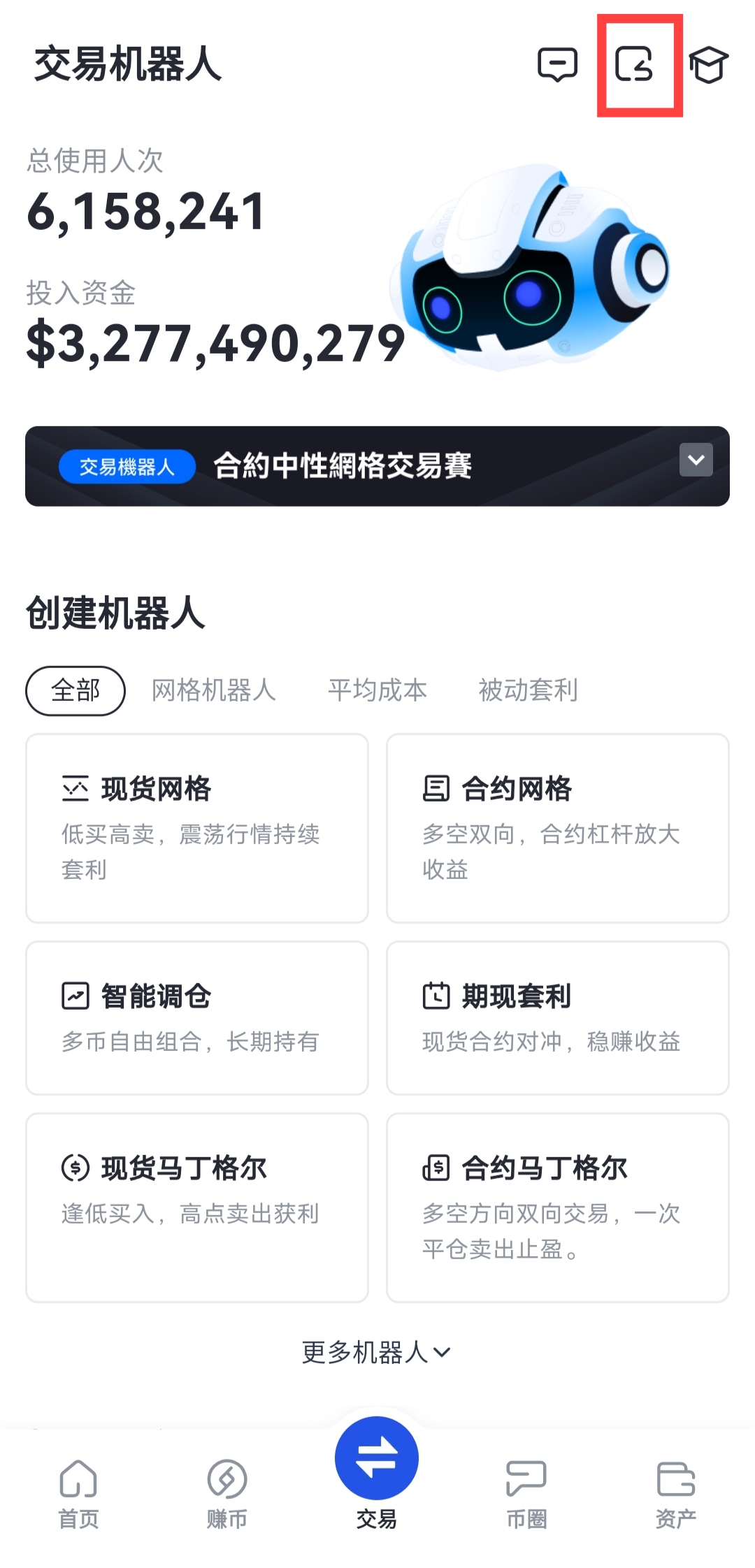
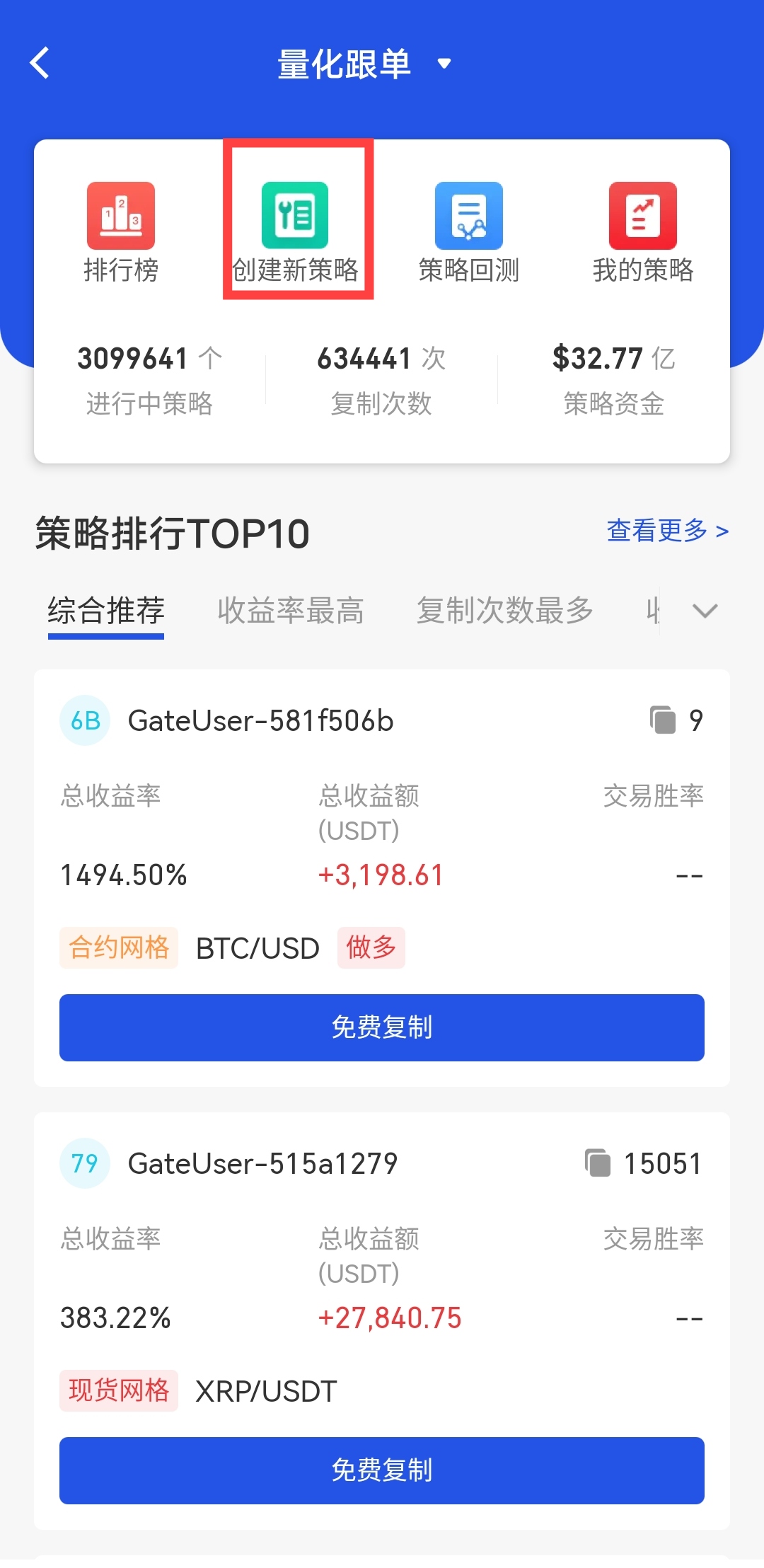
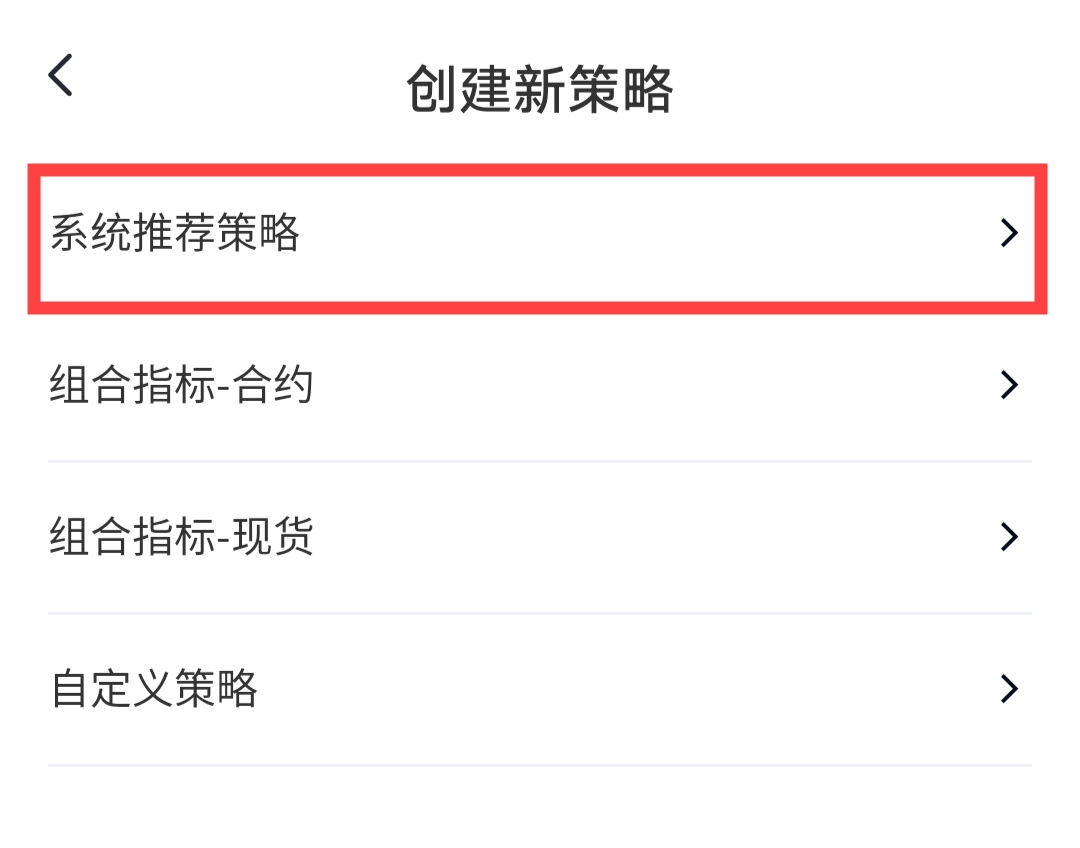
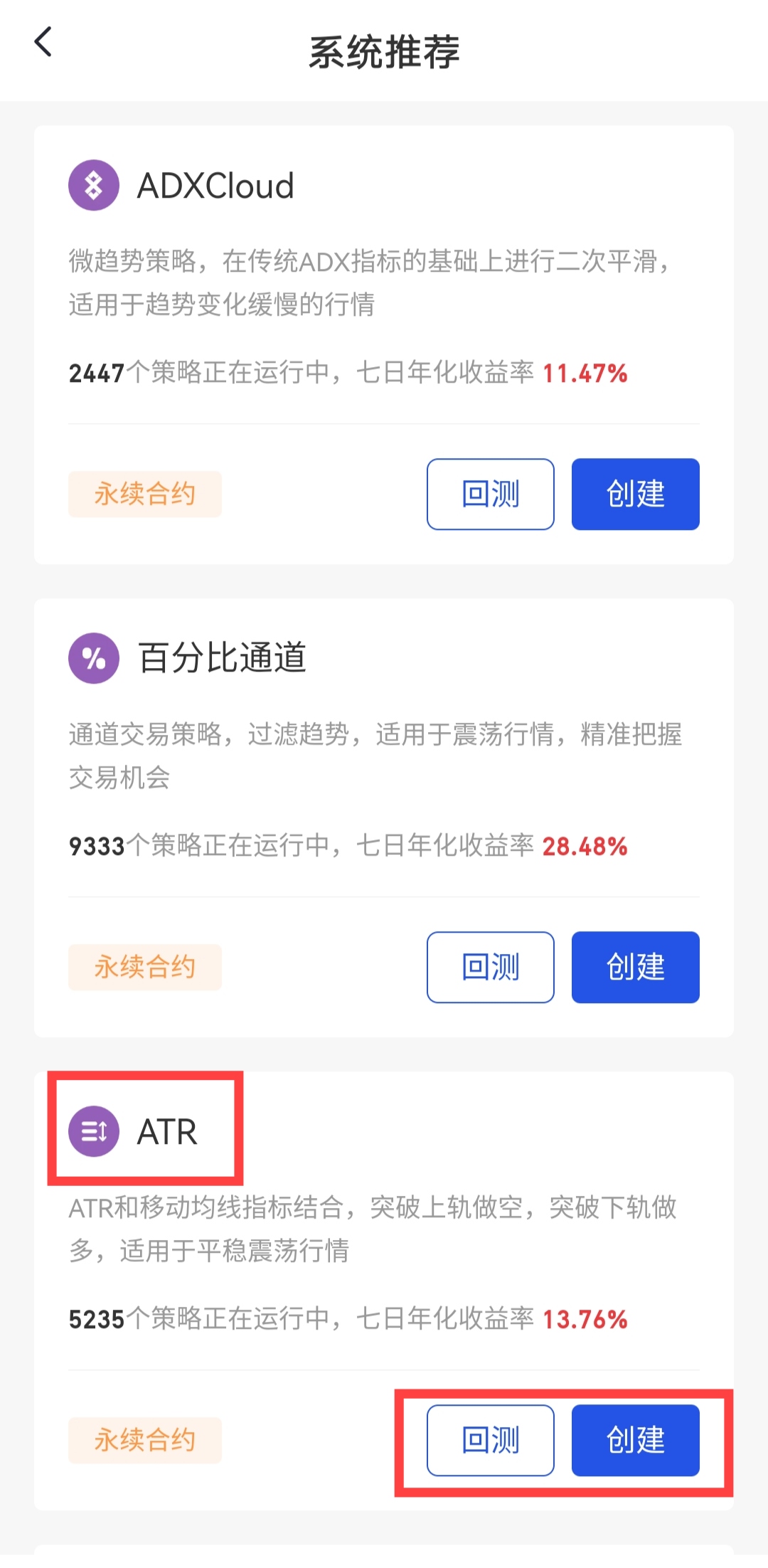
Trading - Trading Robot - Click the return icon in the upper right corner - Create a new strategy - System recommended strategy - ATR- Backtesting - Set parameters - Create
Gate reserves the final right to interpret the product.
For further assistance, please visit the Gate official support page or contact our customer support team.
Disclaimer
The content provided herein is for reference and educational purposes only and does not constitute any financial, investment, trading, or legal advice, nor does it constitute an offer or solicitation to buy or sell any digital assets. Gate makes no express or implied representations or warranties regarding the accuracy, completeness, or timeliness of the information contained herein. Product features, interfaces, rules, and fee structures may be updated or adjusted at any time. Please refer to the latest announcements and the actual information displayed on the Gate platform for the most accurate details.
Digital asset investments involve significant risk, and prices may fluctuate substantially. You may lose the entire amount of your investment. Please make decisions cautiously based on your own financial situation and risk tolerance after fully understanding the associated risks. If necessary, you are advised to consult an independent professional financial or legal advisor.
For more information about potential risks, please refer to Gate's Risk Disclosure and User Agreement.
