


Afin d’assurer la sécurité de vos actifs, de promouvoir la conformité dans l’industrie des cryptomonnaies et de réduire la fraude, le blanchiment d’argent, l’extorsion et d’autres activités illégales, Gate exige que tous les utilisateurs complètent la vérification d’identité KYC.
Ce n’est qu’après avoir terminé le KYC que les utilisateurs peuvent déposer et retirer des cryptomonnaies, échanger des devises fiat et participer aux souscriptions de startups.
Comment compléter la vérification d’identité sur l’application mobile Gate
Étape 1 : Connectez-vous à votre compte Gate sur l’application, appuyez sur l’icône de profil dans le coin supérieur gauche, puis sélectionnez [Profil] - [KYC (Vérification d’identité)] - [Vérifier maintenant]
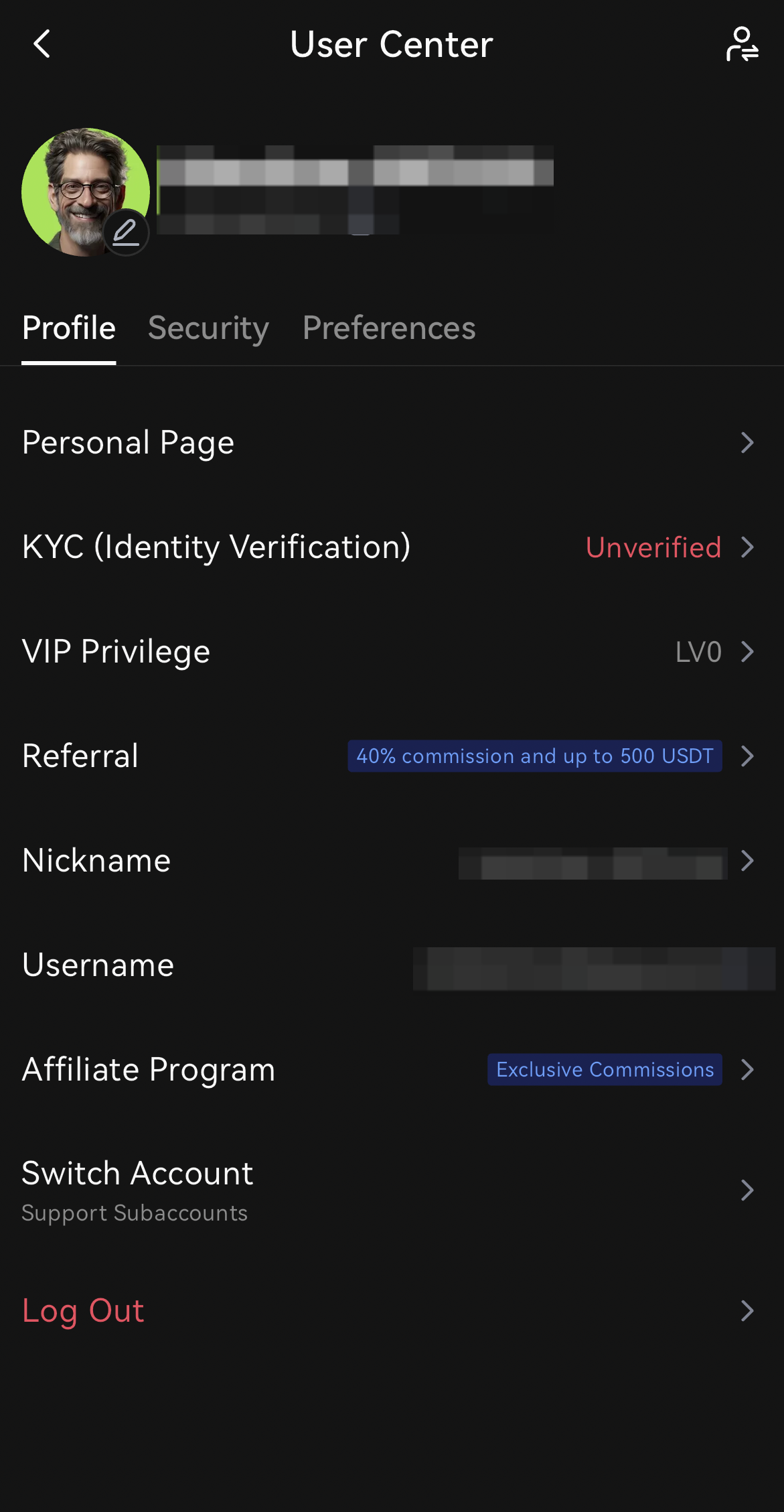
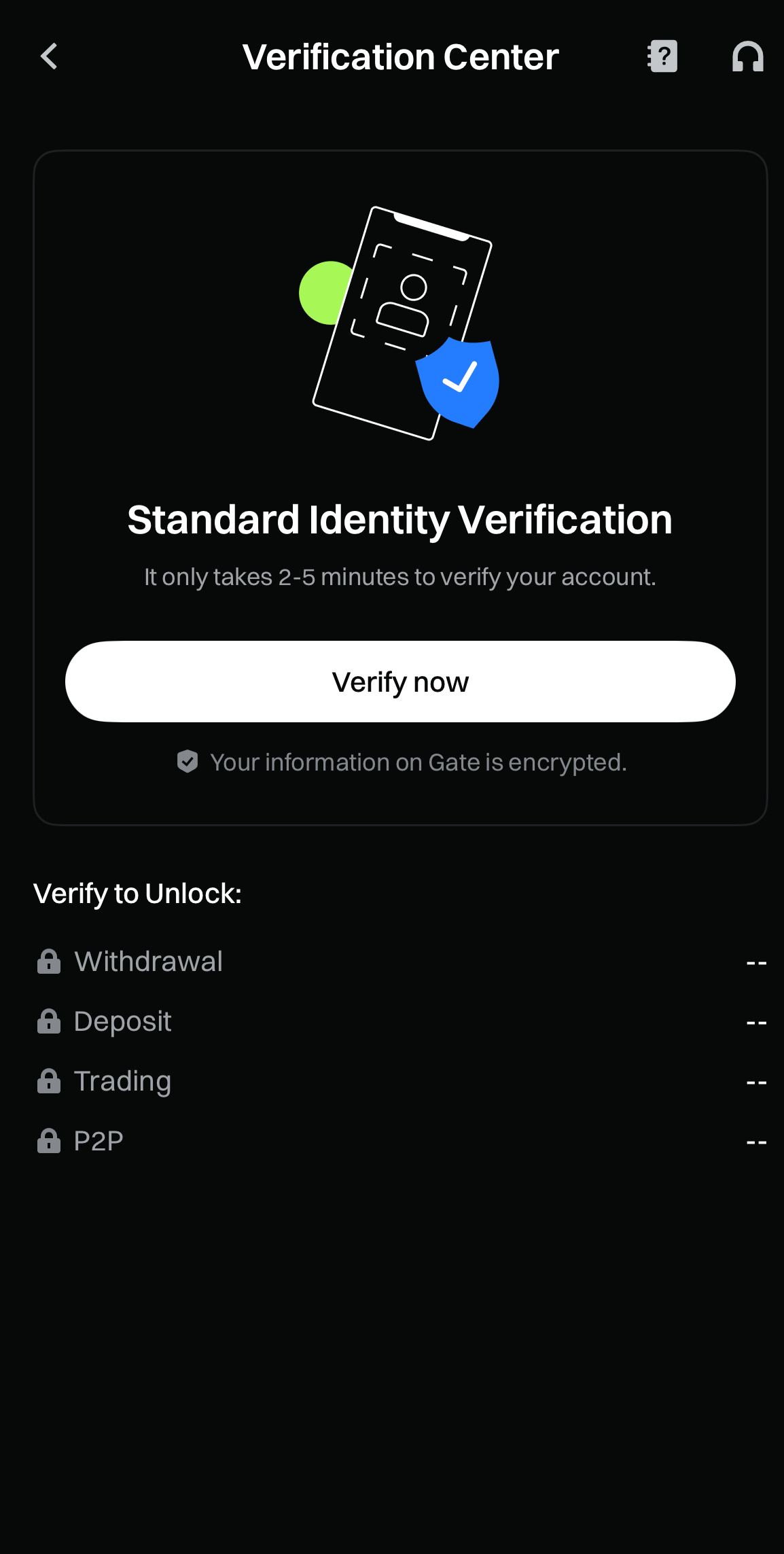
① Informations de base
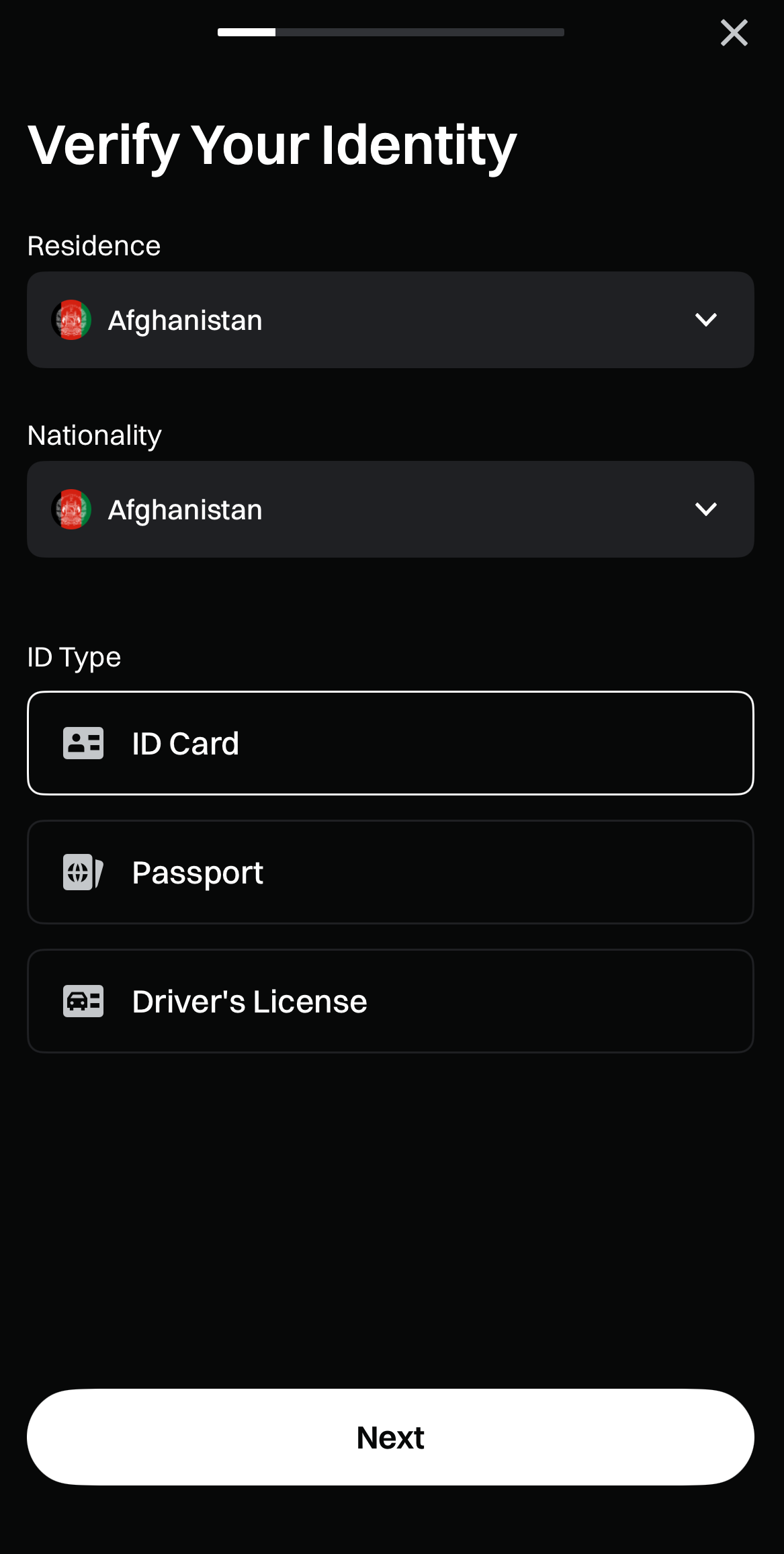
Suivez les instructions à l’écran et saisissez les informations requises, y compris Résidence, Nationalité et Type de document, puis cliquez sur [Suivant].
Cliquez sur [Je suis prêt] pour continuer.
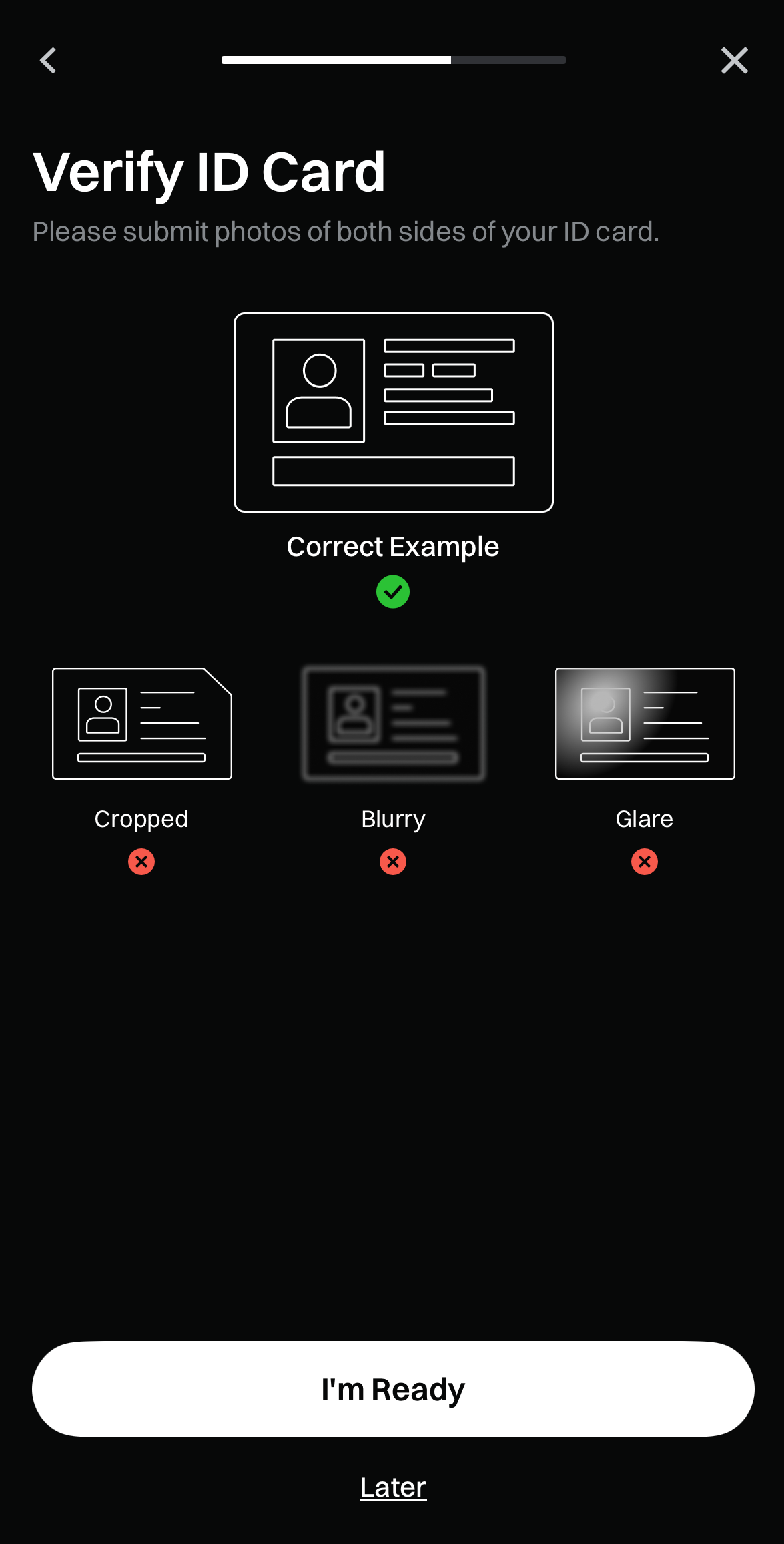
Vous serez automatiquement redirigé vers la page Téléchargement de documents, suivie de la page Reconnaissance faciale.
Veuillez compléter ces deux étapes conformément aux instructions à l’écran.
Enfin, vérifiez que les informations reconnues (Nom complet, Numéro d’identification) sont correctes. Si tout est exact, cliquez sur [Suivant] ; si nécessaire, modifiez les informations.
Remarque : Les informations de base doivent correspondre exactement aux données figurant sur le document d’identité.
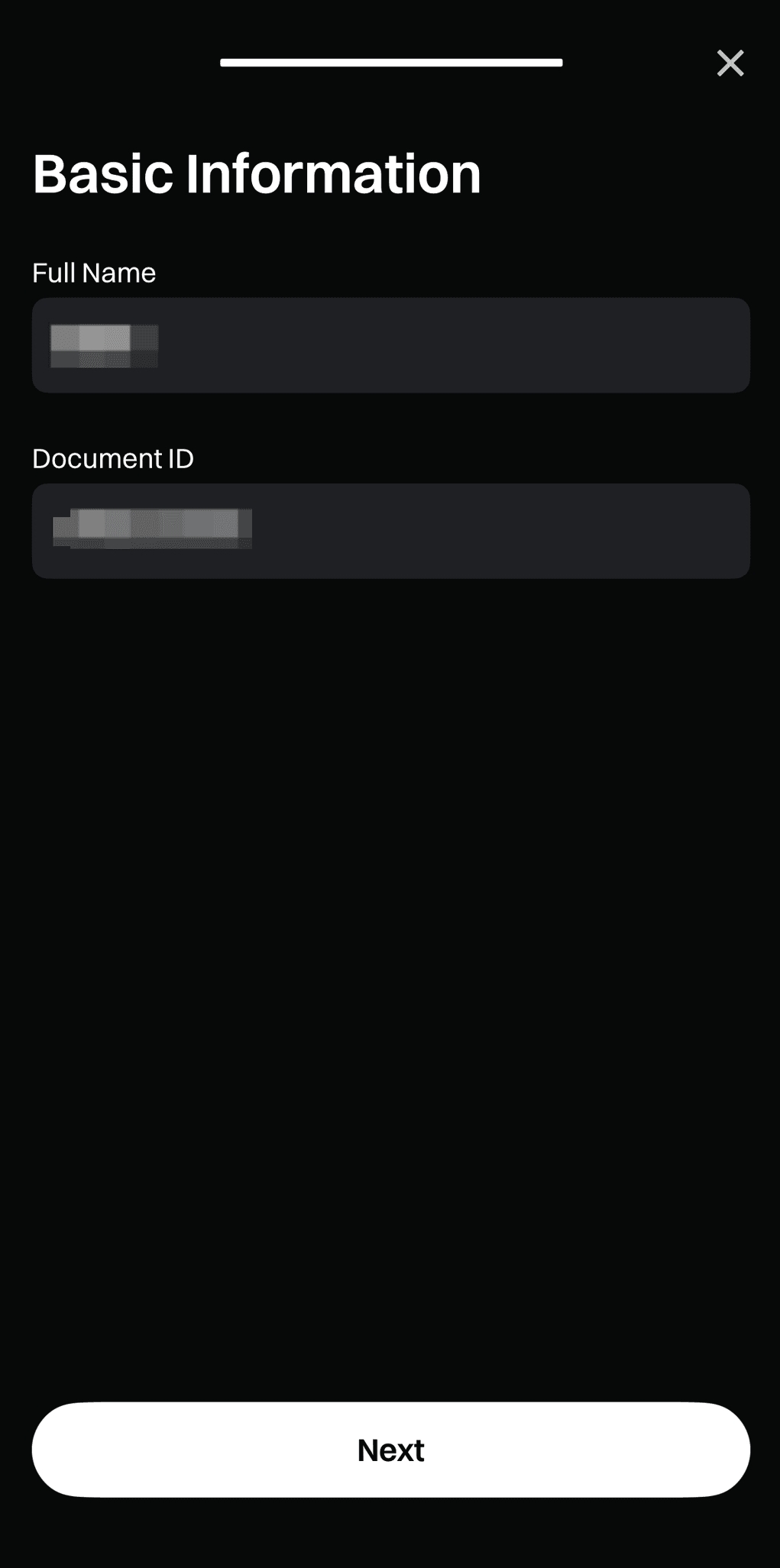
② Vérification d’adresse
Après l’approbation de votre vérification d’identité, cliquez sur [Vérifier maintenant] dans la section Vérification d’adresse pour continuer.
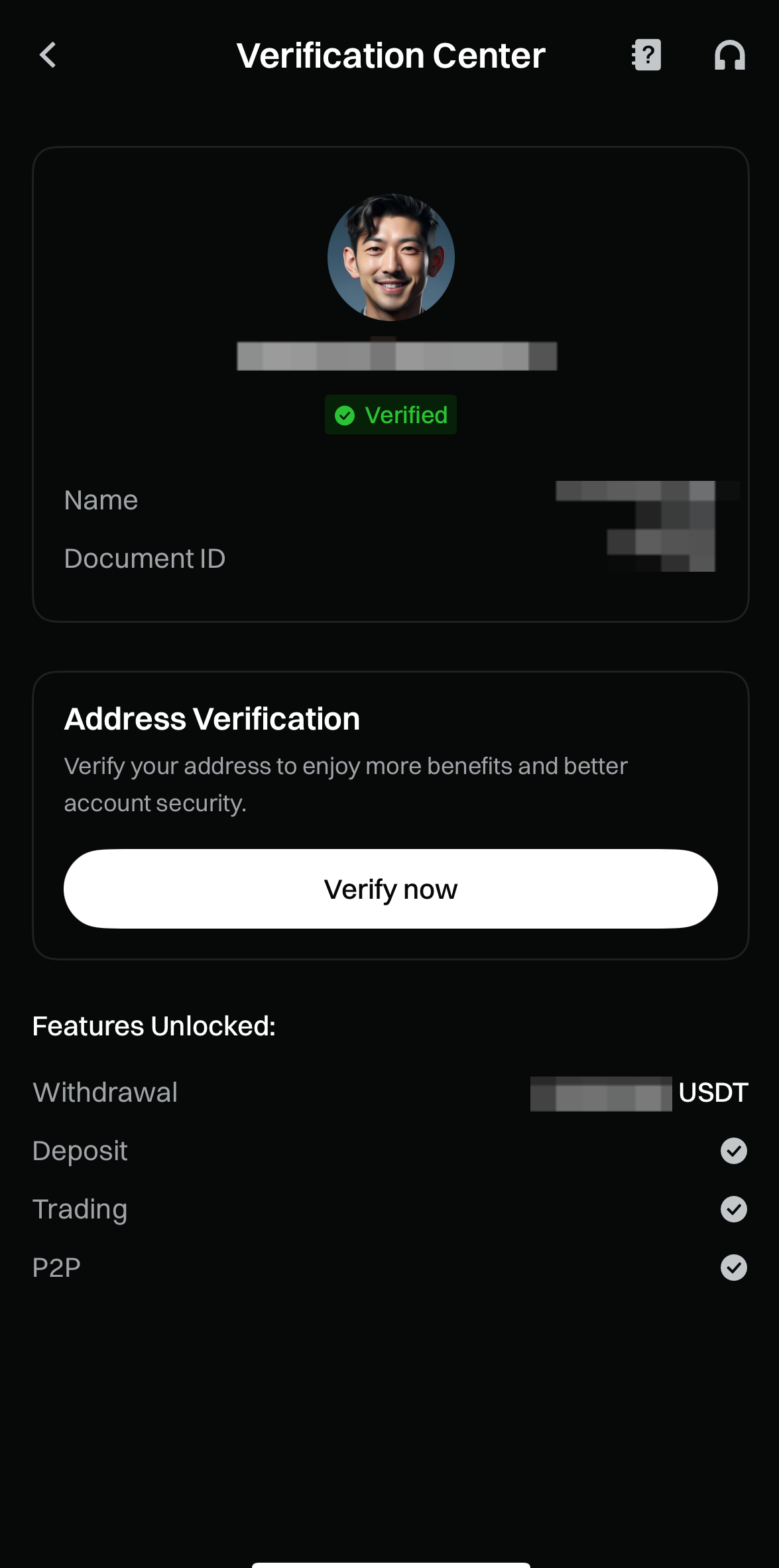
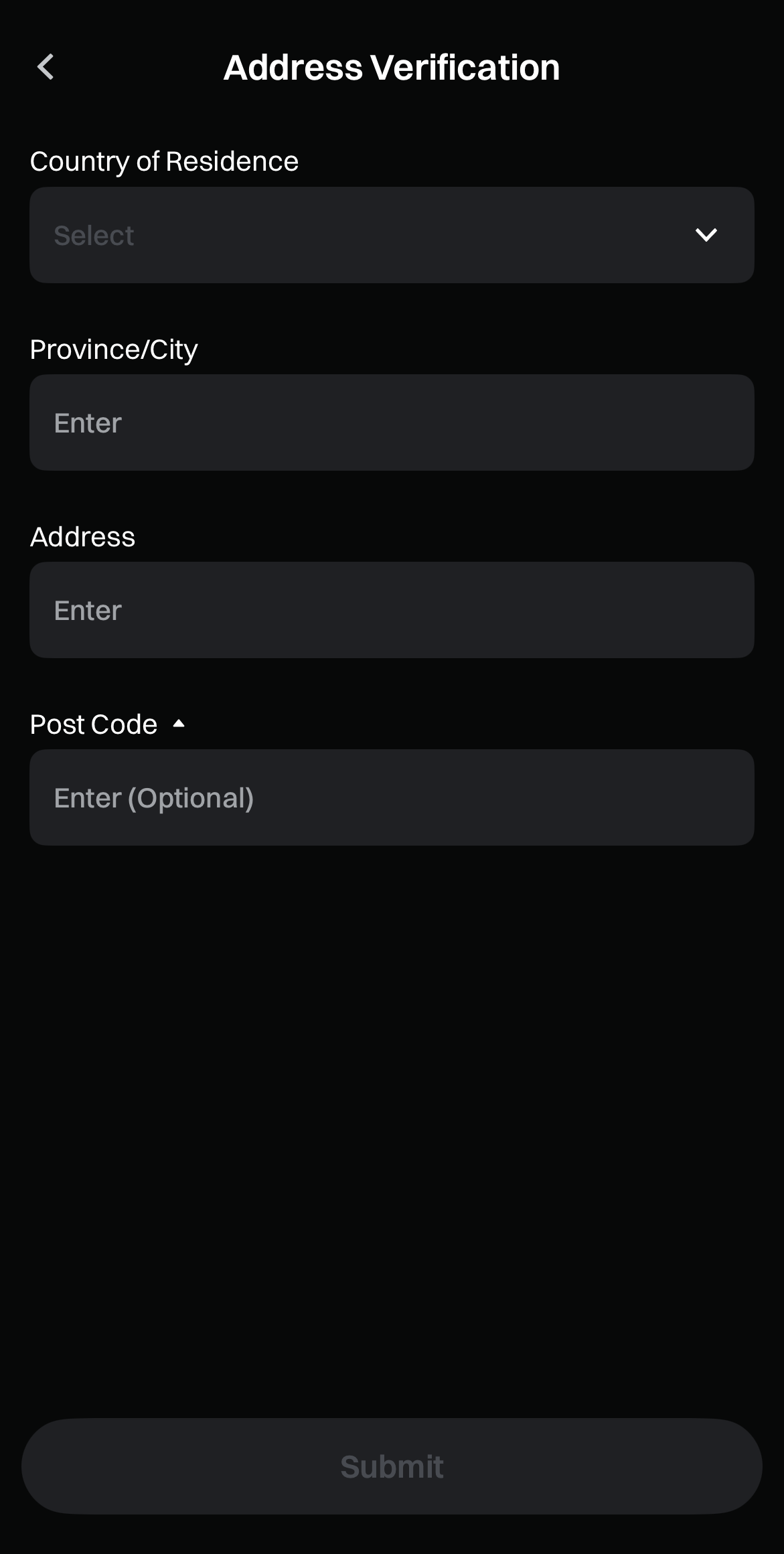
Suivez les instructions à l’écran, renseignez les informations d’adresse requises et cliquez sur [Soumettre] après avoir vérifié leur exactitude.
Ensuite, attendez la finalisation du processus de vérification.
Le contenu présenté ici est fourni à titre informatif et éducatif uniquement et ne constitue en aucun cas un conseil financier, d'investissement, de trading ou juridique, ni une offre ou une sollicitation d'achat ou de vente de tout actif numérique. Gate ne donne aucune garantie expresse ou implicite quant à l'exactitude, l'exhaustivité ou l'actualité des informations contenues dans ce Les fonctions des produits, les interfaces, les règles et les structures tarifaires peuvent être modifiées ou ajustées à tout moment. Veuillez vous référer aux dernières annonces ainsi qu'aux informations affichées sur la plateforme Gate pour obtenir les détails les plus précis.
Les investissements en actifs numériques comportent des risques importants, et les prix peuvent connaître d'importantes fluctuations. Vous pouvez perdre la totalité de votre investissement. Veillez à prendre vos décisions avec prudence, en fonction de votre situation financière et de votre tolérance au risque, après avoir pleinement compris les risques associés. Si nécessaire, il est recommandé de consulter un conseiller financier ou juridique indépendant.
Pour plus d'informations sur les risques potentiels, veuillez consulter la déclaration des risques et les conditions d'utilisation de Gate.
