


I. New functions:
- Adjust the copy parameters & supplement copy amount
- Add the option "start copying when the lead trader has no position"
- Supplement the margin
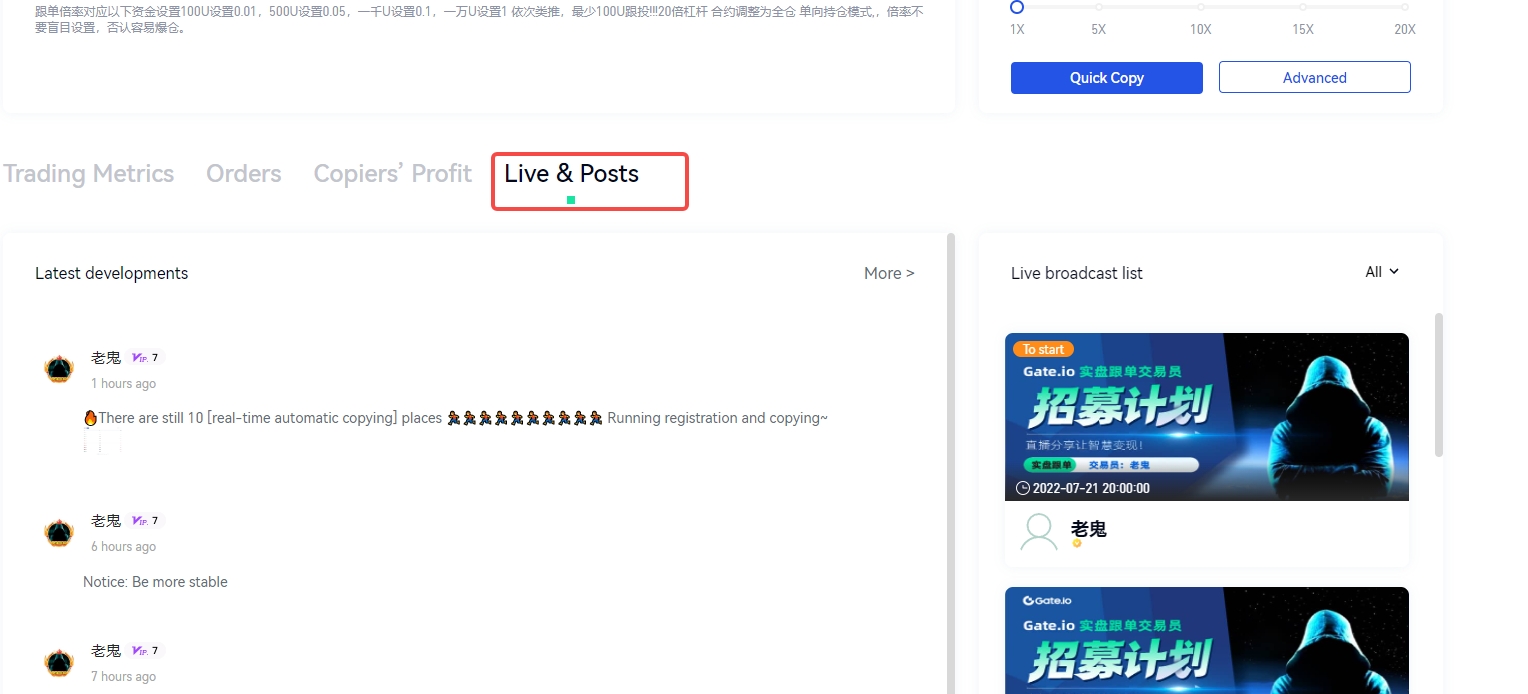
- The trader' homepage is combined with Live & Posts
II. Descriptions of update:
1. Adjust copying parameters & supplement copying fund amount
To accommodate users' needs for parameter adjustments after initiating copy trading, the current version now supports adjusting copy trading parameters. Users can modify their copy trading settings, such as adjusting leverage or adding more funds, even after they have started copying a trade.
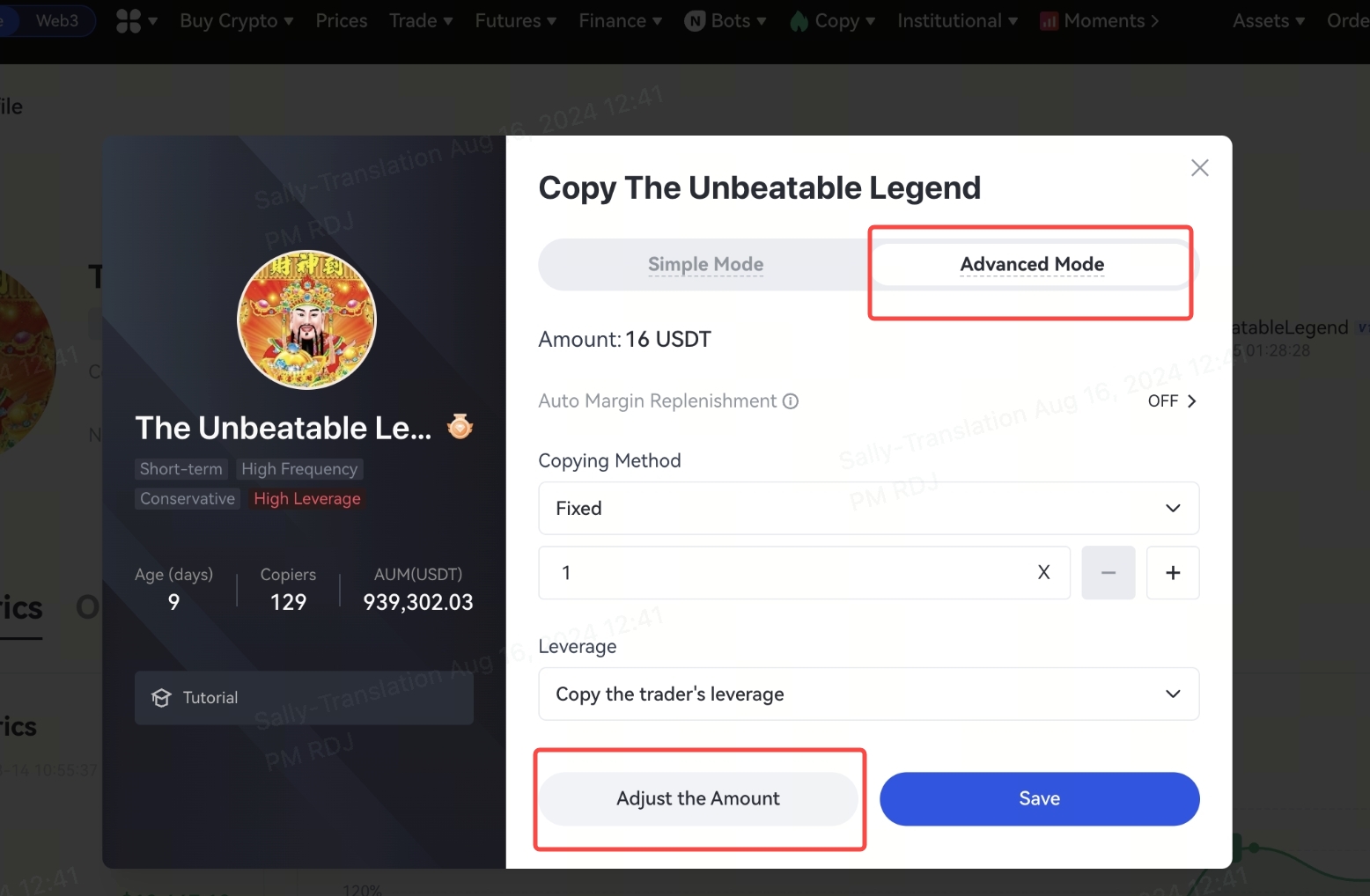
The specific process of adjusting the copying parameters is as follows: enter copy trading home page -enter "My copy trading"- enter the corresponding "Copying mode" - click "check copying parameters" - adjust the corresponding parameters
The specific process of supplementing copying amount is as follows: enter copy trading home page - enter "My copy trading"- enter the corresponding "Copying mode" -click "Advanced mode" - click "Adjust the Amount"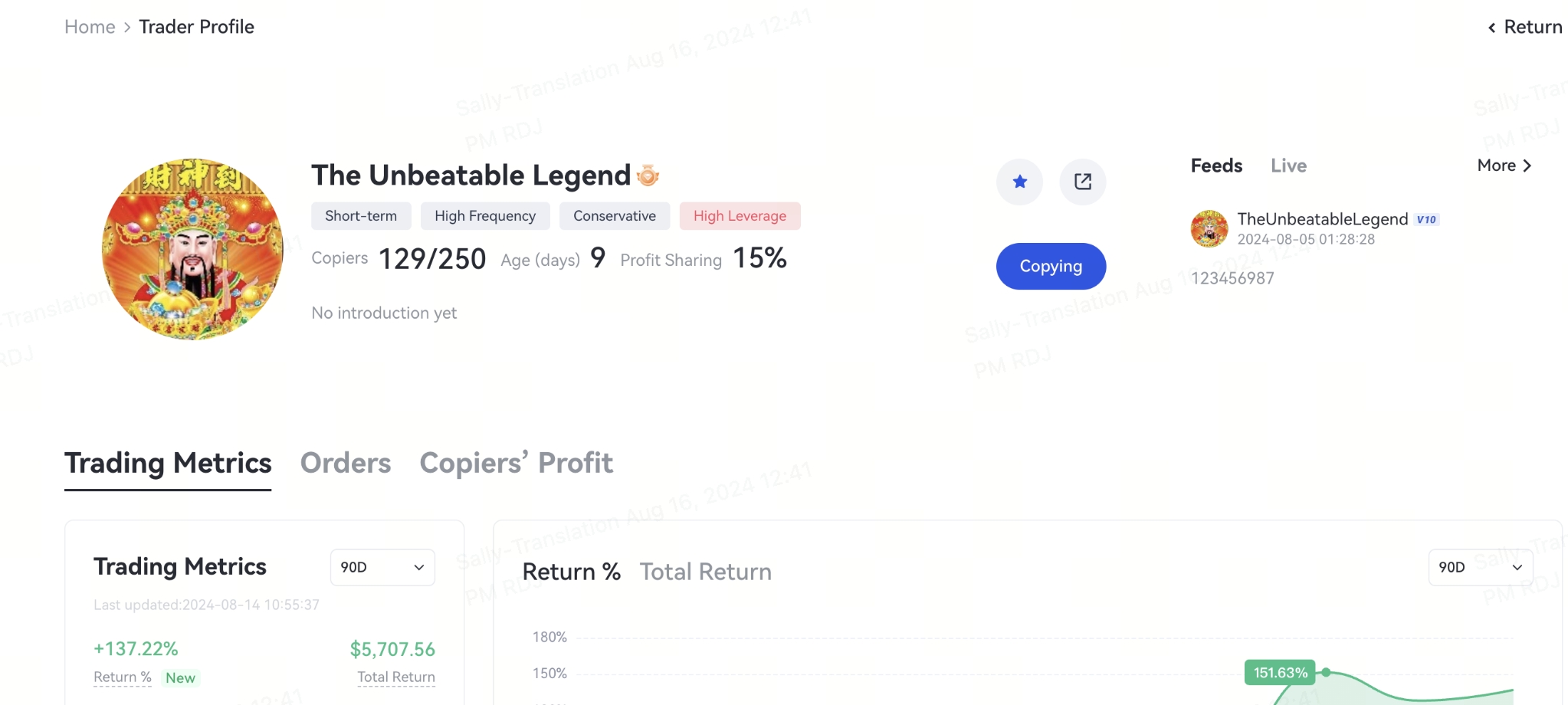
2. Add the option to "Start from Scratch"
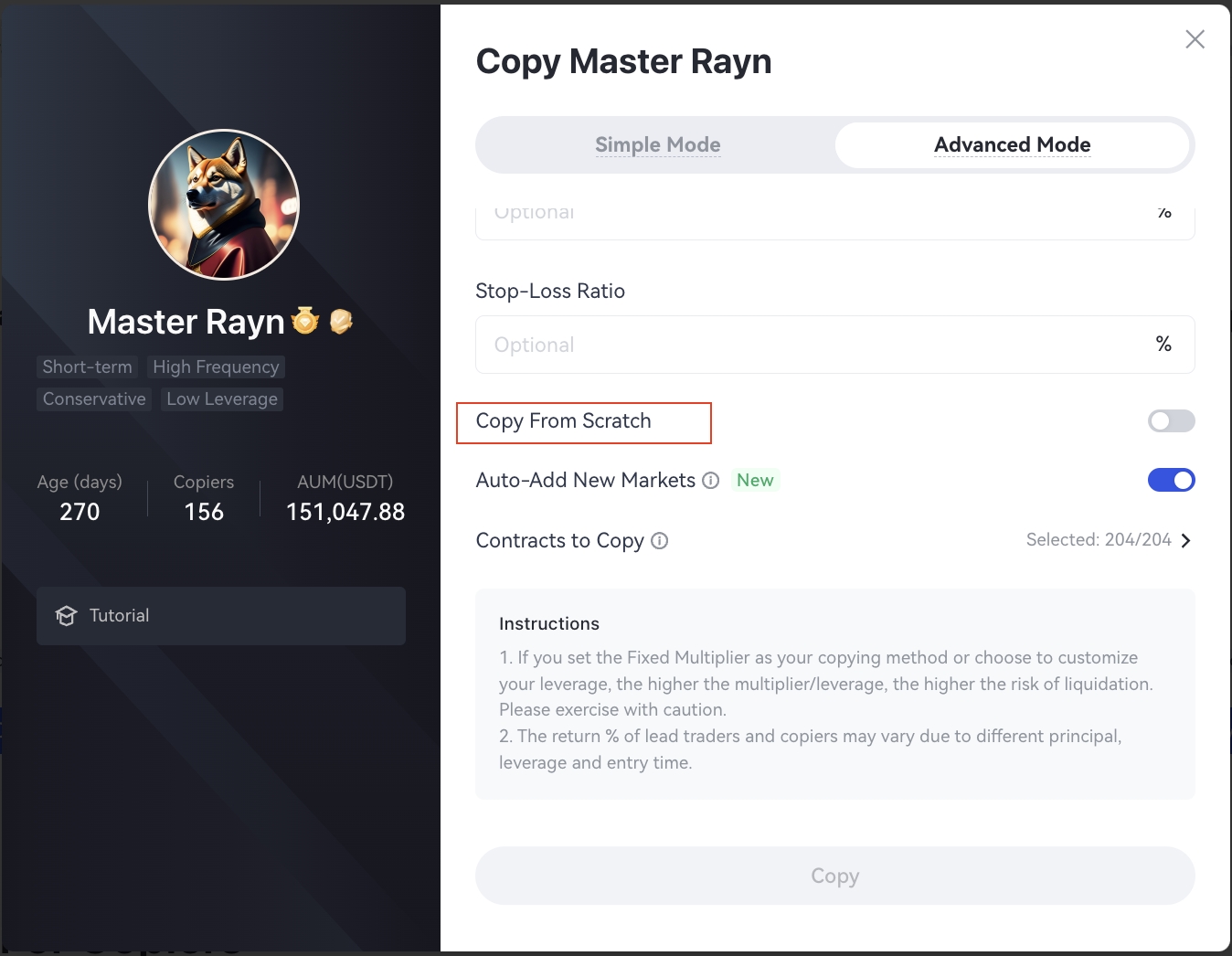
To avoid discrepancies in returns between lead traders and copy traders due to pre-existing positions held by the lead traders, the current version now supports an option for copy traders to start copying only when the lead trader has no open positions. When the "Start from Scratch"option is checked, the copy trader will begin copying only after the lead trader has no open positions. If the option is unchecked (default), the copy trader will start copying immediately, regardless of whether the lead trader has open positions.
Friendly Reminder: To ensure that the returns of copy traders are as close as possible to those of lead traders, copy traders are advised to select the option "Start from Scratch".
The specific process of how a user select "Start from Scratch"
For users who have already copied the trade, follow the process described above: enter copy trading home page - enter the corresponding "lead trader's homepage" - click "check the copying parameters" - select "Start from Scratch".
For users who are about to start copy trading, follow the process below: enter copy trading home page - filter the lead traders- click the copy button- select "Start from Scratch" - or enter copy trading home page - select the advanced copy mode - select ""Start from Scratch"
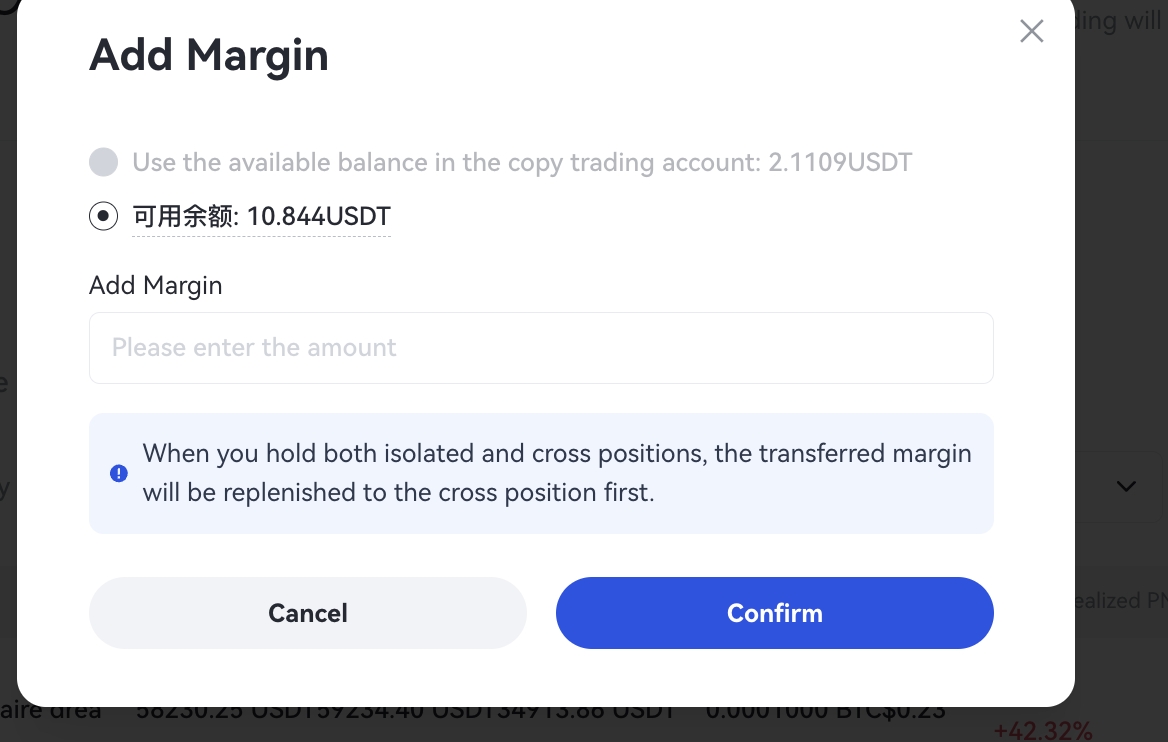
3.Supplement the margin
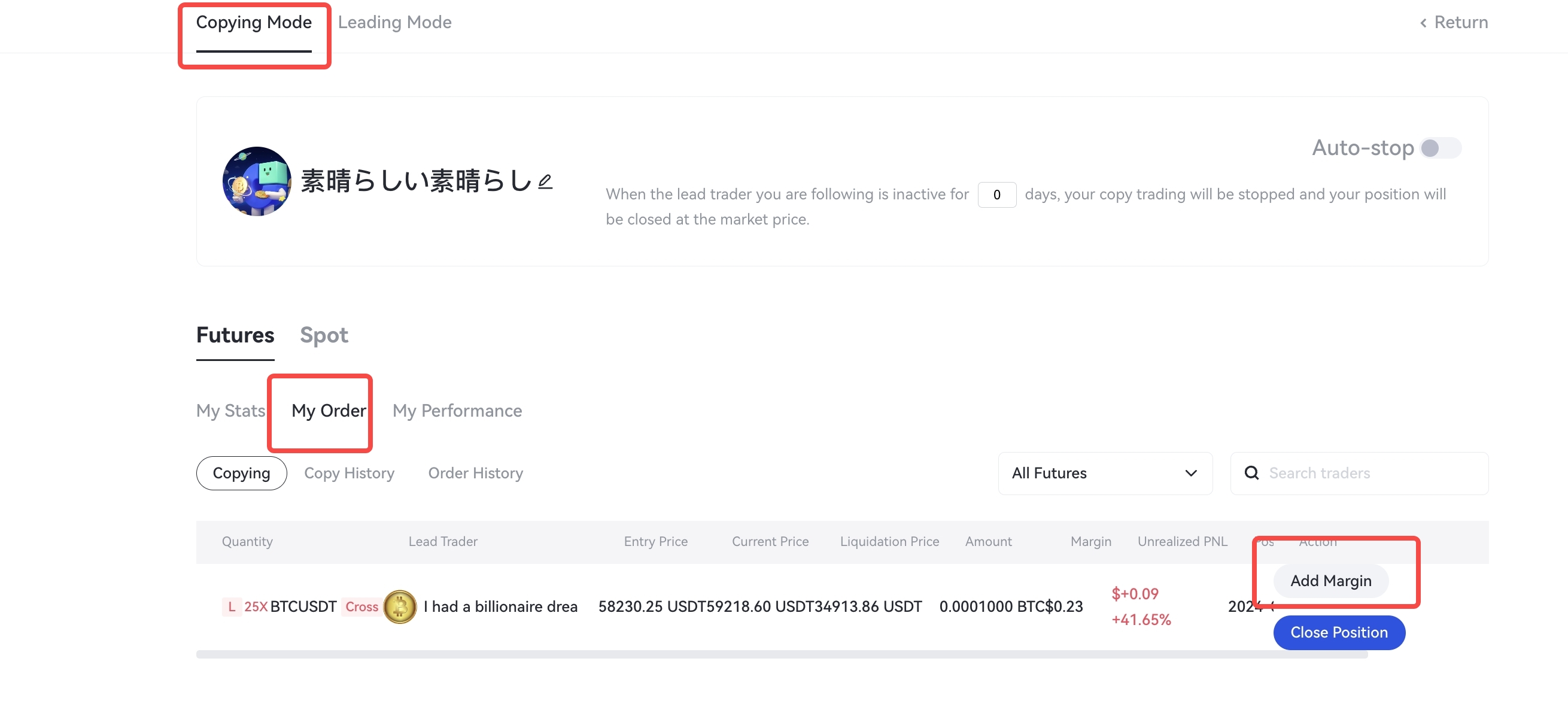
During the copy trading process, if you are following an open position of the lead trader, you can add margin to ensure the continuity of the trade. You can choose to add margin from the available balance in your spot account or your current copy trading account.
Specific process of supplementing the margin: enter copy trading homepage - click "My copy trading" - select the "Copying Mode" - select "My order" - find the order involved-select "Add Margin" - fill in the supplemented amount - confirm
4. Trader's Homepage and Live & Posts Integration
The current version of the platform has combined the trader's dynamic updates and live streaming into one display list to help traders share information, attract users, and increase their visibility.
Tips: Lead traders should actively post updates to keep copy traders informed and to build trust through increased visibility.
Gate reserves the final right to interpret the product.
Disclaimer
The content provided herein is for reference and educational purposes only and does not constitute any financial, investment, trading, or legal advice, nor does it constitute an offer or solicitation to buy or sell any digital assets. Gate makes no express or implied representations or warranties regarding the accuracy, completeness, or timeliness of the information contained herein. Product features, interfaces, rules, and fee structures may be updated or adjusted at any time. Please refer to the latest announcements and the actual information displayed on the Gate platform for the most accurate details.
Digital asset investments involve significant risk, and prices may fluctuate substantially. You may lose the entire amount of your investment. Please make decisions cautiously based on your own financial situation and risk tolerance after fully understanding the associated risks. If necessary, you are advised to consult an independent professional financial or legal advisor.
For more information about potential risks, please refer to Gate's Risk Disclosure and User Agreement.
