


Gate offers three main ways to deposit crypto:
- P2P Trading (Fiat Trading)
- On-Chain Deposit
- Debit/Credit Card
In addition, Gate also supports depositing crypto via GateCode transfer. Choose the method that suits you best. Below are the instructions for the three main options:
1. P2P (Fiat Trading)
P2P allows you to buy crypto directly from other users with the protection of Gate’s escrow system.
Step 1: Open the Gate App, log in, tap [Assets] in the bottom-right corner. Then go to [Overview] - [Deposit] - [P2P].
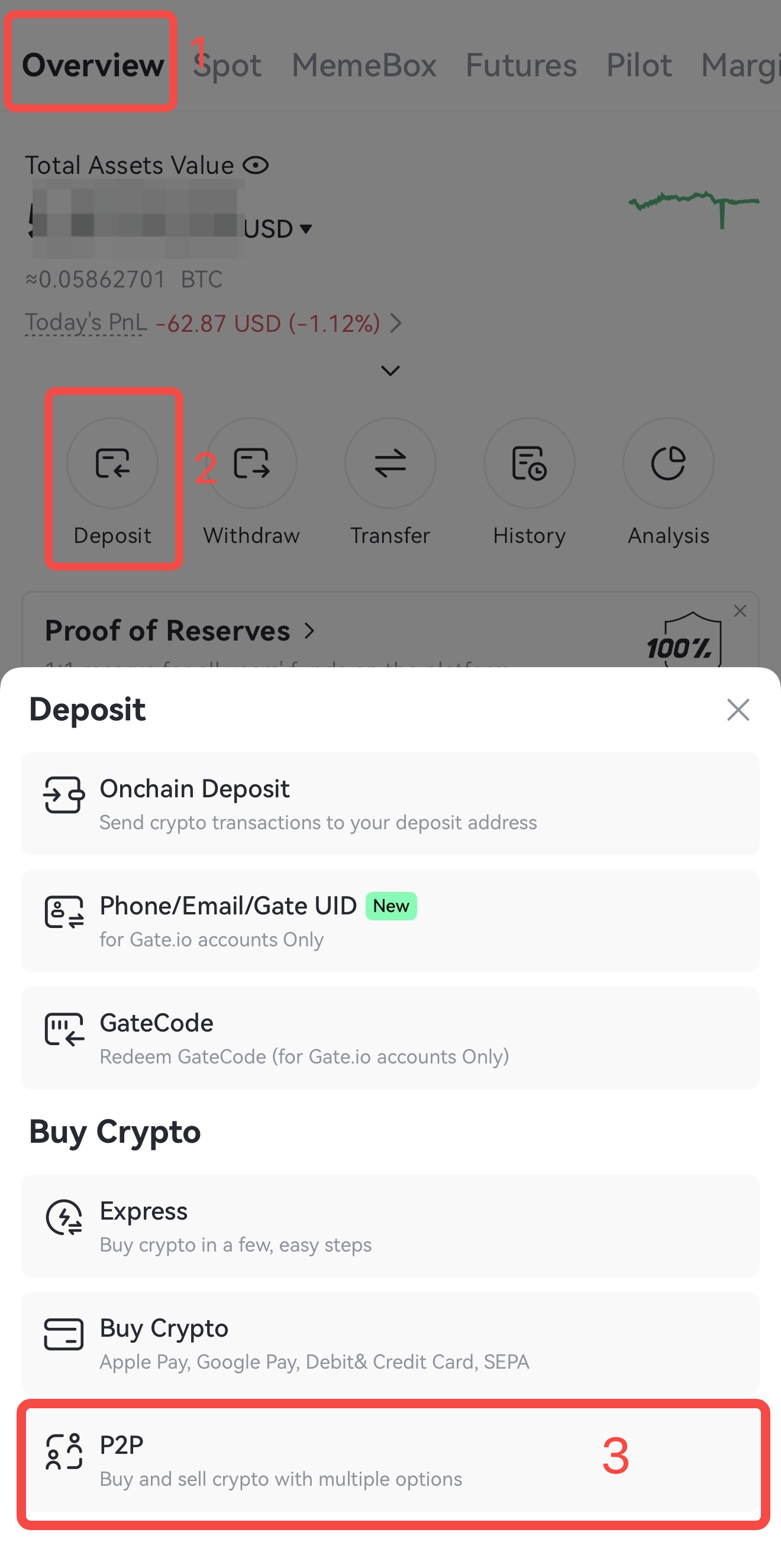
Step 2: On the P2P trading page, tap [Buy] and choose a suitable merchant.
① Select the crypto(USDT/BTC/ETH/DOGE) you want to buy
② Tap the [Amount] field and then enter the amount you want to purchase
③ Choose your preferred [Payment Method]
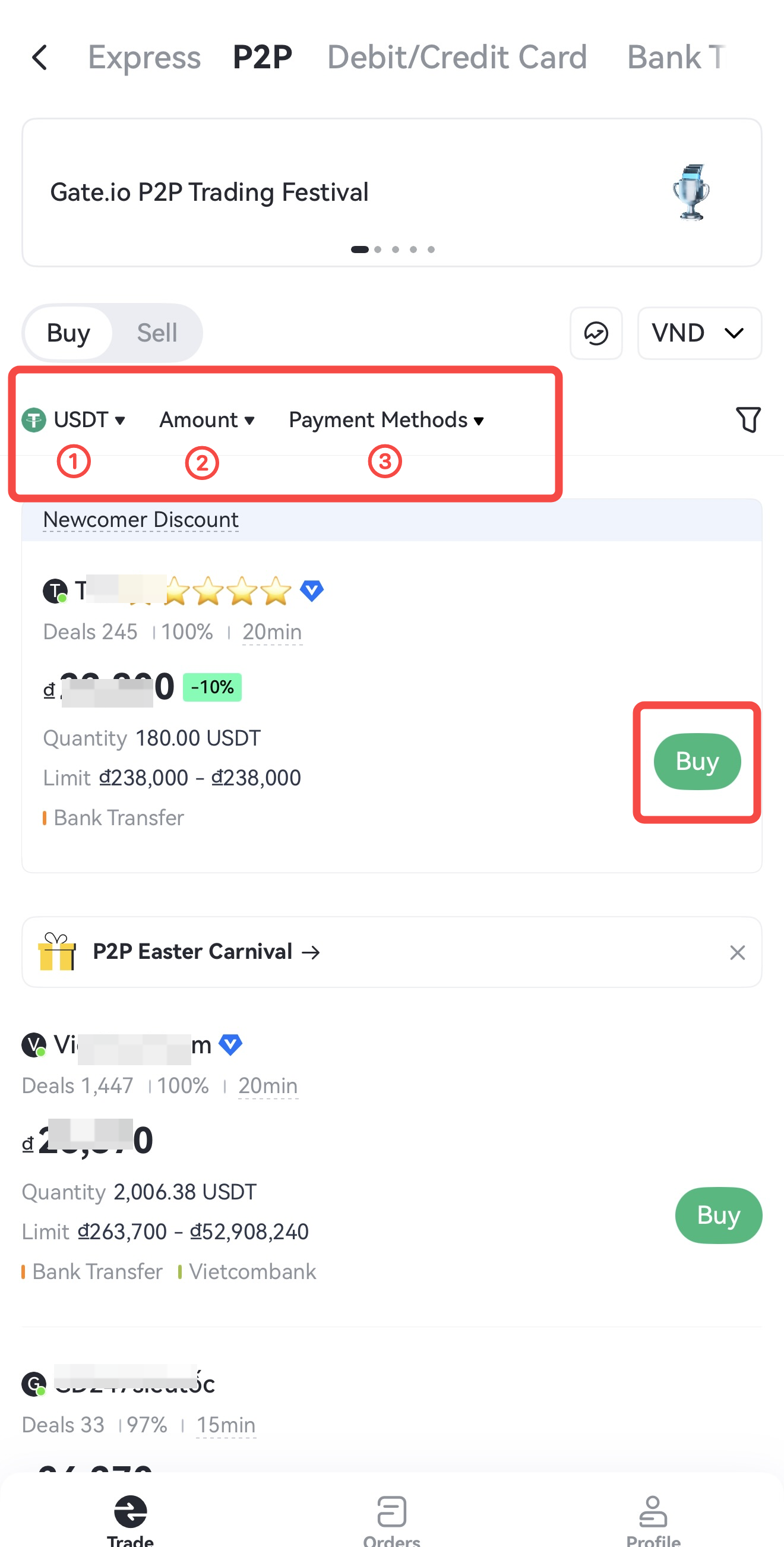
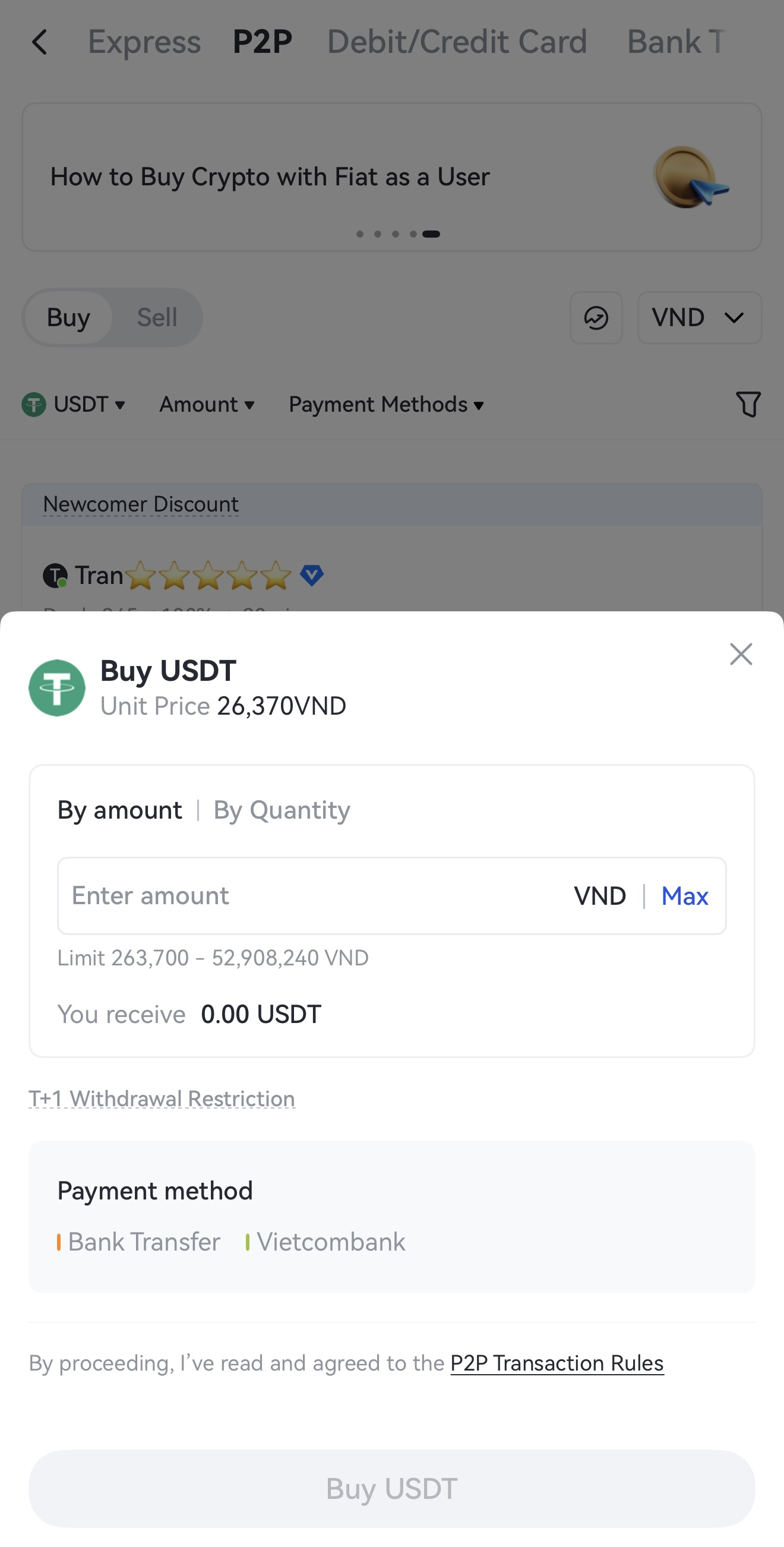
Step 3: Tap [Buy], enter the amount/quantity, and tap [Buy USDT] again. A 'Success' message will prompt once your order is placed.
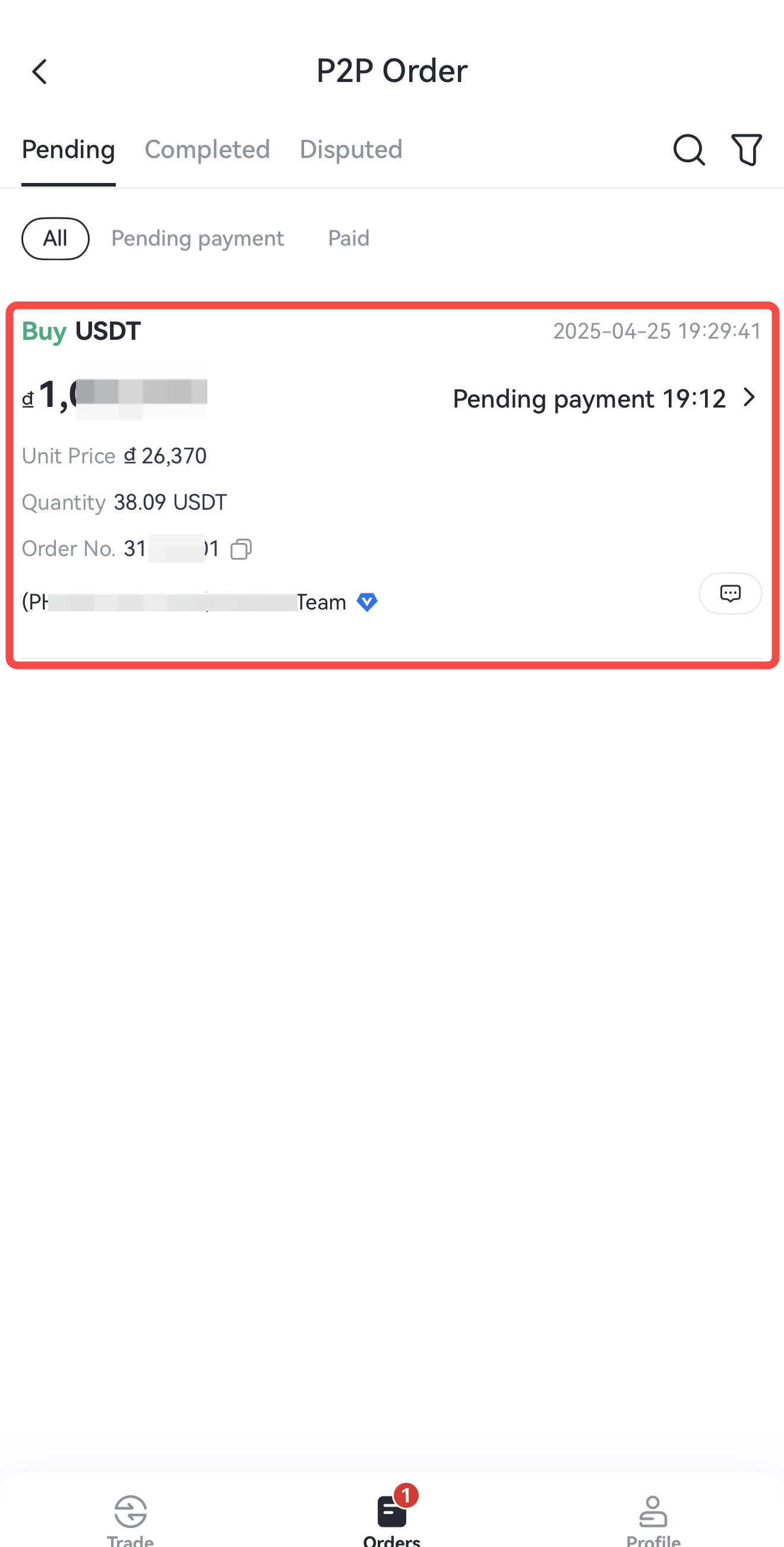
Step 4: Once your order is matched, you'll see a [Pending Payment] banner on the right side of the screen. Regular users can check the order status by tapping the notebook icon in the top right corner. If you're a merchant, head to the [Orders] tab at the bottom of the screen to view your orders under either [Pending] or [Completed].
Step 5: Tap [Pay Now] to view the seller’s account details. Transfer funds to the seller's provided account, and tap [I Have Paid] within 20 minutes after completing the payment.
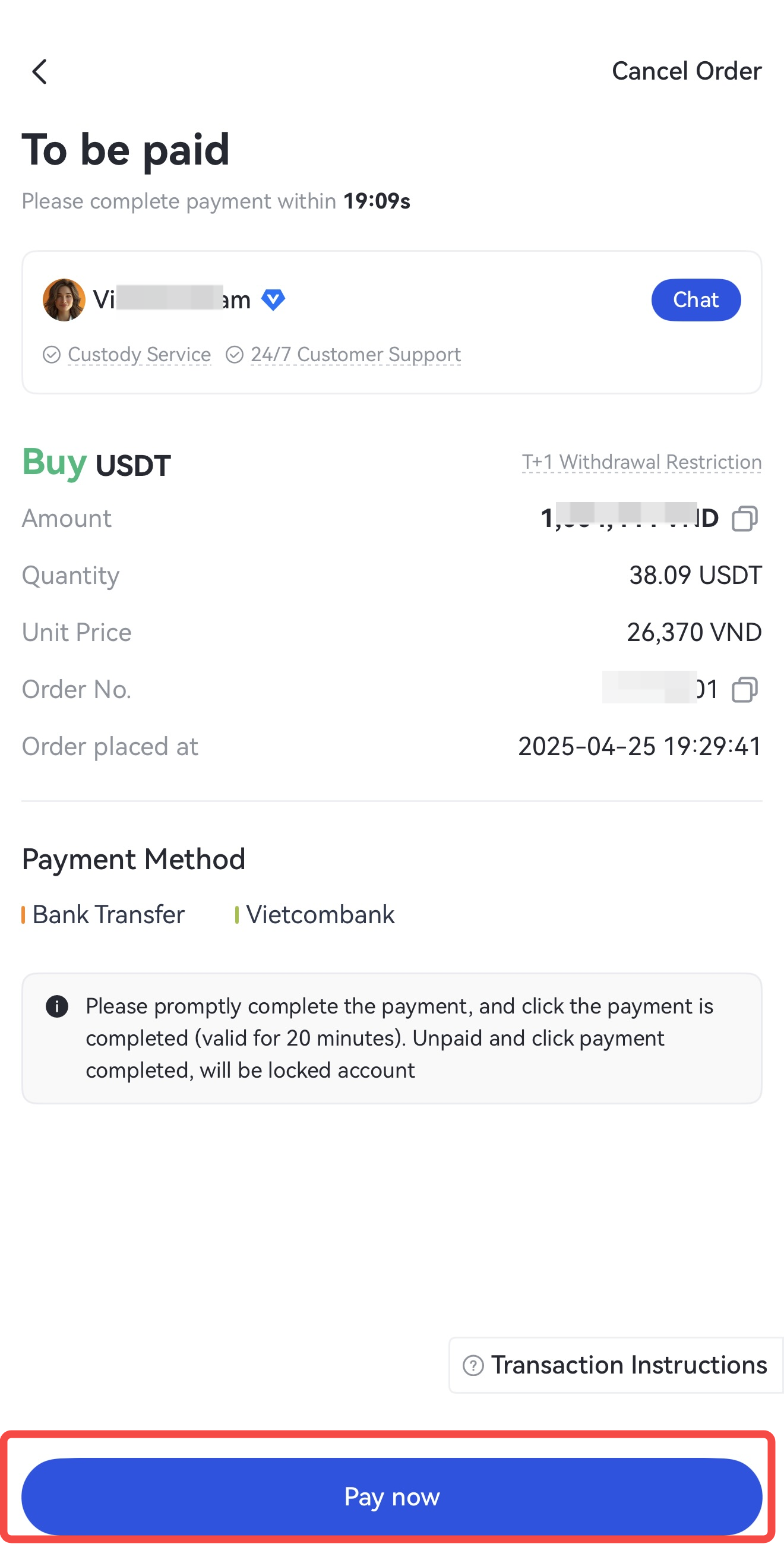
Note: Be sure to complete the payment and click [I Have Paid] within 20 minutes after completing the payment (Gate does not support automatic payments). If not, the order will be canceled automatically and the crypto will be returned to the seller. Failing to follow the steps may result in a loss of both funds and crypto.
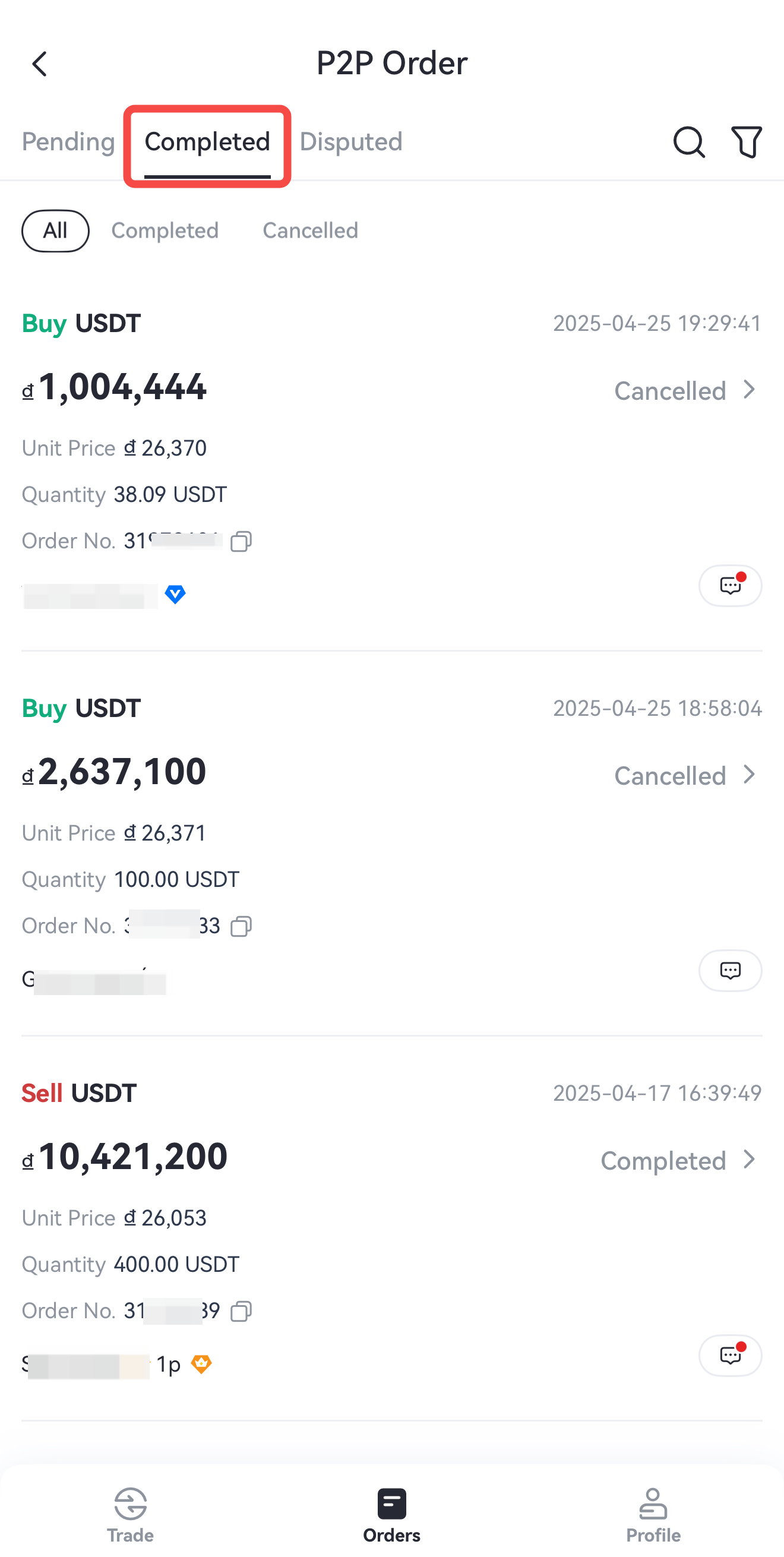
Step 6: Once the order is completed, go to [Order] - [Completed] to view your order details.
2. On-Chain Deposit
This method lets you transfer crypto from another wallet or exchange to your Gate account via blockchain.
Step 1: Log in to your account on Gate app, tap the bottom-right [Assets], then go to [Overview] - [Deposit] - [On-chain Deposit].
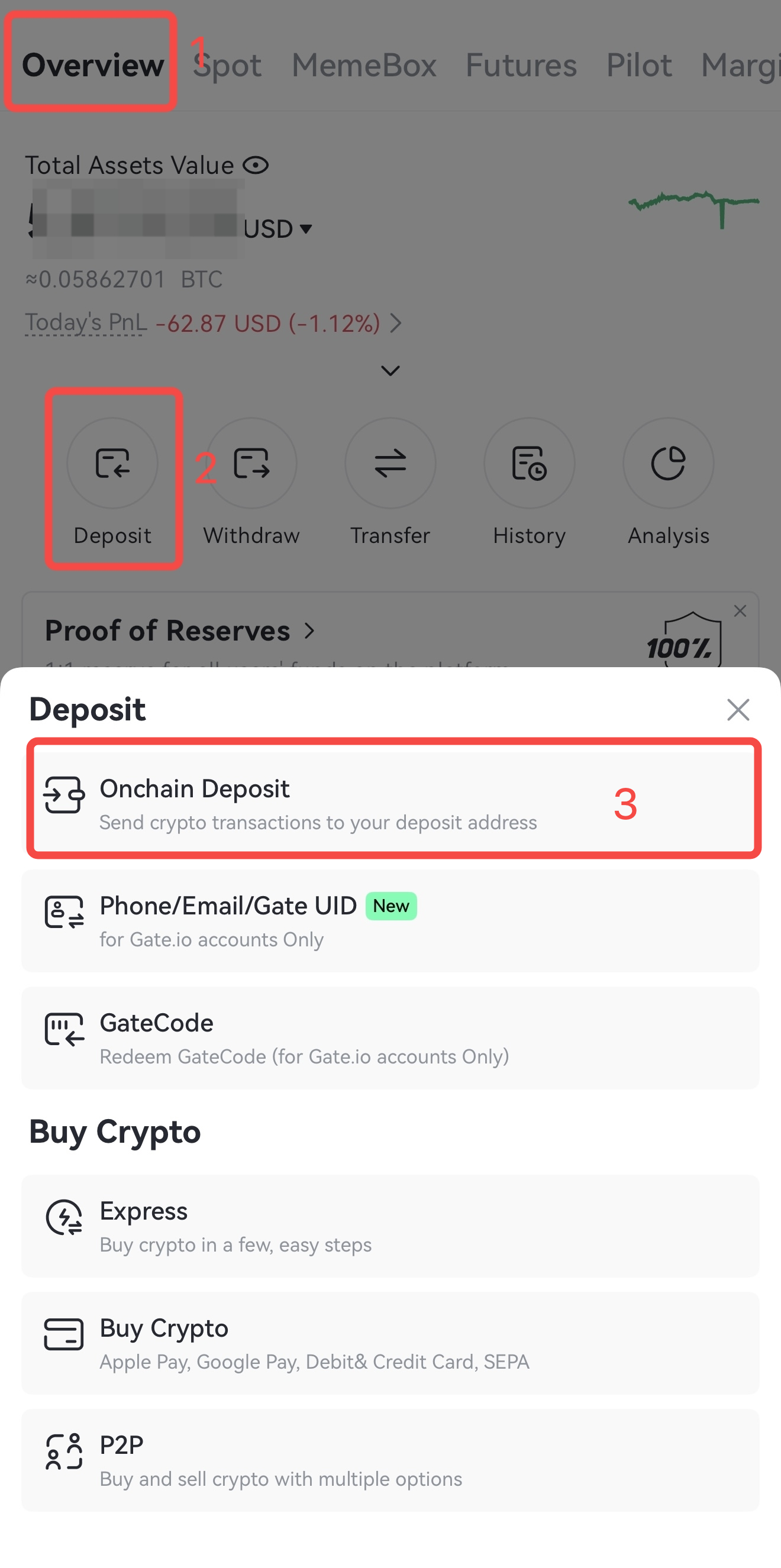
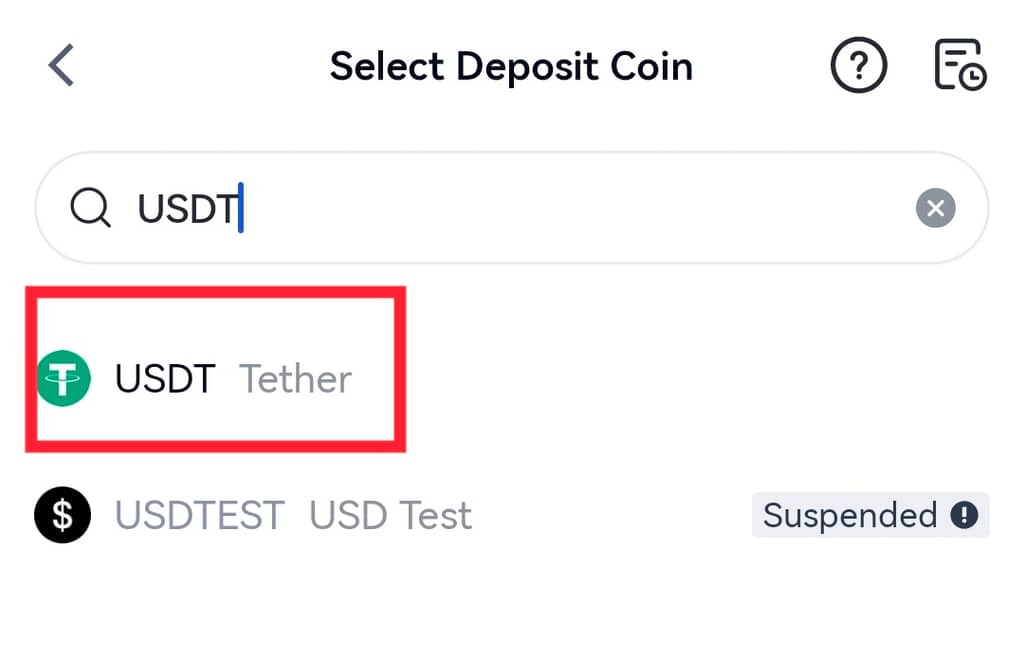
Step 2: Select [On-chain Deposit], enter the token you wish to deposit—let’s use
Step 3: Choose the network for deposit. Then copy the deposit address or save the address QR code.
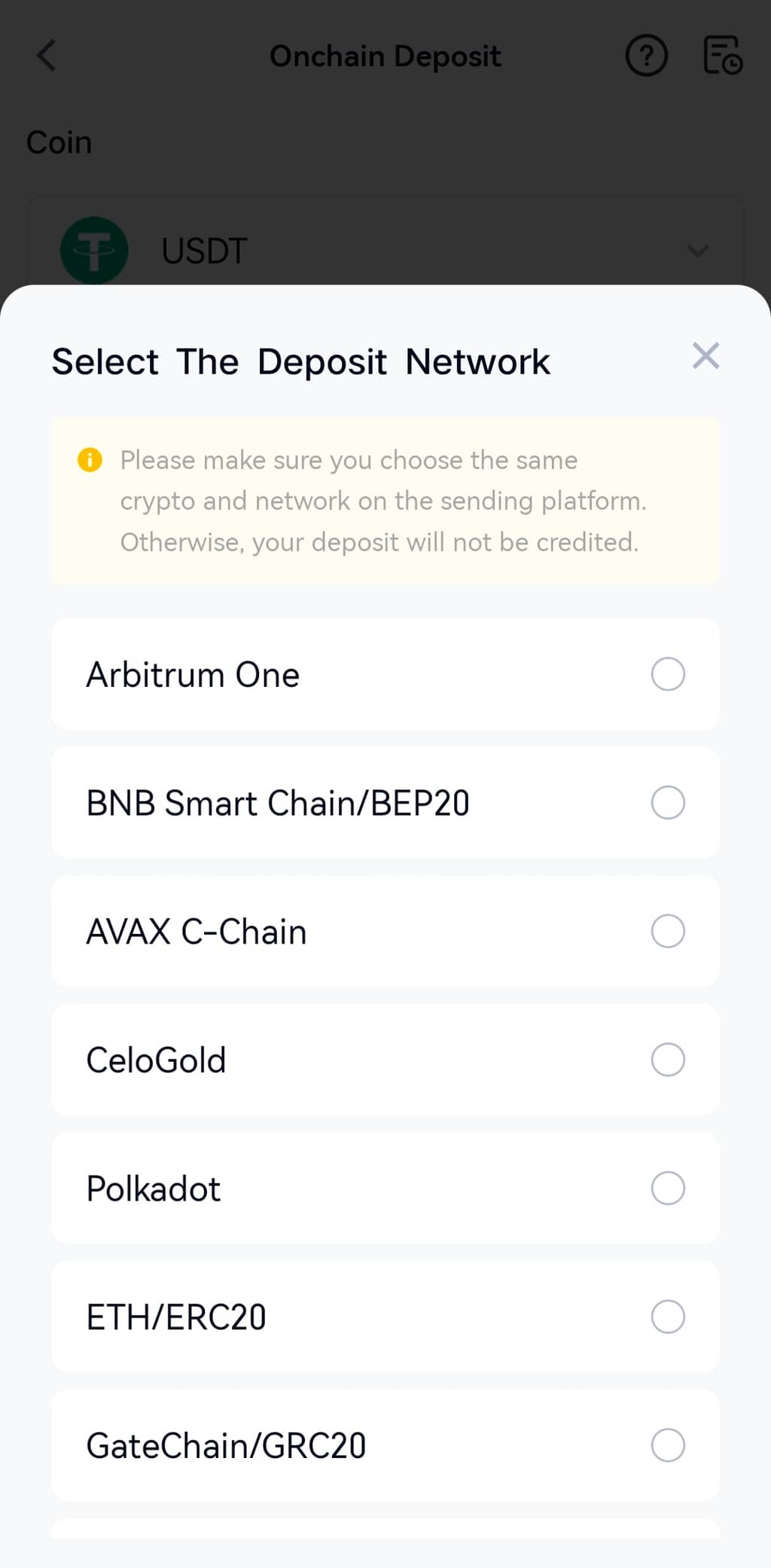
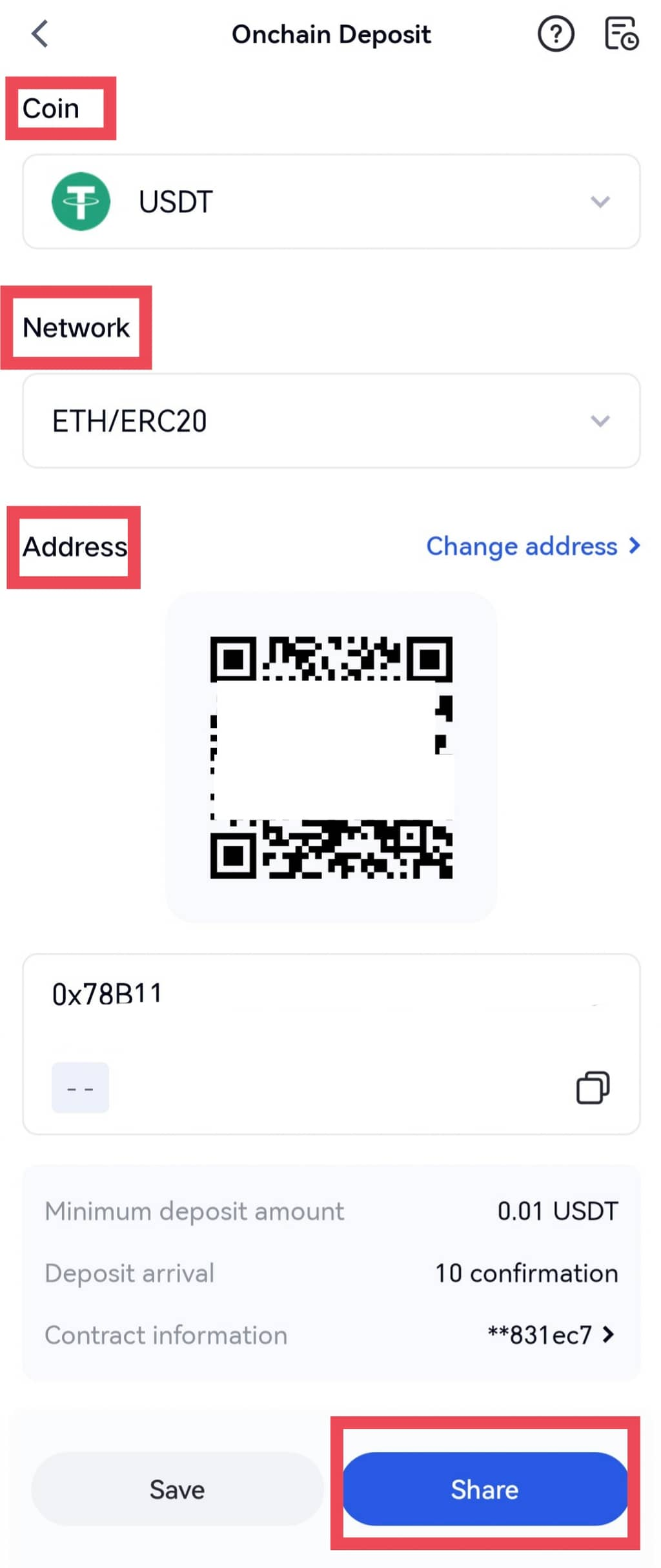
Note: Make sure the deposit network matches the withdrawal network. Also, double-check that both the deposit address and contract information are accurate—any mistake may lead to failed deposits
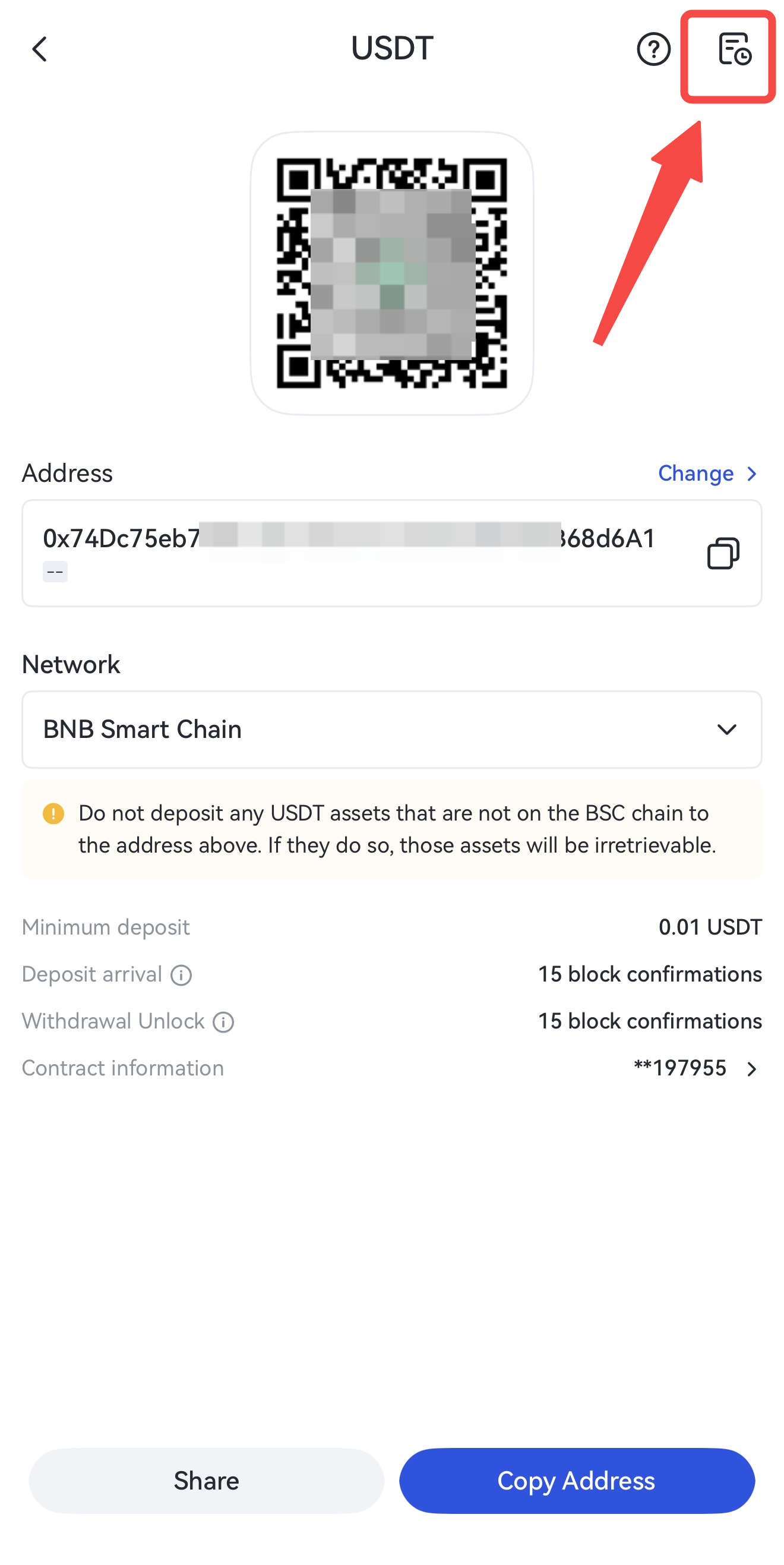
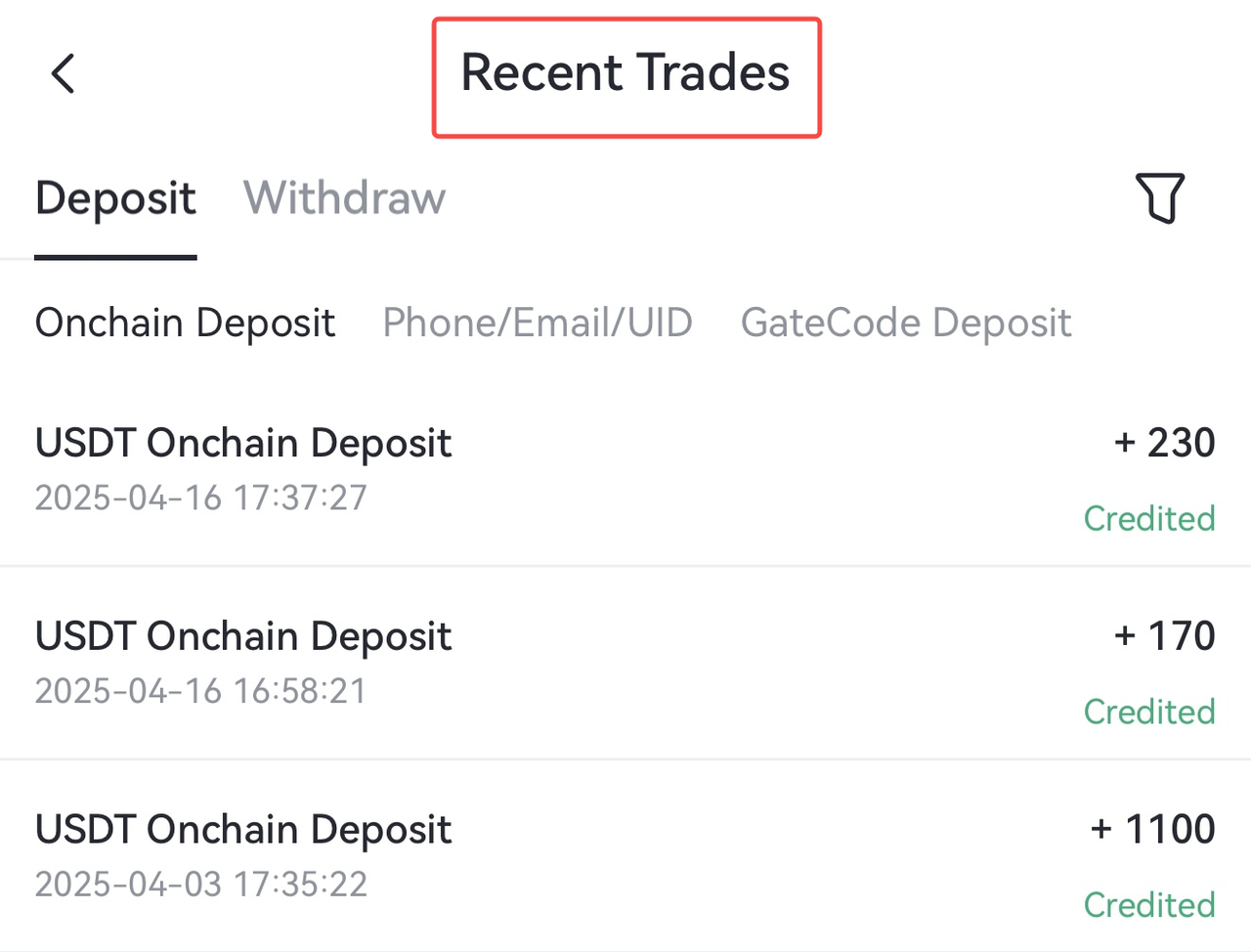
Step 4: Paste the copied address or scan the QR code on the withdrawal platform to complete the transfer. Once completed, tap the notebook icon in the top-right corner of the deposit page to access the [Recent Trades] section and review your deposit details.
3. Debit/Credit Card Deposit
You can easily purchase cryptocurrencies on the Gate App using your debit or credit card. Please follow the steps below:
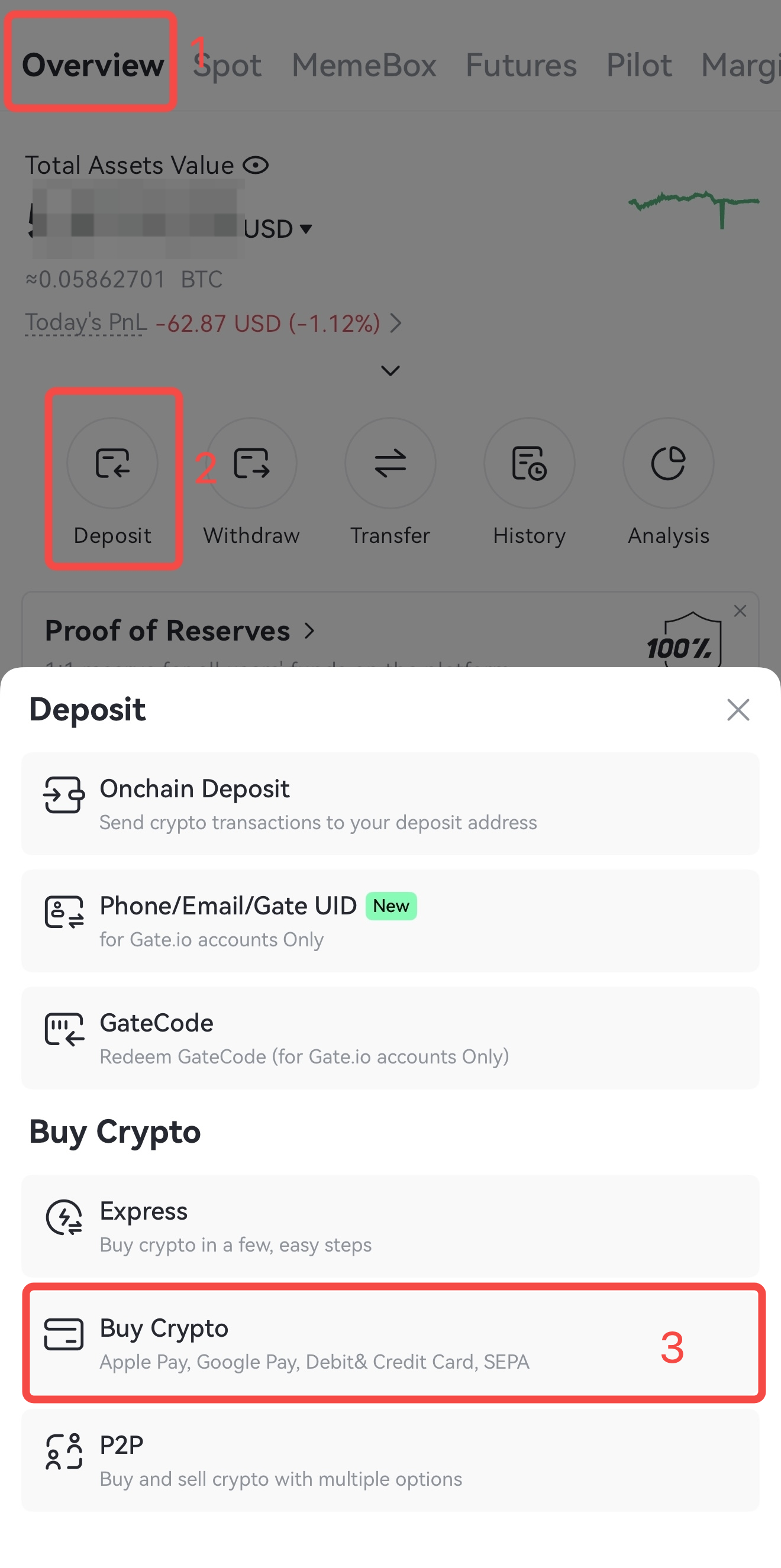
Step 1: Log in to your account on Gate App, tap the bottom-right [Assets], then go to [Overview] - [Deposit] - [Buy Crypto].
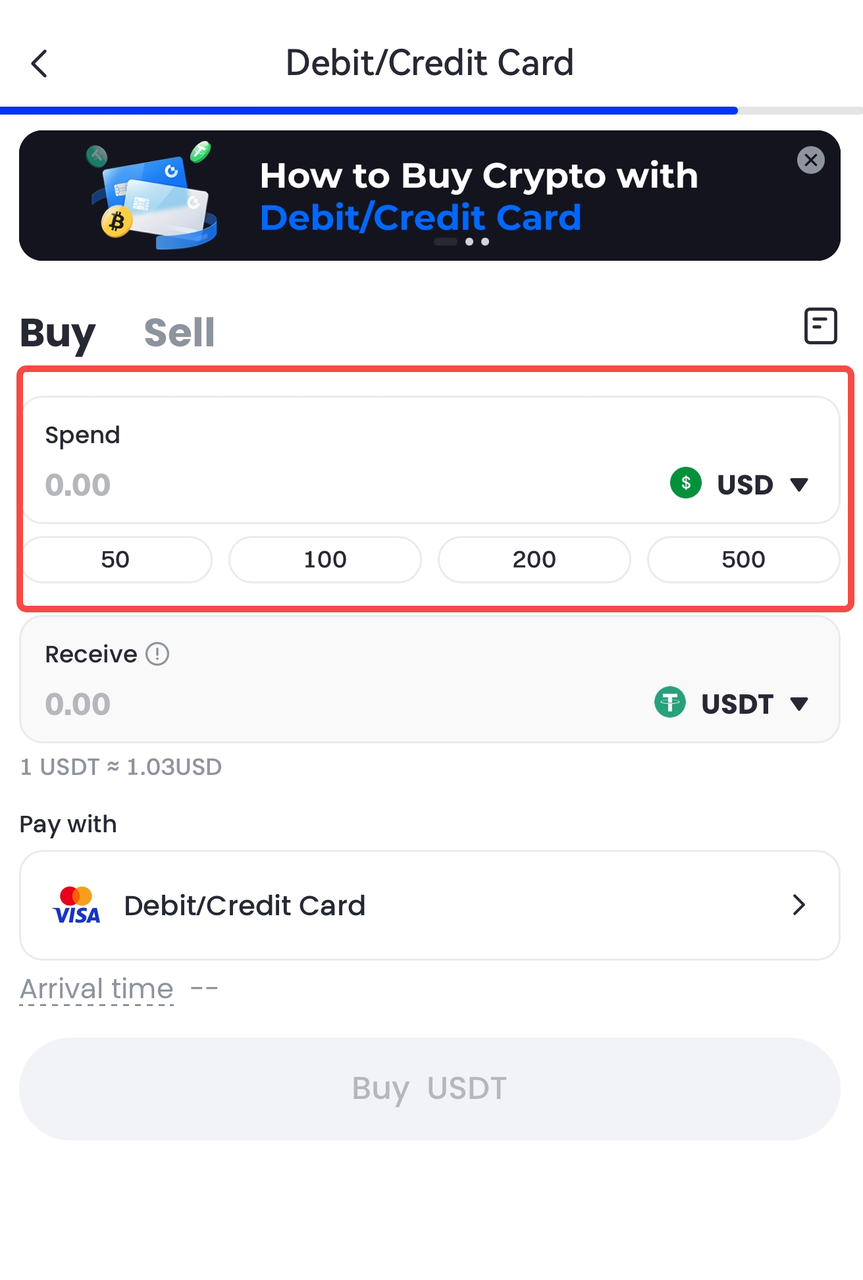
Step 2: On the Debit/Credit Card purchase page, input the amount under [Spend] in your preferred fiat currency (e.g., USD). The system will automatically calculate the amount of crypto you will receive.
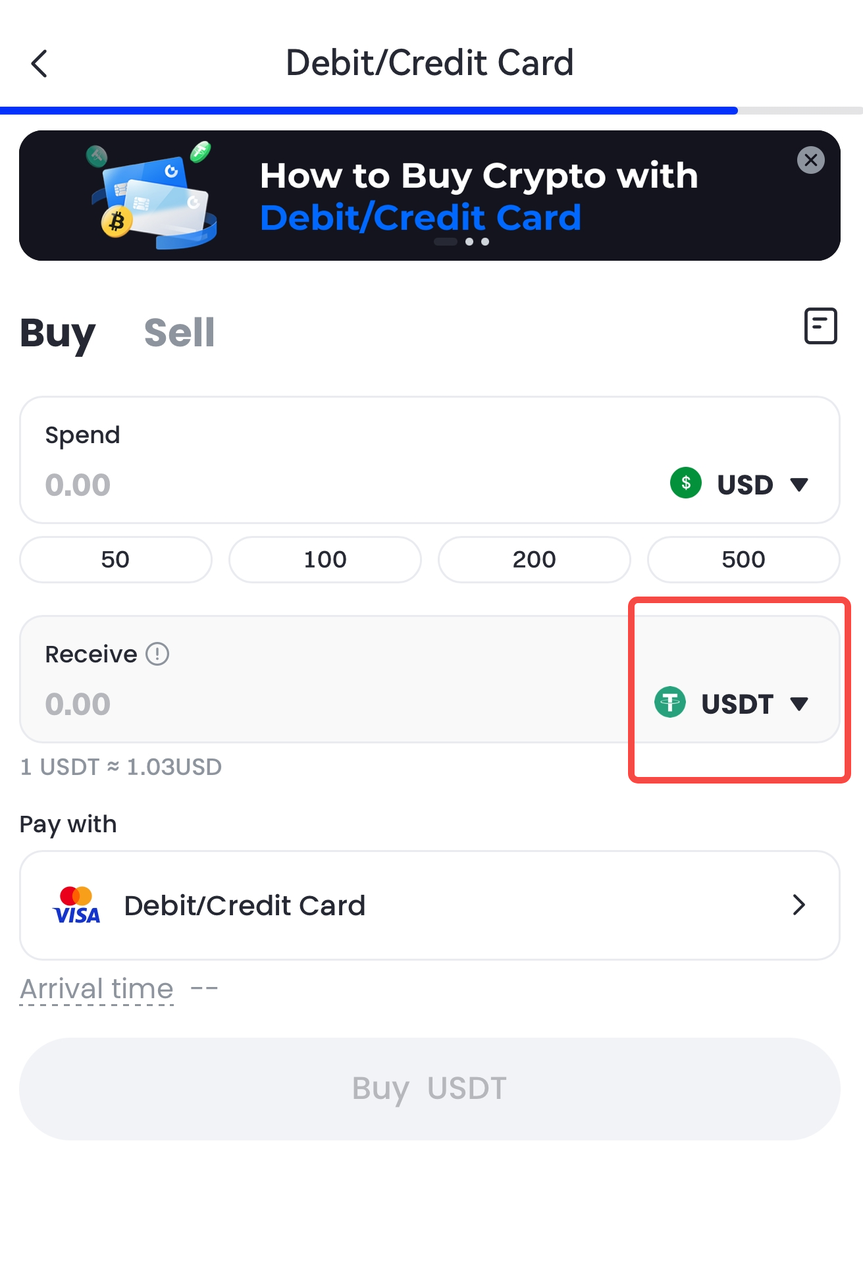
Step 3: Select the cryptocurrency you want to purchase: tap the drop-down menu next to [Receive] and choose your desired crypto (e.g., USDT).
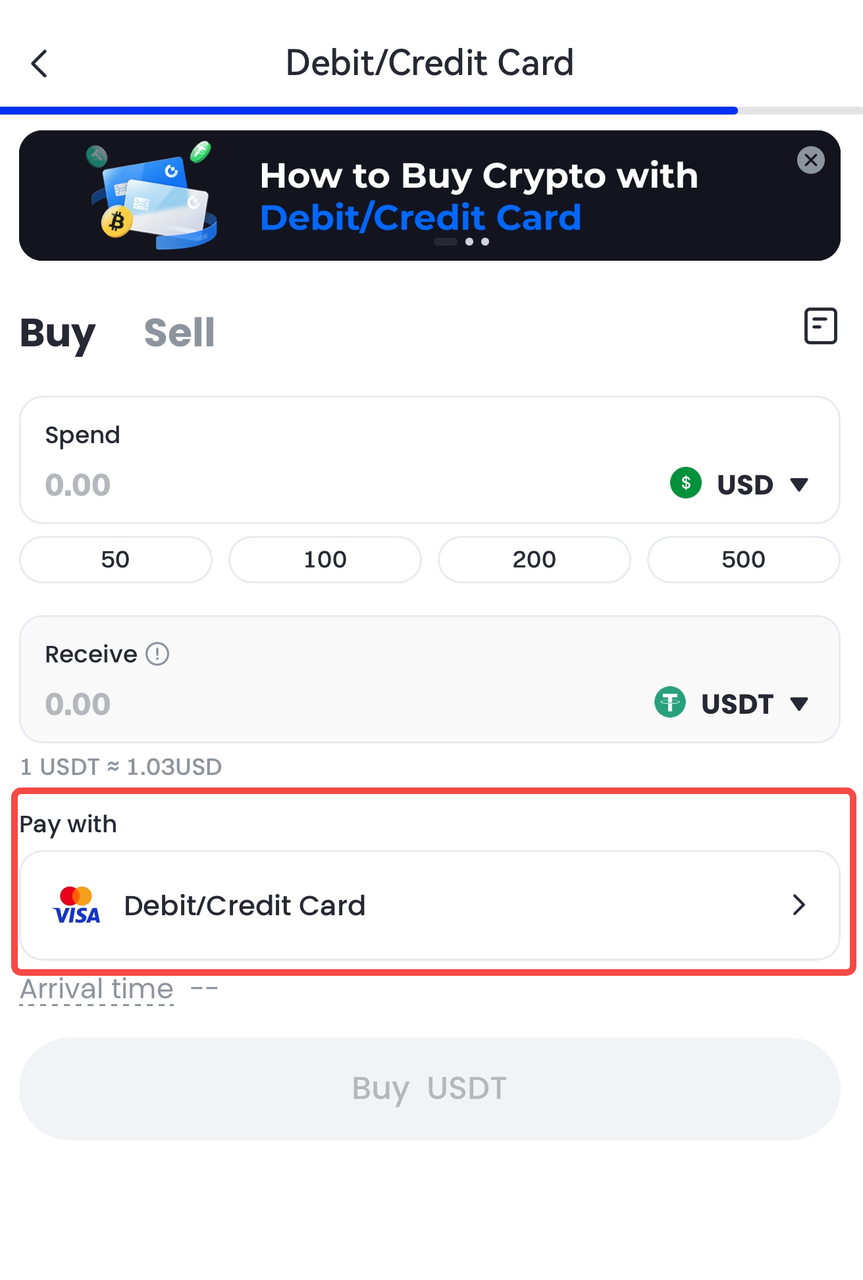
Step 4: Select a payment method, then click [Buy].
Step 5: Please review your order details carefully before tapping [Buy] to complete the payment.
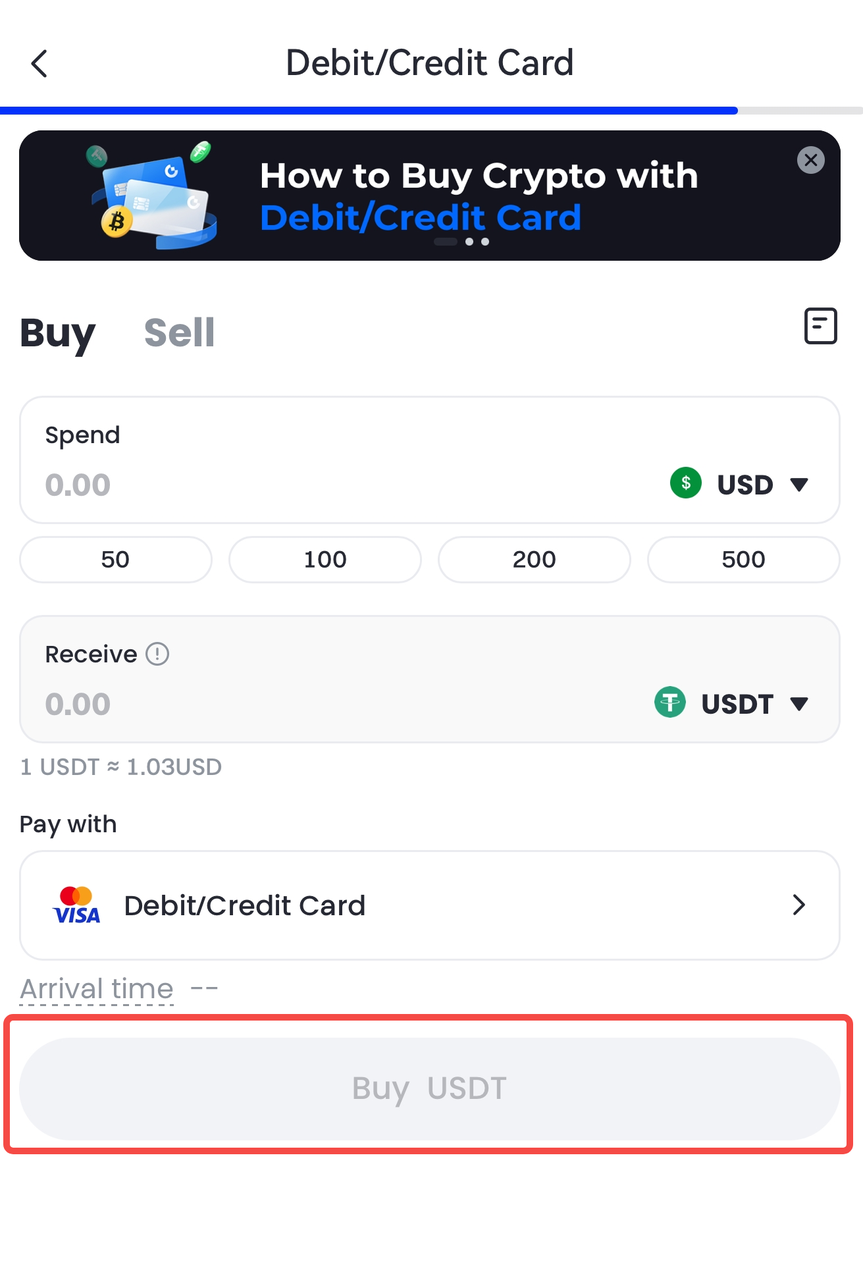
Notes : If you have not linked any payment method, the system will prompt you to link a payment method after clicking [Buy]. Follow the on-screen instructions to complete the payment linking process.
Disclaimer
The content provided herein is for reference and educational purposes only and does not constitute any financial, investment, trading, or legal advice, nor does it constitute an offer or solicitation to buy or sell any digital assets. Gate makes no express or implied representations or warranties regarding the accuracy, completeness, or timeliness of the information contained herein. Product features, interfaces, rules, and fee structures may be updated or adjusted at any time. Please refer to the latest announcements and the actual information displayed on the Gate platform for the most accurate details.
Digital asset investments involve significant risk, and prices may fluctuate substantially. You may lose the entire amount of your investment. Please make decisions cautiously based on your own financial situation and risk tolerance after fully understanding the associated risks. If necessary, you are advised to consult an independent professional financial or legal advisor.
For more information about potential risks, please refer to Gate's Risk Disclosure and User Agreement.
