


Сфера застосування
Ця інструкція стосується додатку Gate
Перед початком: Переконайтеся, що ви пройшли верифікацію особи (KYC) у своєму акаунті Gate
Орієнтовний час: 5 хвилин
Мета
Ця інструкція допоможе вам додати спосіб оплати для P2P-торгівлі у додатку Gate.
Кроки
Крок 1: Перейдіть до налаштувань способу оплати
- Відкрийте мобільний додаток Gate та увійдіть у свій акаунт.
- Натисніть на [іконку профілю] у верхньому лівому куті.
- Натисніть стрілку поруч із вашим профілем для доступу до додаткових опцій.
- На сторінці [Центр користувача] виберіть [Безпека].
- Прокрутіть вниз, знайдіть і натисніть [Спосіб оплати].
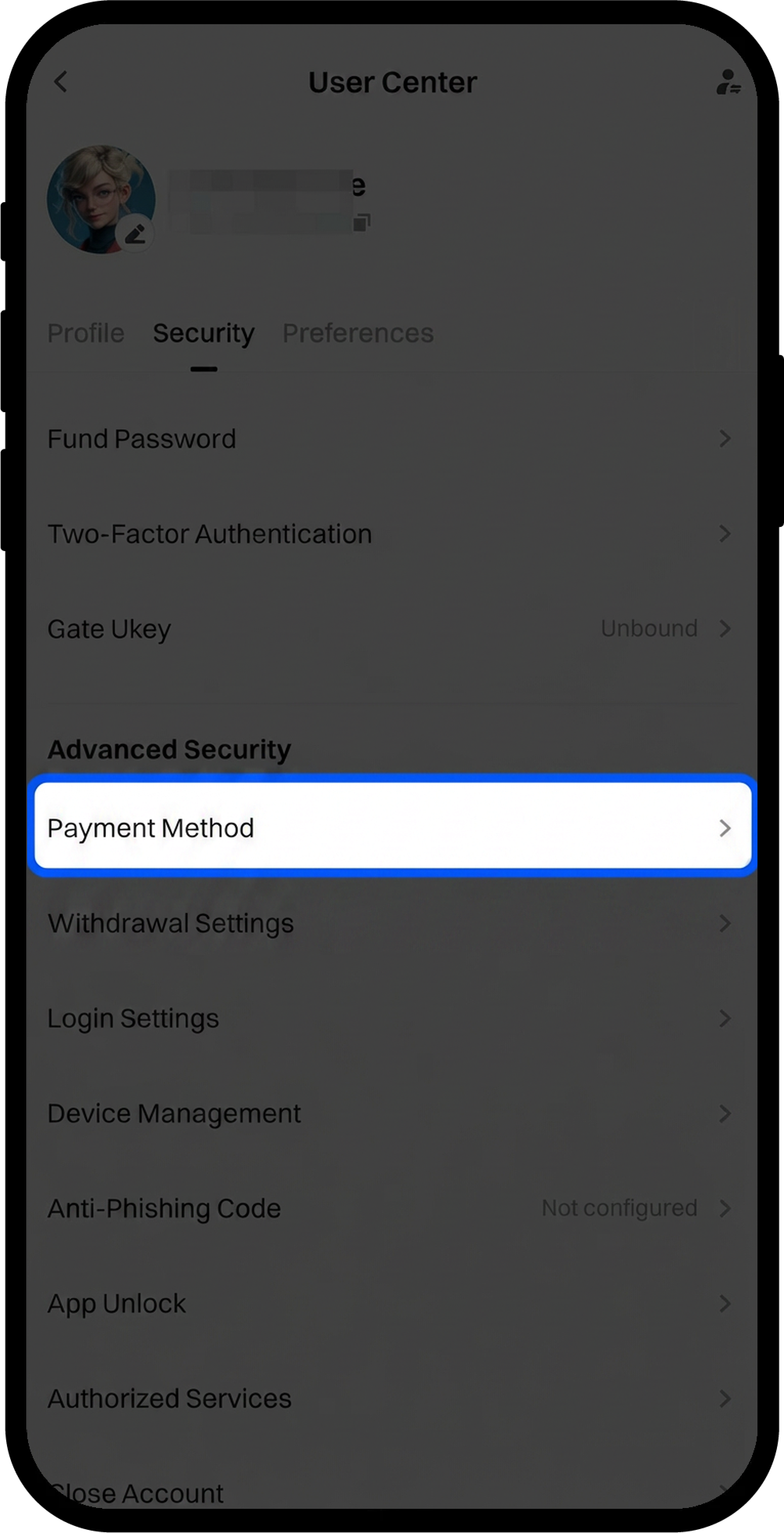
Крок 2: Почніть додавання способу оплати
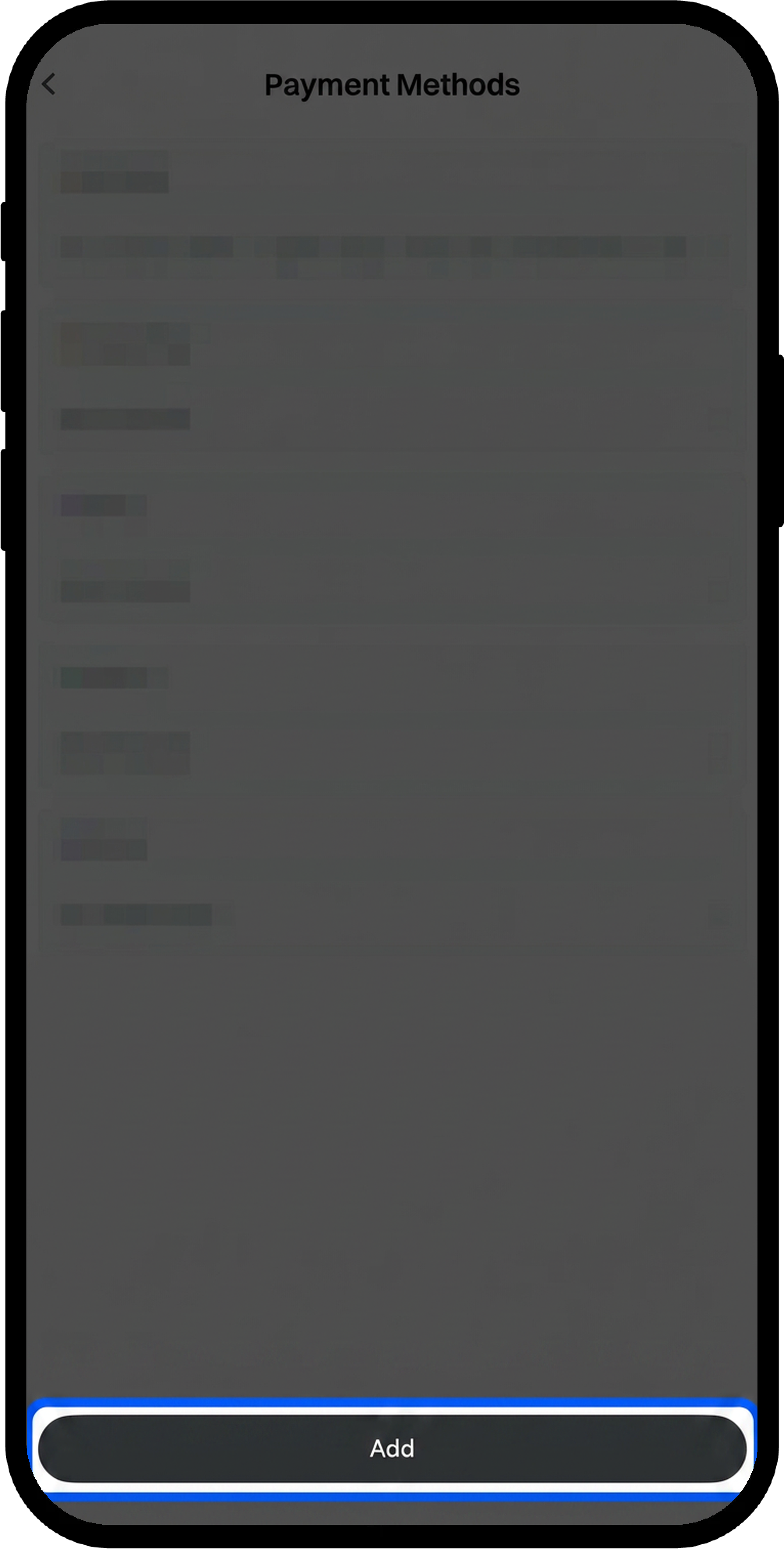
На сторінці [Способи оплати] натисніть [Додати].
Крок 3: Виберіть фіатну валюту та тип оплати
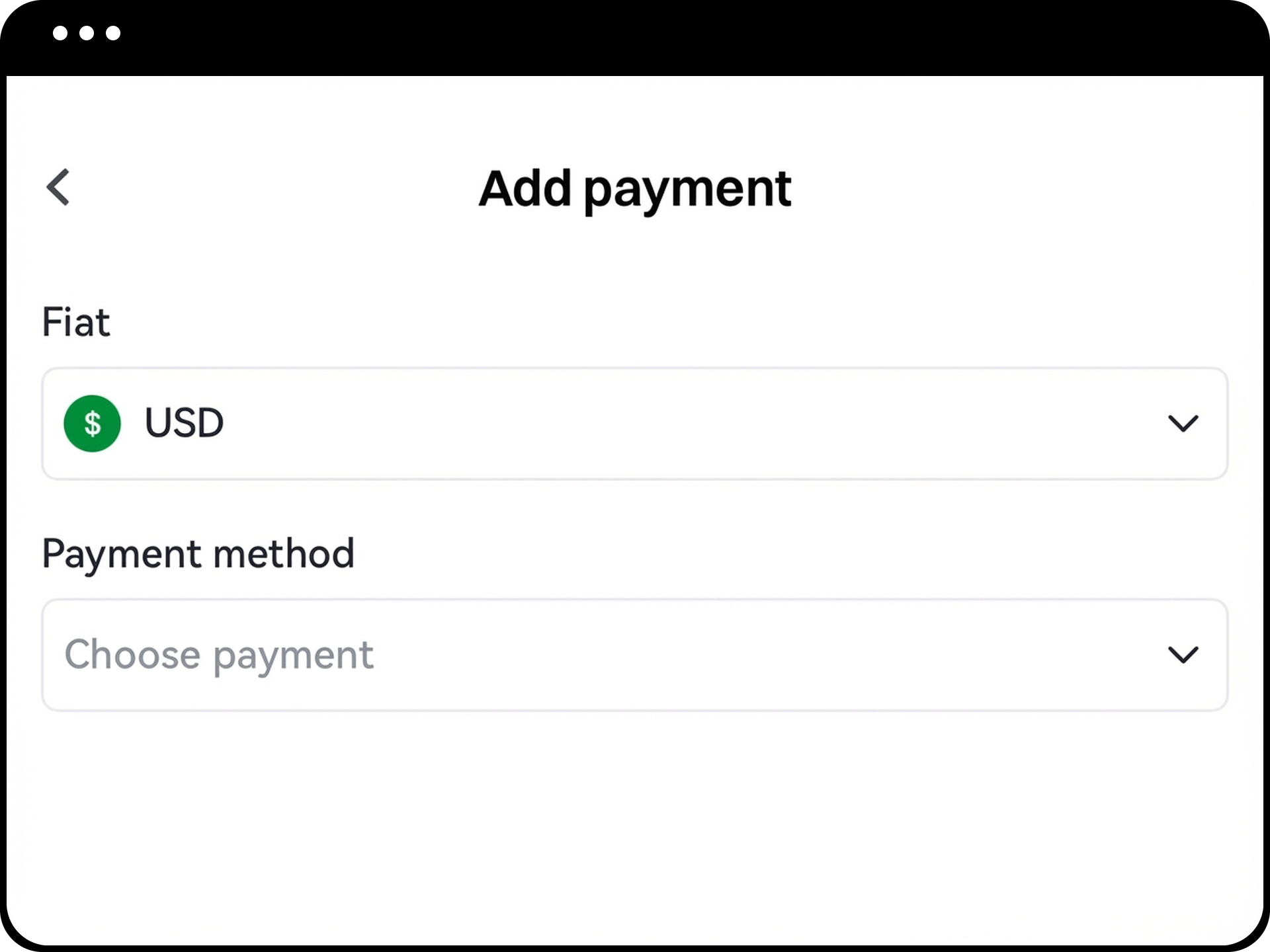
- Виберіть фіатну валюту, яку ви хочете використовувати для транзакцій.
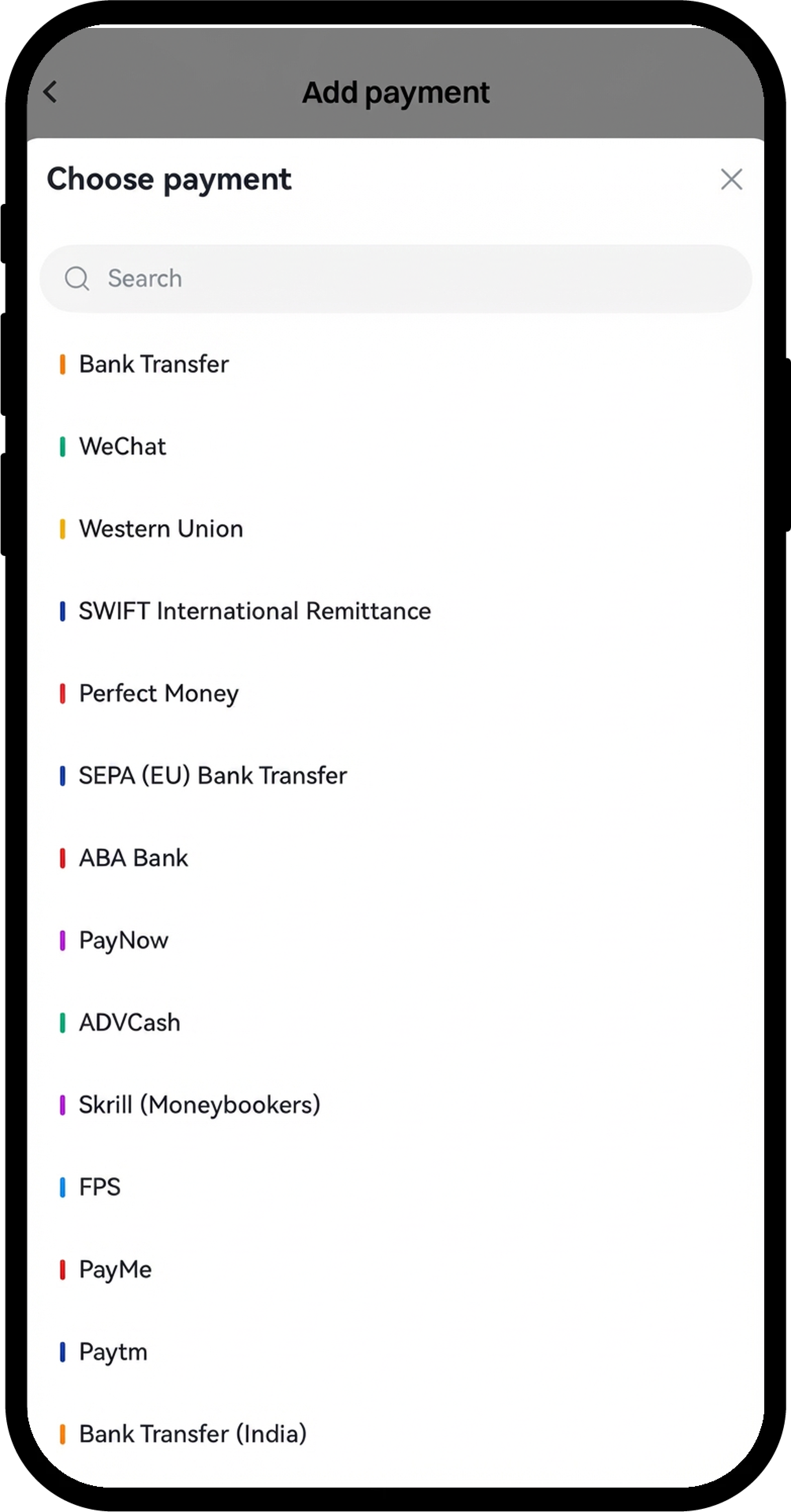
- Виберіть спосіб оплати зі списку підтримуваних опцій (доступні варіанти залежать від обраної фіатної валюти й можуть включати банківський переказ, електронні гаманці або міжнародних платіжних провайдерів).
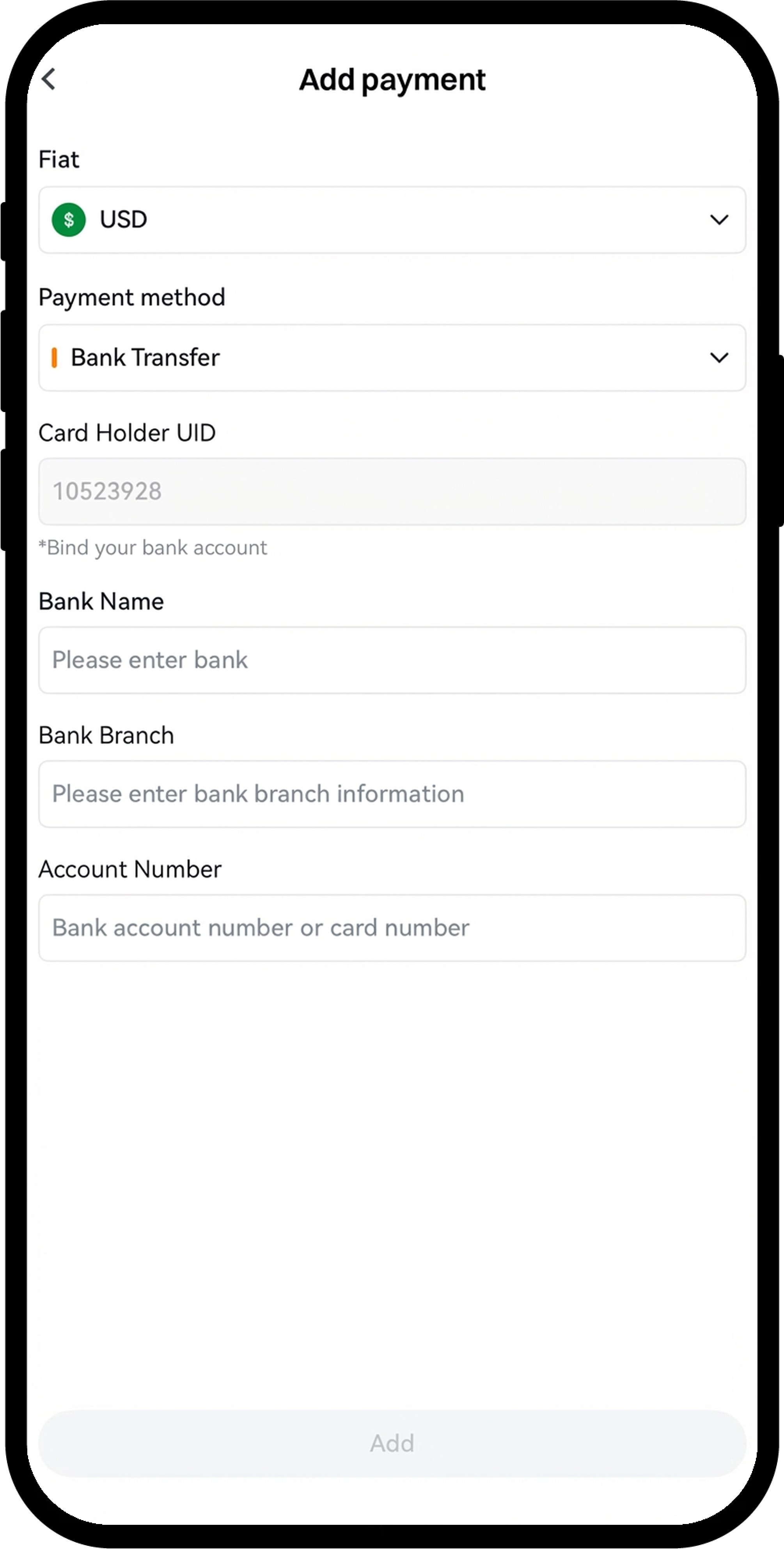
Крок 4: Введіть дані способу оплати
Заповніть необхідну інформацію залежно від обраного способу оплати.
Приклад для банківського переказу:
- Введіть [Назву банку]
- Введіть [Відділення]
- Введіть [Номер рахунку]
- Натисніть [Додати] для продовження
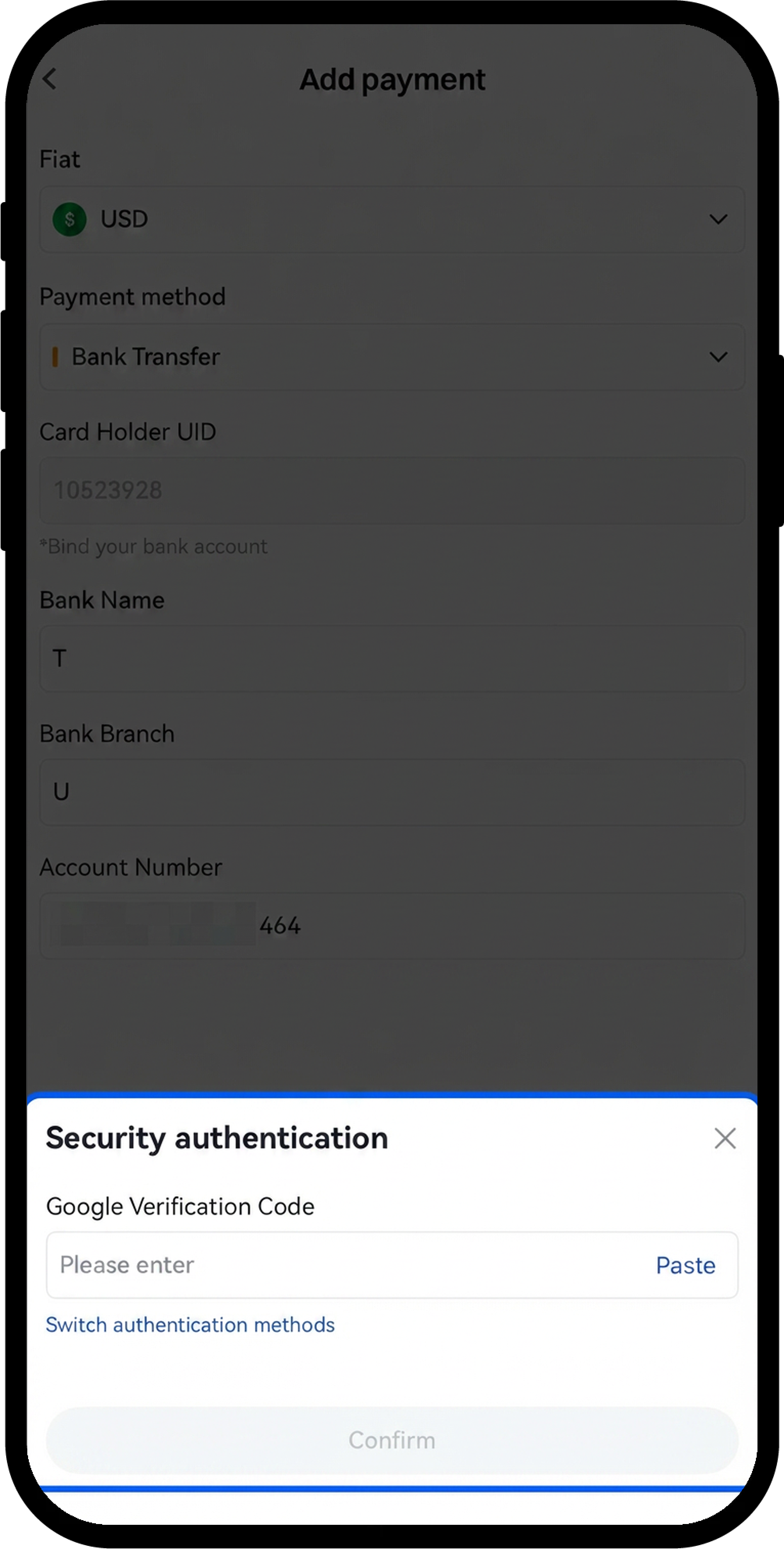
Крок 5: Пройдіть перевірку безпеки
Введіть код Google-підтвердження або пройдіть інші активовані методи 2FA у вікні [Аутентифікація безпеки].
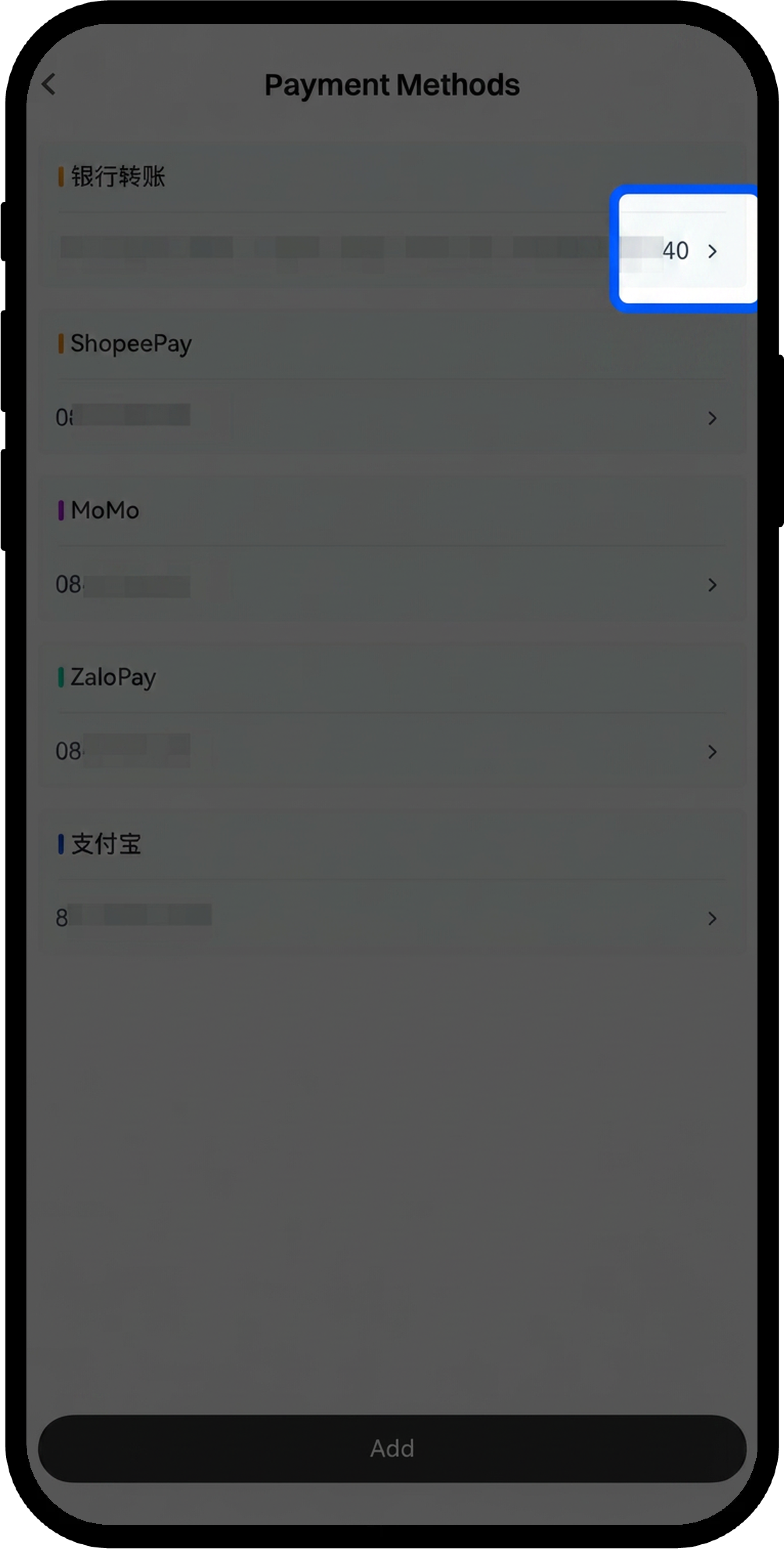
Крок 6: Перевірте успішне додавання
Після успішного додавання новий спосіб оплати з’явиться у списку [Способи оплати]. За потреби ви можете повторити процес для додавання кількох способів оплати.
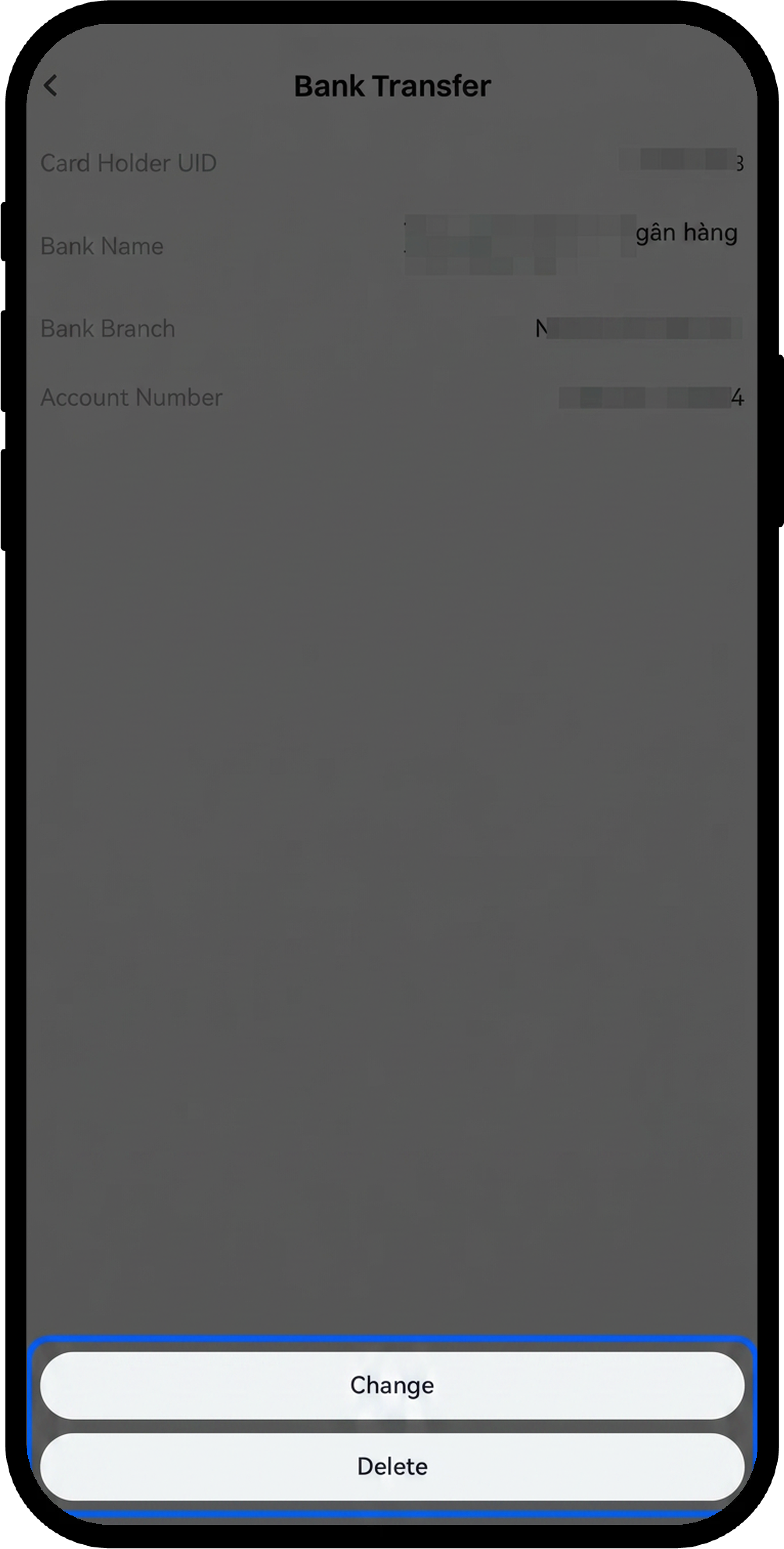
Крок 7: Керуйте існуючими способами оплати (необов’язково)
- Виберіть будь-який доданий спосіб оплати, щоб переглянути його деталі.
- Натисніть [Змінити] для оновлення інформації.
- Натисніть [Видалити] для видалення способу оплати.
Примітки
- Усі додані способи оплати мають бути зареєстровані на те саме ім’я, що й ваш верифікований акаунт Gate.
- Для способів оплати, які потребують QR-коду (наприклад, деякі електронні гаманці), під час додавання буде запропоновано завантажити [QR-код оплати].
- Для різних фіатних валют доступні різні способи оплати. Доступні варіанти відображатимуться залежно від обраної валюти.
- Ви можете додати кілька способів оплати для підвищення гнучкості у P2P-транзакціях.
Поширені запитання
Q1: Чому я не бачу бажаний спосіб оплати у списку?
A: Доступні способи оплати залежать від обраної вами фіатної валюти. Gate пропонує різні платіжні опції залежно від регіональної підтримки та типу валюти. Спробуйте вибрати іншу фіатну валюту, щоб переглянути альтернативні способи оплати.
Q2: Чи можу я використовувати спосіб оплати, зареєстрований на іншу особу?
A: Ні, усі способи оплати повинні бути зареєстровані на те саме ім’я, що й ваш верифікований акаунт Gate. Це необхідно для забезпечення безпеки та дотримання вимог регулювання.
Q3: Скільки способів оплати я можу додати до свого акаунта?
A: Gate дозволяє додавати кілька способів оплати до вашого акаунта. Точний ліміт може залежати від рівня акаунта та статусу верифікації. Ви можете додавати різні типи способів оплати (наприклад, банківські картки, електронні гаманці) для підвищення гнучкості транзакцій.
Q4: Що робити, якщо мені потрібно оновити інформацію про банківський рахунок?
A: Перейдіть до [Способи оплати], виберіть банківську картку, яку потрібно оновити, і натисніть [Змінити] для редагування інформації. Для підтвердження змін потрібно пройти перевірку безпеки.
Наданий тут зміст призначений лише для ознайомлення та освітніх цілей і не є фінансовою, інвестиційною, торговою чи юридичною порадою, а також не є пропозицією або закликом купувати чи продавати будь-які цифрові активи. Gate не надає жодних прямих чи непрямих заяв або гарантій щодо точності, повноти чи актуальності інформації, що міститься тут. Функціонал продукту, інтерфейси, правила та структура комісій можуть оновлюватися або змінюватися у будь-який час. Для отримання найактуальнішої інформації звертайтеся до останніх оголошень і фактичних даних, що відображаються на платформі Gate.
Інвестиції в цифрові активи пов'язані зі значними ризиками, а ціни можуть суттєво коливатися. Ви можете втратити всю суму своїх інвестицій. Приймайте рішення обережно, враховуючи власний фінансовий стан і рівень толерантності до ризику після повного розуміння супутніх ризиків. За потреби рекомендується звернутися до незалежного професійного фінансового чи юридичного радника.
Щоб отримати додаткову інформацію про потенційні ризики, зверніться до Розкриття інформації про ризики та Угоди користувача Gate.
