


Android Phone
Gate offers a real-time market tracking feature that displays market data directly on your phone's home screen, allowing you to track price trends at any time.
Steps
-
Update your mobile app to version V7.21.0.
-
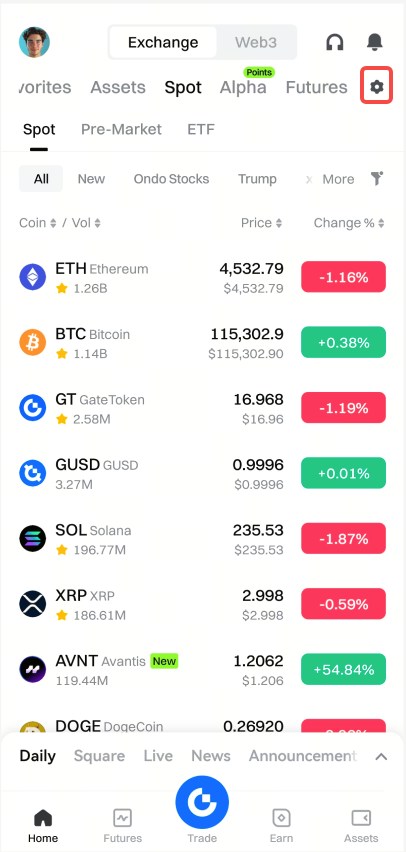
Open the Gate App. On the homepage, tap the Market [Settings] button. Under [Tools], select [Real-Time Market Tracking].

-
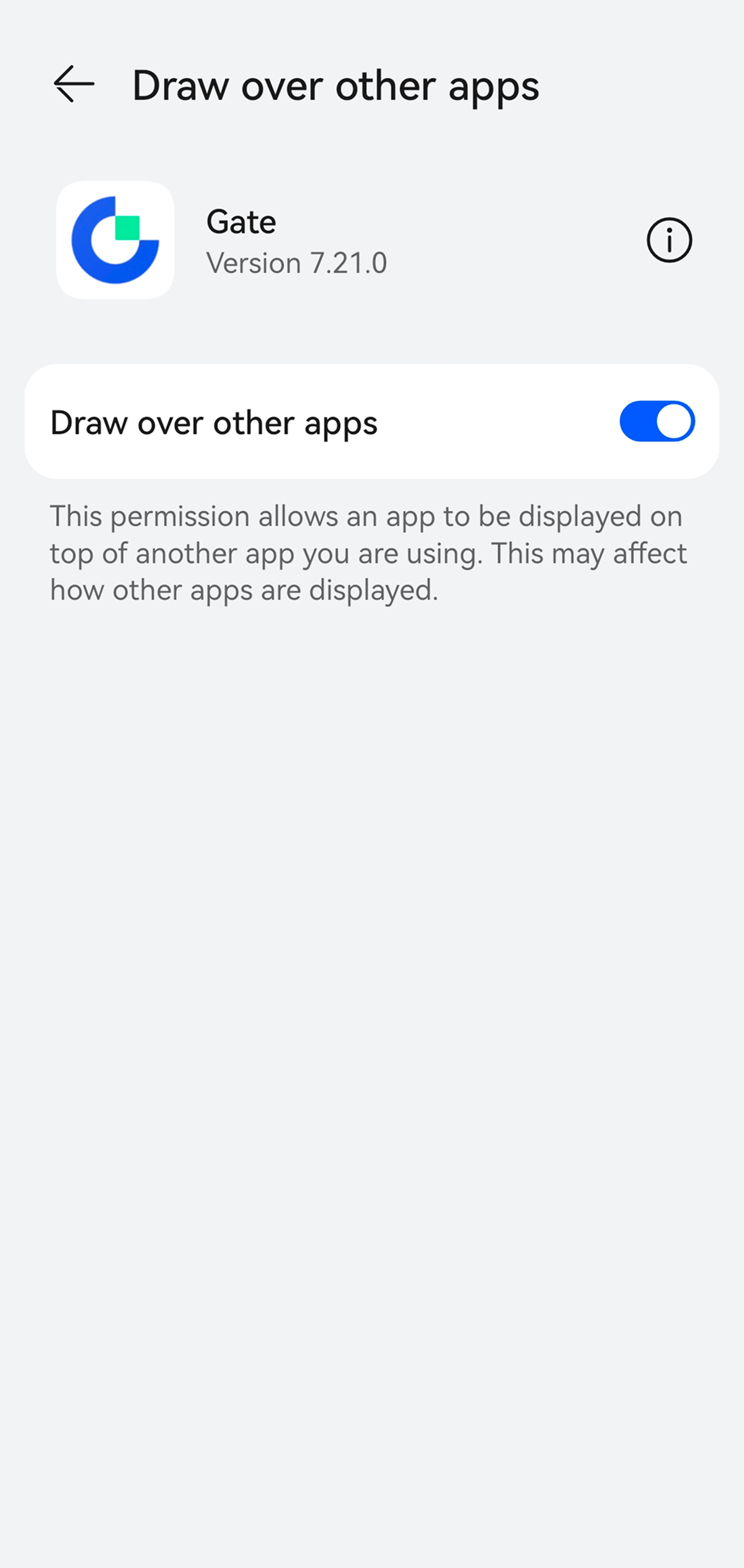
On the [Real-Time Market Tracking] page, enable [Floating Window Display]. The system will ask for permission the first time.
You can also enable it by going to [Settings] - [App info] - [Gate] - [Advanced settings] - [Draw over other apps].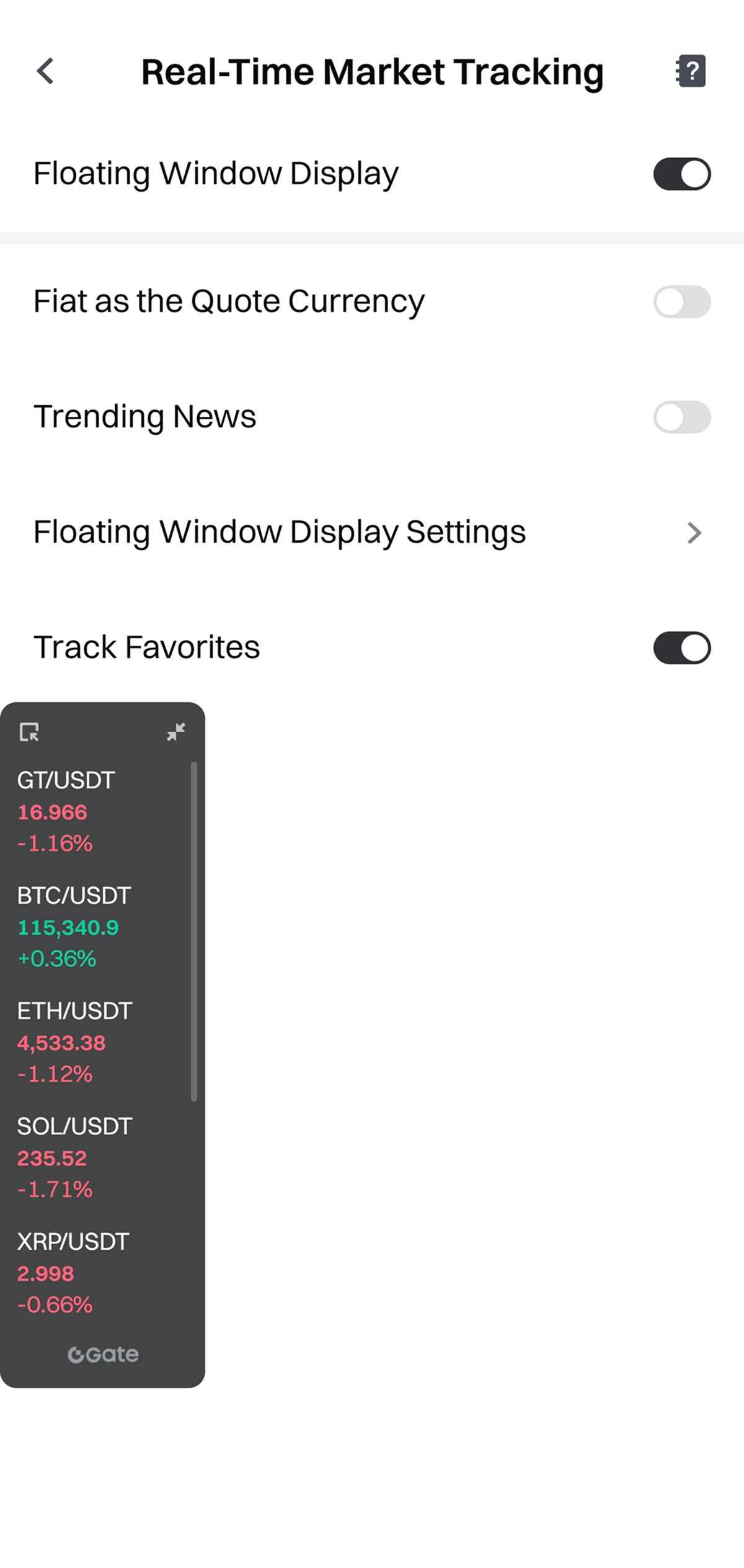
-
You can adjust the floating window settings and drag it to any area of the screen.
Parameter Configuration Instructions
- Fiat as the Quote Currency: Show prices in your preset fiat currency.
- Trending News: Enable or disable news notifications.
- Track Favorites: Choose Track Favorites or Custom Coins.
- Price Chg % Display: Show or hide percentage change.
- Auto Carousel: Auto-rotate coin prices.
- Futures Price Display: Switch among Last Price, Mark Price, or Index Price.
- Background Transparency: Adjust from 40% to 100%.
- Font Size: Small, standard, or large.
- Markets Per Page: Show 3–8 coins per page.
Gate has the final interpretation rights for this product.
Disclaimer
The content provided herein is for reference and educational purposes only and does not constitute any financial, investment, trading, or legal advice, nor does it constitute an offer or solicitation to buy or sell any digital assets. Gate makes no express or implied representations or warranties regarding the accuracy, completeness, or timeliness of the information contained herein. Product features, interfaces, rules, and fee structures may be updated or adjusted at any time. Please refer to the latest announcements and the actual information displayed on the Gate platform for the most accurate details.
Digital asset investments involve significant risk, and prices may fluctuate substantially. You may lose the entire amount of your investment. Please make decisions cautiously based on your own financial situation and risk tolerance after fully understanding the associated risks. If necessary, you are advised to consult an independent professional financial or legal advisor.
For more information about potential risks, please refer to Gate's Risk Disclosure and User Agreement.
